
IR Distance Sensor SHARP GP2Y0A02YK with Arduino
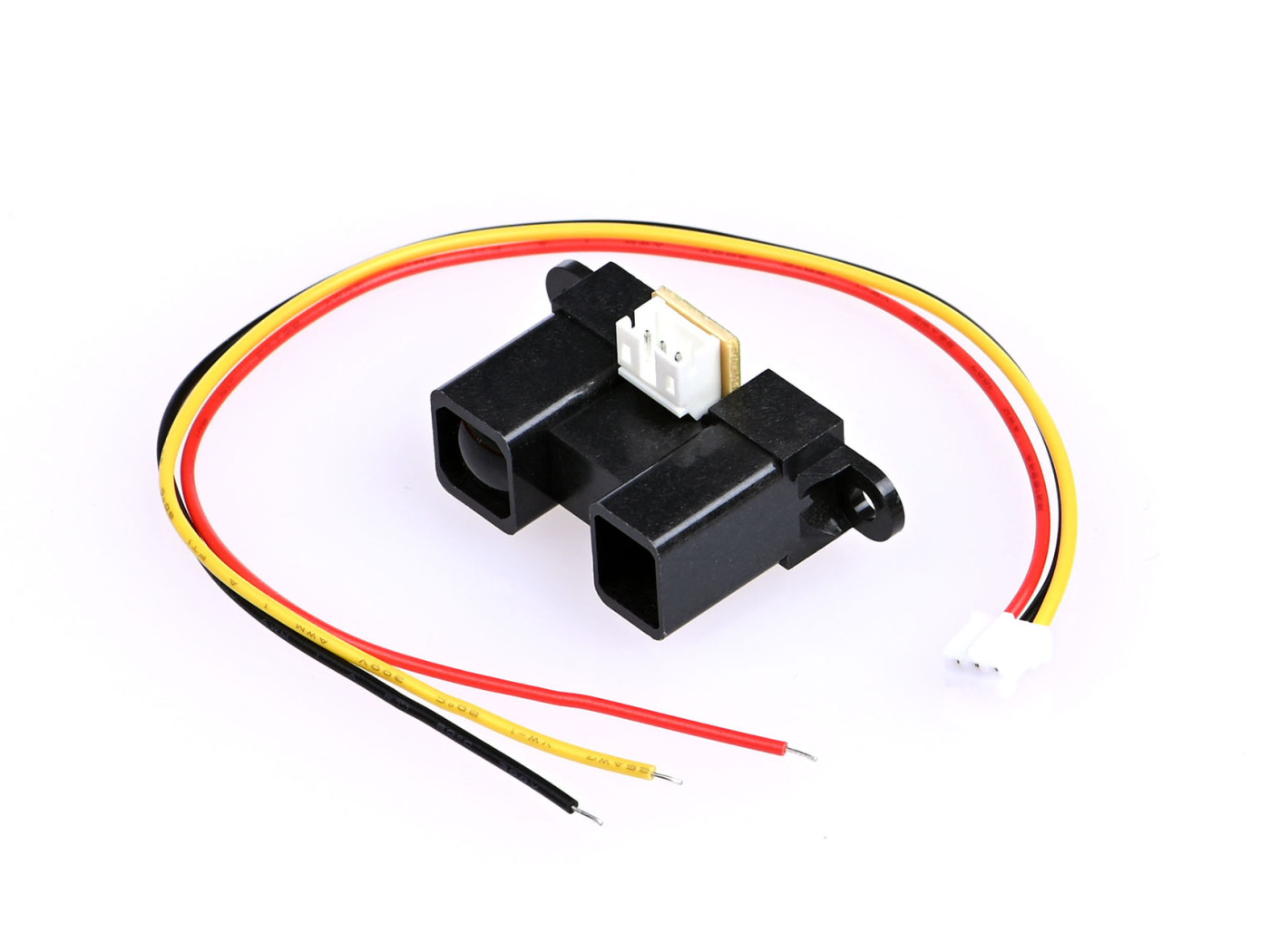
The Sharp GP2Y0A02YK infrared ranger is able to continuously measure the distance to an object. The usable range is 20 cm to 150 cm. The device generates an analog voltage that is a function of range, and the output voltage can be measured by an analog-to-digital (ADC) input line. The voltage will range from approx. 0.4V at 150cm to 2.7V at 20cm.
1 Material:
- sensor: Sharp GP2Y0A02YK
- Arduino UNO (other models also are fine) × 1 + power cable (sold seperately)
- Dupont jumper wires Male - male
- Capacitor(≥10 µF)
- breadboard
Solder some male jumper wires on the cable that comes with the sensor for easy connection to arduino or breadboard.
2 Assembly
Connect the parts according this schematic:
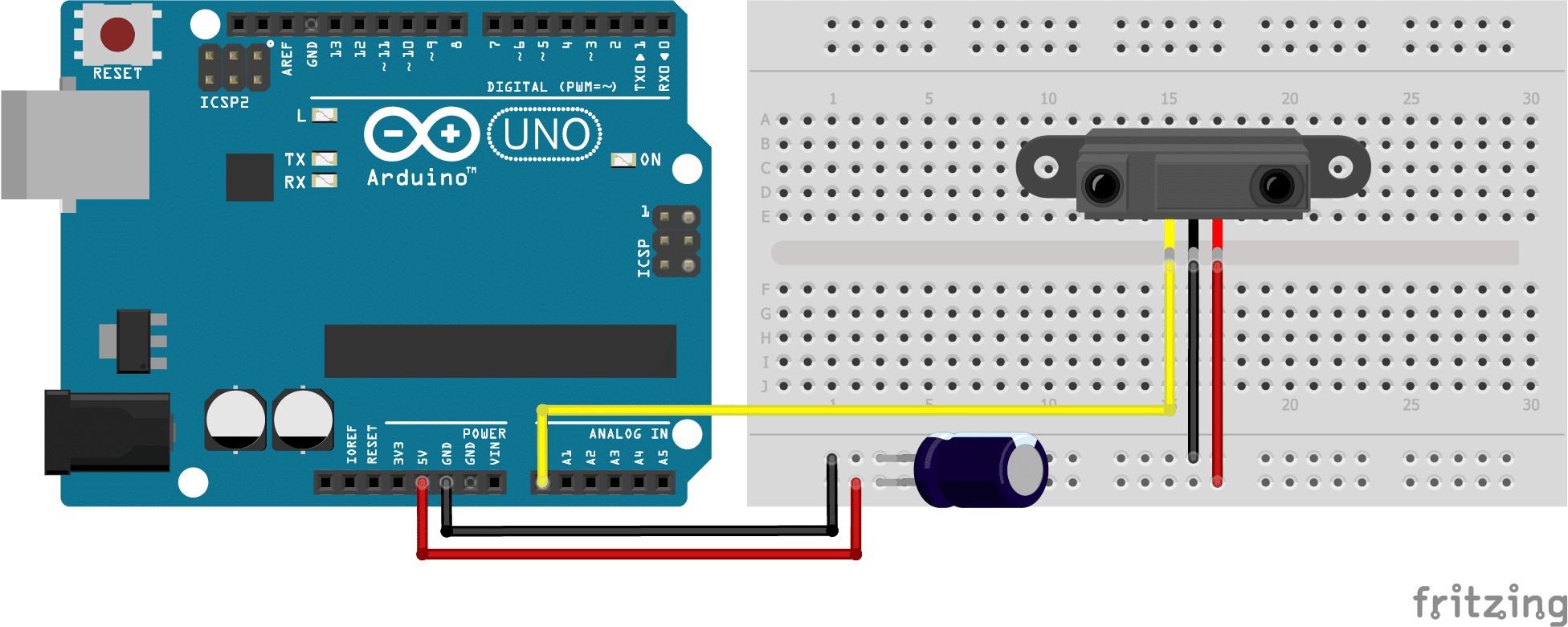
These type of distance sensors tend to be a bit noisy, so it is recommended to add a capacitor between Vcc and GND. The datasheet suggests a capacitor of 10 µF or more (I used 220 µF). Connect the positive lead of the capacitor to the Vcc wire connection and the negative lead to the GND wire connection (see picture). Capacitors are often marked with a stripe which indicates the negative lead. The positive lead is often longer then the negative lead.
3 Software & code
Download the SharpIR library written by Guillaume Rico and Thibaut Mauon here.
For more information check the github page here.
This library is not available through the library manager of Arduino. You have to manually instal it. For how to manually installing a library check this page. Scroll down to: "Importing a .zip Library"
I've edited the code from the source website a little so you only get values and no text as output. Works better with visual programming software like Isadora or touchdesigner.
Copy this code into a new empty file, connect with your arduino and uplaod the code.
4 Connect the arduino to your computer.
Connect Arduino to your computer & Upload the code.
If you do not know how to upload a Arduino sketch, please visit https://www.arduino.cc/en/Guide/Windows for Windows user or https://www.arduino.cc/en/Guide/MacOSX for Mac user.
Open the serial monitor by clicking the Magnifying glass in the top right corner of the window.
You should now see a stream of data measuring the distance to the object in front of the sensor. Hold your hand in front of the sensor and move it.
For connecting with Isadora read this
You can borrow this sensor for testing at the Blackbox location IBB. Contact: blackbox.ibb-pastoe@hku.nl
source:
https://www.makerguides.com/sharp-gp2y0a21yk0f-ir-distance-sensor-arduino-tutorial/