
Playtronica BIOTRON midi controller touchboard
General info
Play with your favorite plant and let nature compose your music. As the plant's natural electrical properties change, the sound evolves, creating a unique musical experience every time.
You can also connect this to software like Isadora or Touchdesigner to activate other outputs.
https://help.playtronica.com/plant-sound
you don't need to update the firware, this is already done by the Blackbox employe
https://shop.playtronica.com/products/biotron
How to use it
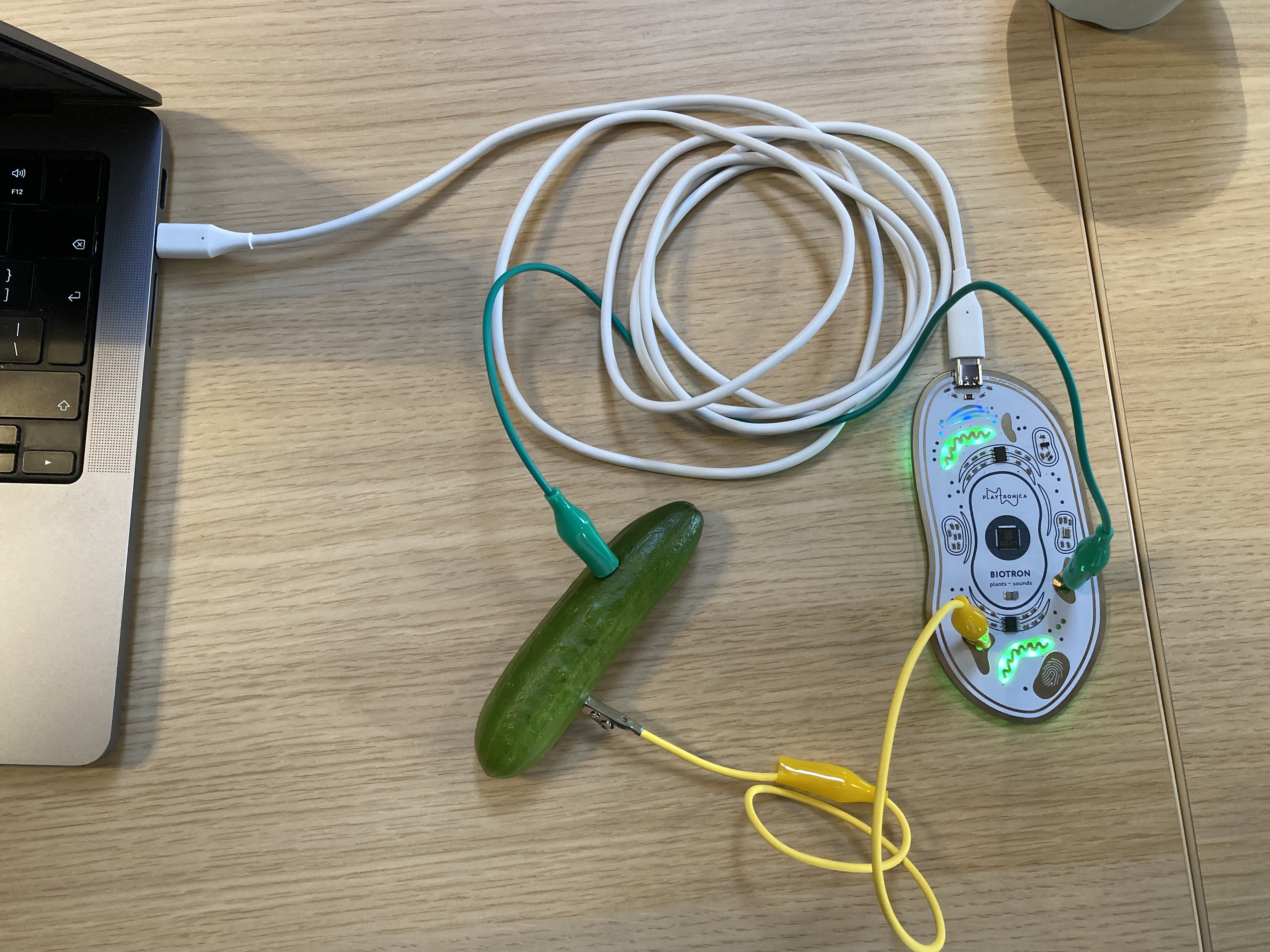
- Connect the Usb C cable with the Biotron and your computer
- Connect two cables with alligator clips to a plant, vegetable or something else organic and juicy.
- Wait a few seconds until the green lights in the Biotron start to pulsate...... remember to be patient
- Select the Biotron device (Biotron (Port 1)) as your midi device within your favourite audio program or other piece of midi munching software
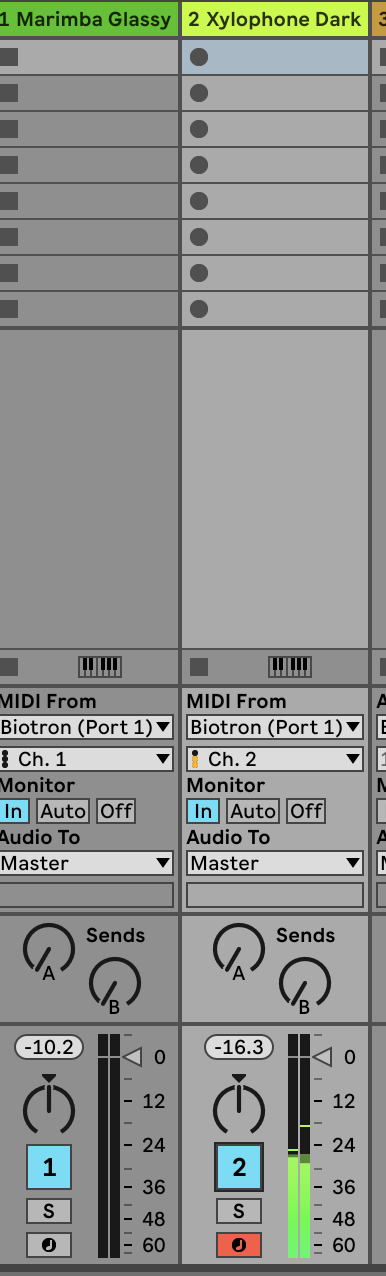
- Set one synth to midi channel one for generated notes from the plants
- Set another synth to midi channel two for pulsating notes
- Other then Audio software like Ableton you can also use online tool like midi.city(chrome only) to test the connection or play with your plant, vegetable or juicy organics.
This Bookstack is WIP...
for now Contact Blackbox employe to borrow this device and for help: blackbox.ibb-pastoe@hku.nl