
Send data from Isadora to Arduino
Think of it as if you were building the circuit in Arduino and you use the message from Isadora to Arduino to turn the circuit on or off.
Work files for Arduino & Isadora are added to this book, screenshots just for show ;)
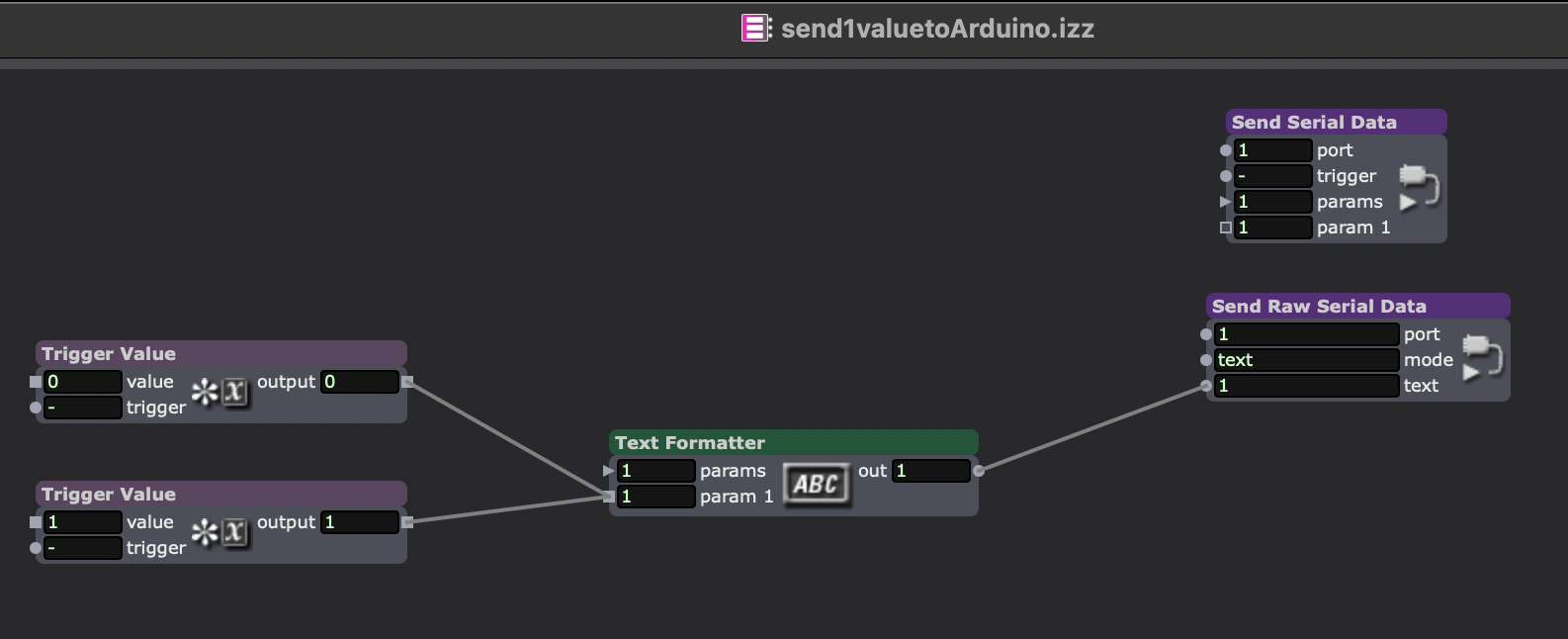
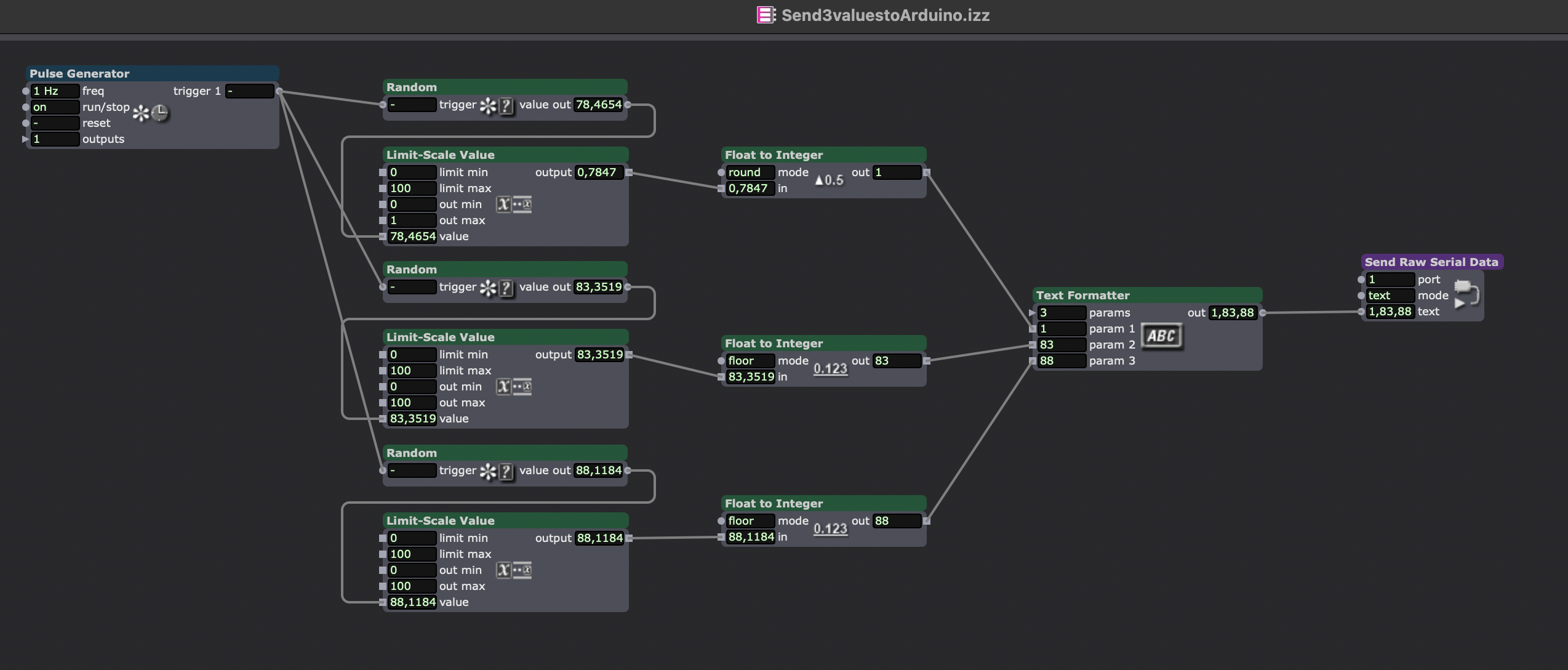
Files not made by me, for more info contact me (Simone van Dordrecht) or Machiel Veltkamp <machiel.veltkamp@hku.nl>
Example project:
Control motor with Isadora
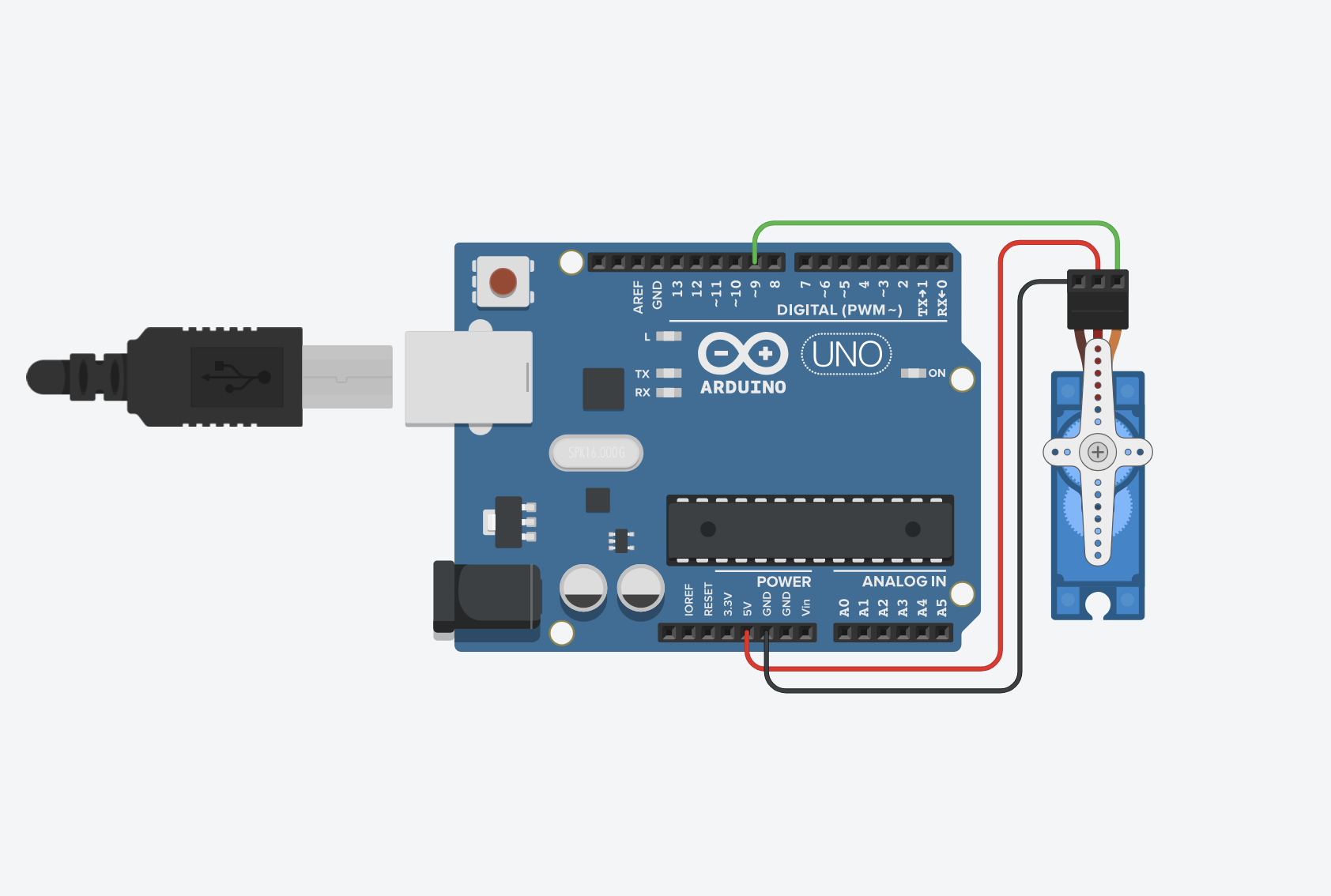
Download Isadora file:
send-value-to-ArduinoV2.izz
fixed values:
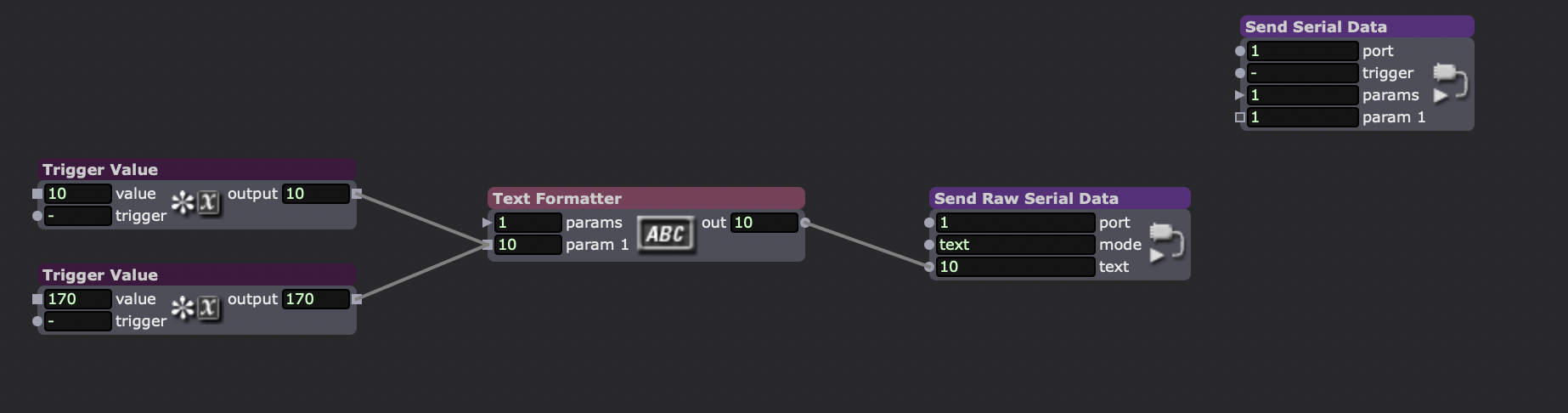
or
Range of values (doesnt work well with motors):

Arduino code:
#include <Servo.h>
Servo myServo;
int pos = 0;
void setup() {
Serial.begin(9600);
myServo.attach(9);
}
void loop() {
if (Serial.available() > 0) {
pos = Serial.parseInt(); // verwacht een getal 0-180
pos = constrain(pos, 0, 180);
myServo.write(pos);
// resterende tekens (zoals de newline) uit de buffer opruimen,
// zodat parseInt() niet nog een keer wordt aangeroepen op een lege regel
while (Serial.available() > 0) {
Serial.read();
}
}
}