
Receive data from Arduino in Isadora
Isadora settings
Communications:> Serial port setup
Port 1
Device: select -> usbmodem
Communications>
Enable serial ports
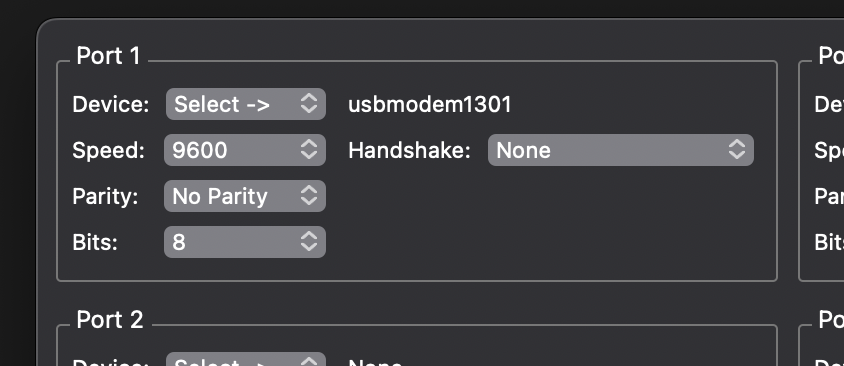
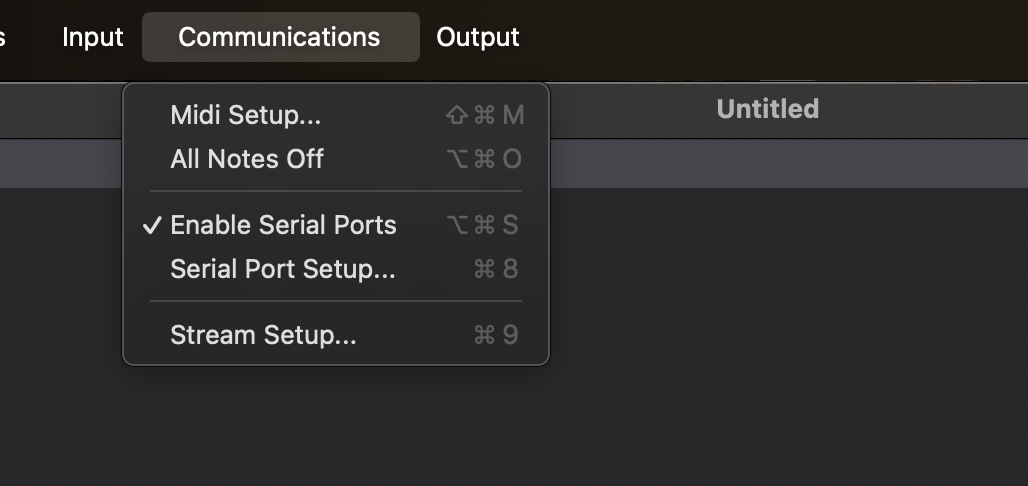
NB! If you have this on, close the serial monitor in Arduino,
If the serial monitor is on, Isadora cannot connect to the Arduino.
This also works the other way around. If you want to adjust your code in Arduino and you want to test the code, you must turn off the serial monitor in Isadora.
Open serial monitor in isadora:
windows > show monitor
Here you can see that the data is coming in from the Arduino. On the far right you can see that the value changes from 0 to 400(or more depending on the sensor). The serial monitor is for monitoring purposes only. You can turn it off when you see that the connection works.
In the Serial in watcher actor you see that the value changing. You can use that output for your patch.
Example with 3 LDR light sensors + code
A sensor usually outputs a range of data. In that case use the Serial in watcher - Text
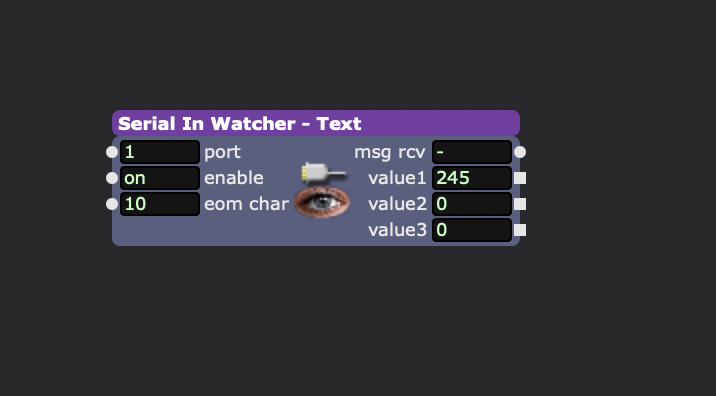
open the actor by double klikking it and fill in this code : value:int=eol
in actor put eom char on 10
Double click on the actor and fill in : value1:integer=3 digits "," value2:integer=3 digits "," value3:integer=3 digits
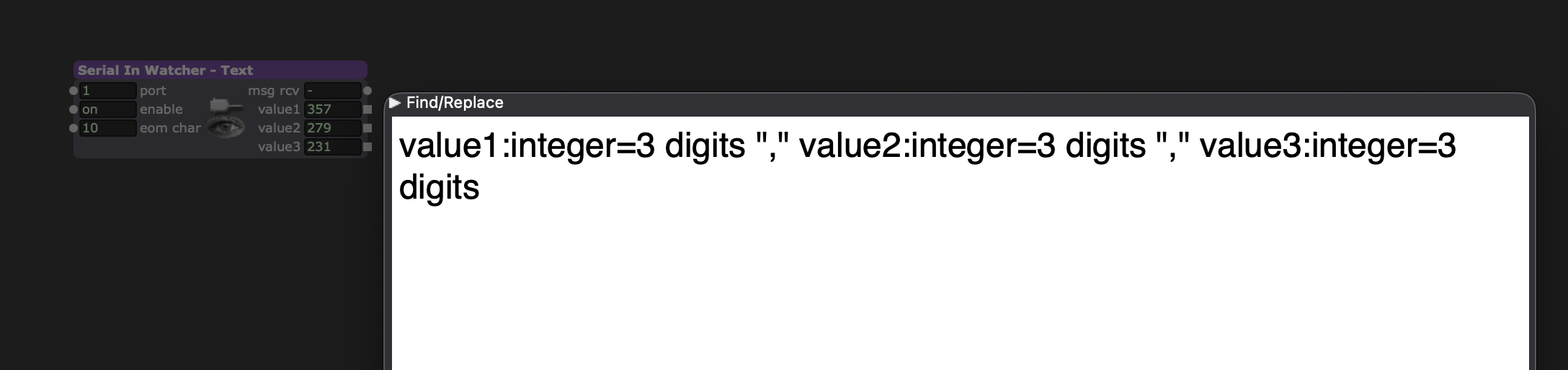
you could folow this tutorial for connecting the LDR sensor
I used this arduino code for 3 LDR light sensors: