
Infrared (IR) break-beam sensor
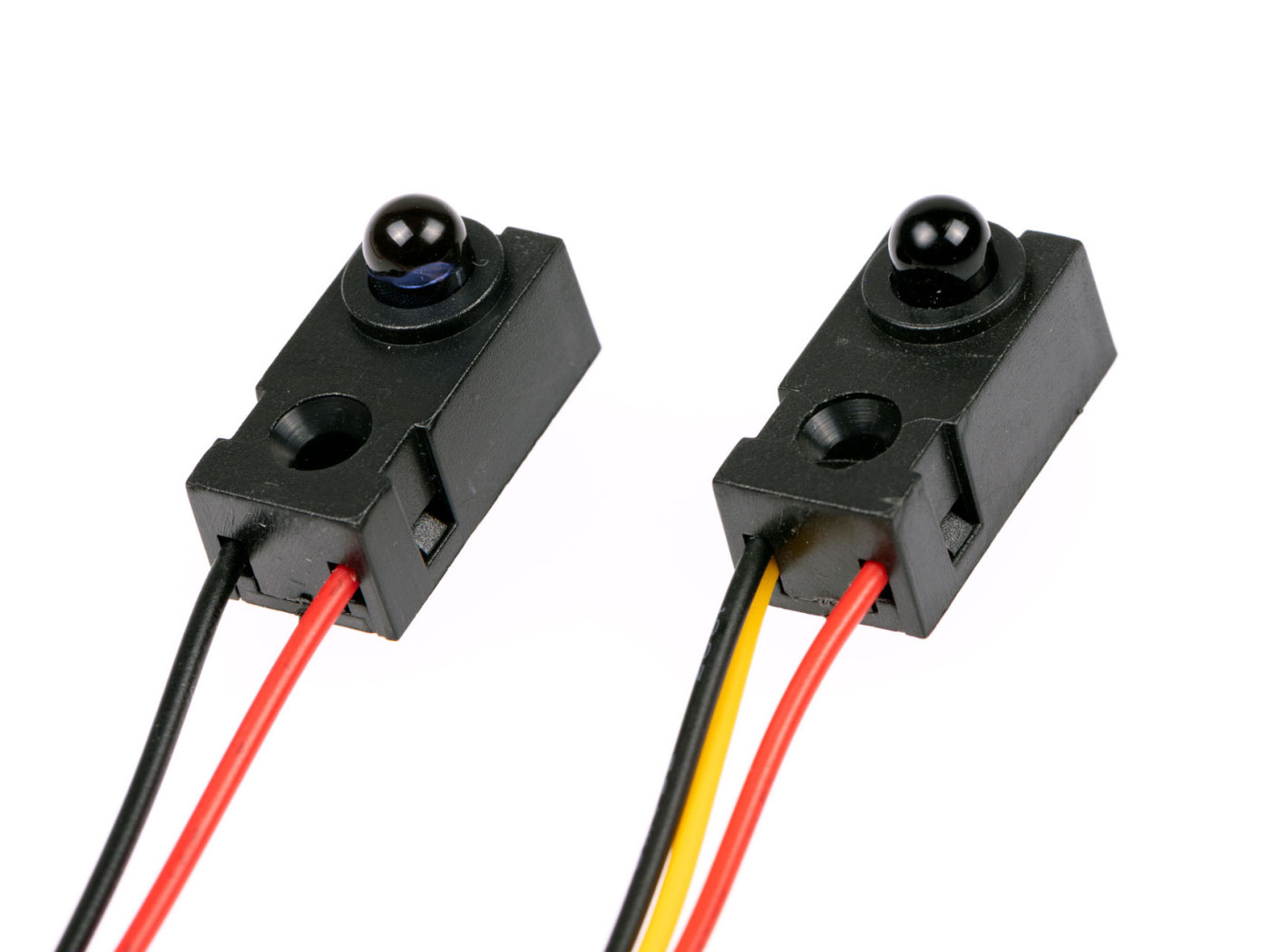
Infrared (IR) break-beam sensors are an easy way to detect movement. This sensor has a transmitter and receiver part. Point the transmitter at the receiver to create a light beam that will trigger the receiver if this bundle is interrupted.
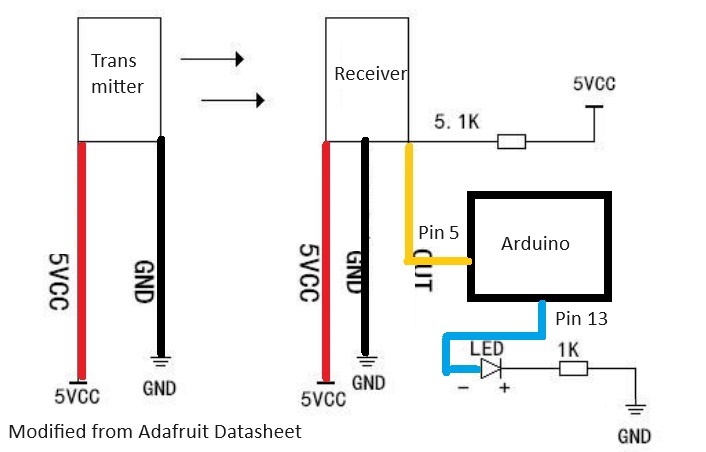
For this test i didn't use an LED as mentioned in the code and tutorial (see sources bottem of the page)
You can leave it out of the setup if you don't need it and connect the data(yellow wire) directly to pin 5 (digital) on the arduino.
Because it works with infrared light, use it indoors and close the curtains and maybe don't use halogen lights ;) I made that mistake.
1. If you buy this sensor new you will likely receive this without jumper wires. To make testing easy solder on some jumper wires.
2. Connect the sensors to the arduino, position them towards each other in a straight line. you can use a small box like in the tutorial in the source (below this text)
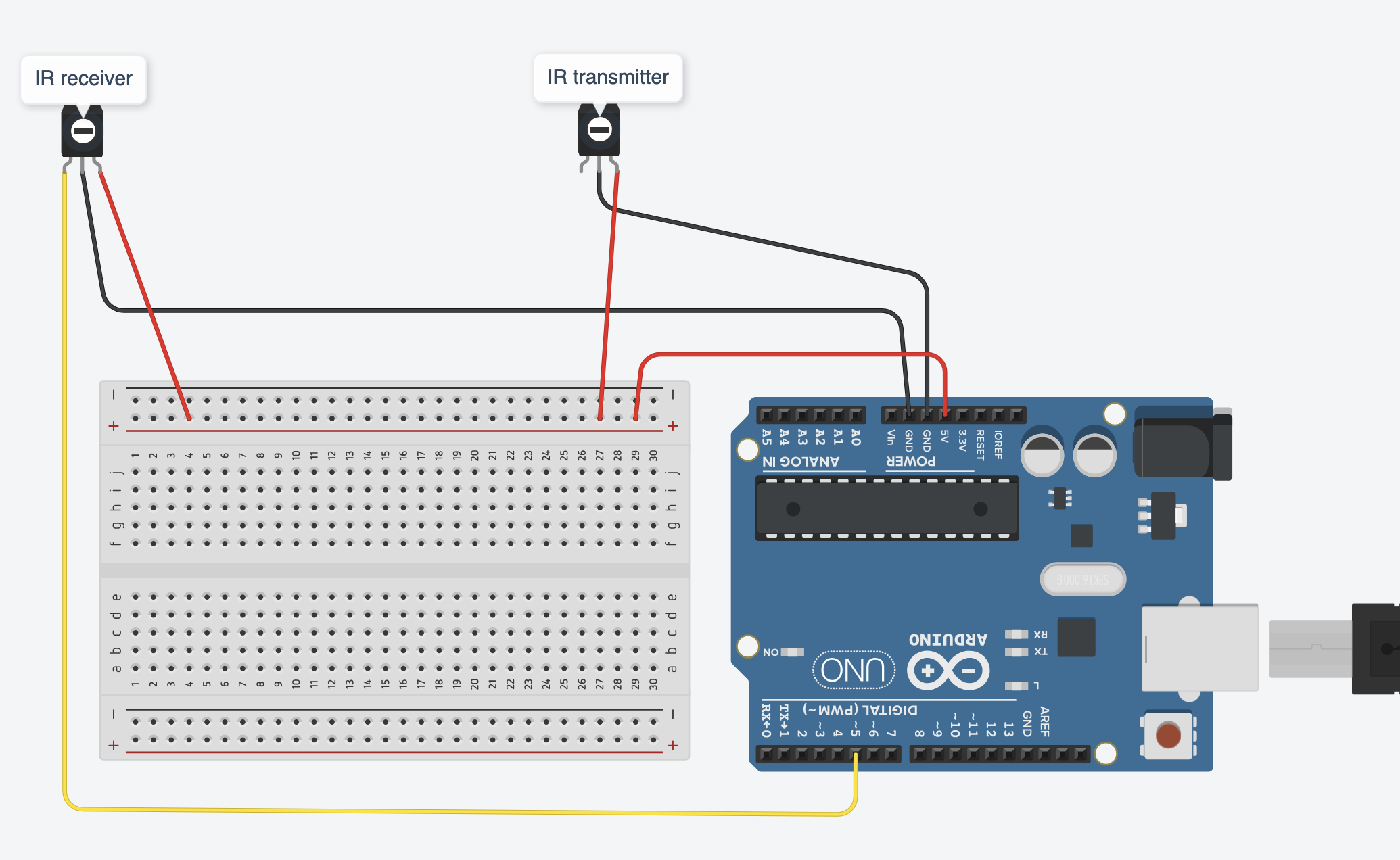
Sice you have only one 5V output on your arduino you can split up the power for both sensors by using a breadboard.
You can use this schematics:
with breadboard:
3. Create an Arduino sketch and copy this code into it:
void setup() {
Serial.begin(9600);
pinMode(5, INPUT_PULLUP);
pinMode(13, OUTPUT);
}
void loop() {
int val = digitalRead(5);
if (val == 0) //Beam is broken
{
digitalWrite(13, LOW);
}
else
{
digitalWrite(13, HIGH);
}
Serial.print(" ");
Serial.println(val);
delay(100);
}
5. Connect Arduino to your comuter & Upload the code.
If you do not know how to upload a Arduino sketch, please visit https://www.arduino.cc/en/Guide/Windows for Windows user or https://www.arduino.cc/en/Guide/MacOSX for Mac user.
6. When the path of light is blocked by some object, you would see "0" in Serial Terminal else you will see "1"
This is changed in the code coming from source github page (below text) so you can use the output in for instance Isadora. If you leave the text like in the original code the actor output will not give 1 or 0.
For connecting with Isadora read this
You can borrow this sensor for testing at the Blackbox location IBB. Contact: blackbox.ibb-pastoe@hku.nl
source:
Sensor: https://www.kiwi-electronics.com/nl/infrarood-straal-detector-5mm-leds-1577?search=kw-1516
Video: https://www.youtube.com/watch?v=GWdDeB7Sltw
Code from video: https://github.com/nickredsox/youtube/blob/master/Arduino/IR%20Beam/ir_beam_arduino/ir_beam_arduino.ino