
Gaussian Splatting: online and local
Gaussian splatting offers an interesting alternative to photogrammetry for specific use cases, particularly where real-time rendering, photorealistic results, and the ability to capture reflective and transparent surfaces are necessary. There are lots of online options for Gaussian splatting, both paid and unpaid. Kiri Engine seems to be a very complete suite and now has the option to make meshes out of splats, for use in for instance Blender in the paid version.
For all online platforms (paid or unpaid), please be aware of your data and privacy!
Running Gaussian Splatting locally with Sky Splat
Vid here:
Install the skysplat plugin. Plugin appears in the plugin bar on the right (press N)
Tab 1: open video. This will extract stills from the video.
Tab 2: run COLMAP. First under Colmap settings, enter the location of the Colmap folder (Colmap.exe in the Bin map). Then:
Tab 3: run brush training.
When opening the brush training on Windows, this only works when Blender is opened with Administrator rights.
with LichtFeld
Open source splatting tool, untested
https://github.com/MrNeRF/LichtFeld-Studio
with SplatShop
Also open source, with VR editor
https://github.com/m-schuetz/Splatshop
with PostShot
If you don't want to be reliant on external systems, you can make Gaussian splats (and photogrammetry) locally with a somewhat beefy computer. There are multiple tools available for this, but here we chose Postshot (Gaussian splatting) and RealityCapture (photogrammetry) for a quick comparison.
Workflow in Postshot:
March 2026 Update: Can't export to .ply in the free version of Postshot anymore...
- Install Postshot from https://www.jawset.com/
- Make a video of the object or space. You can import multiple videos in the software, taking all videos with the same camera will have better results.
- Drag the videos into Postshot
- Render. Postshot mainly runs on GPU. The render below (50 sec video) took about 20 minutes.
- After rendering you can crop the image to exclude all the fuzzy blobs. For this look under Paramters - Edit in the menu on the right
- After rendering you can export to .ply
- To import to different software you will need a plugin
There are plugins for
- After Effects (not tested here)
- Unreal (paid plugin, not tested here)
- Blender (lower resolution, slightly more abstract results). Blender does not produce a Mesh!
- Unity (not tested here)
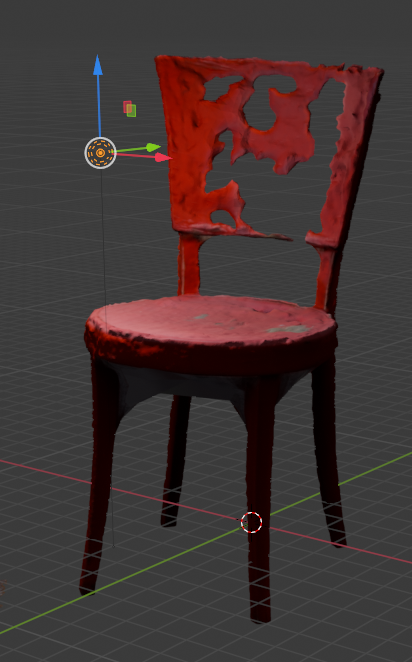
Below: the same chair model in Postshot and Blender
|
Postshot |
same model in Blender |
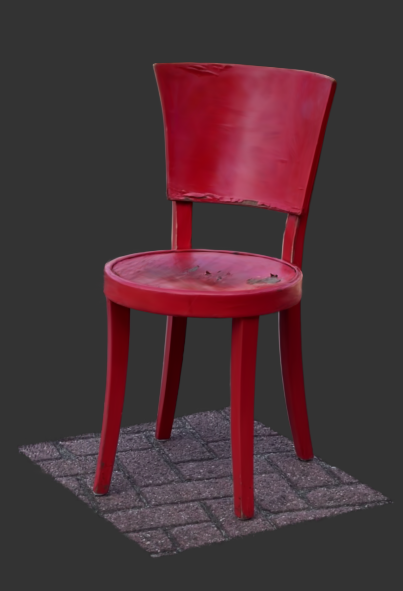
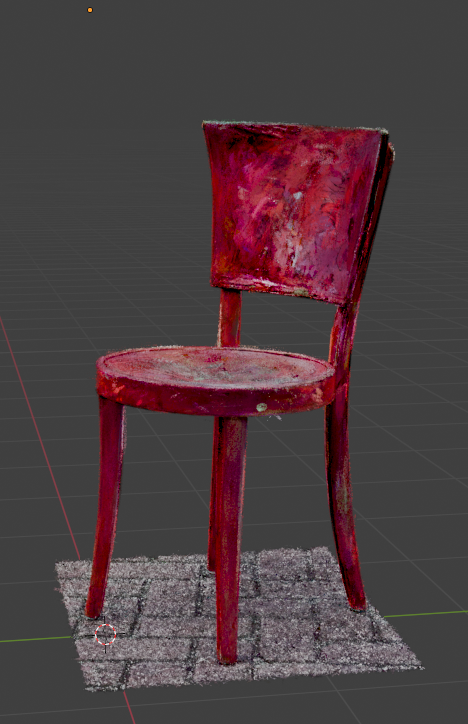
Compared to local photogrammetry (RealityCapture)
We've used the same source video for a render in RealityCapture. This render took about three minutes and shows one of the problems with photogrammetry: shiny objects become invisible. You can fix this by using a polarizing filter over your lens.
|
In RealityCapture |
.obj imported in Blender |
Render with lighting in Blender |
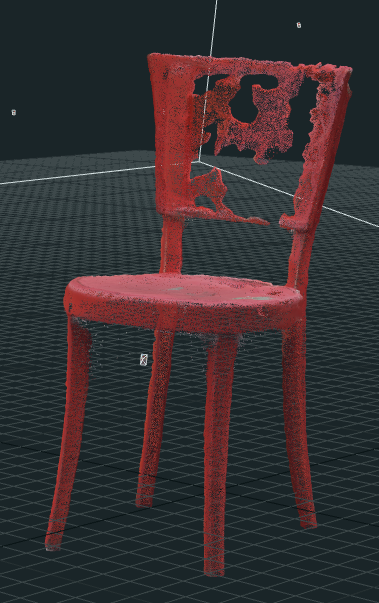
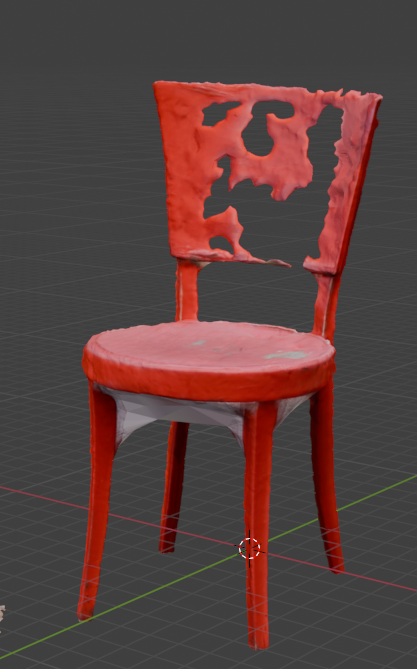
Thoughts on using Gaussian Splatting
As long as Gaussian splatting does not easily convert to meshes, it's use in live 3d engines might be limited. Models can be quite heavy (the chair above is 130MB as a splat, vs 20MB as a .obj) and can't be reduced easily.
It might be more applicable to pre-rendered applications, where you have can re-edit the camera from the original recording. Change angles, change camera movement, etc.
Editing splats with SplatShop
Also open source, with VR editor
https://github.com/m-schuetz/Splatshop
Re-lighting Splats
Apparent you can re-light Splatted scenes. One option menioned is in the Octane rendering engine, another is using a UE5-plugin called Volinga
Re-lighting in Blender
Using the Kiri Engine plugin from here: https://github.com/Kiri-Innovation/3dgs-render-blender-addon
Manual and quick guides for Kiri Engine: https://www.kiriengine.app/blender-addon/3dgs-render
Various tutorials on Gaussian Splatting
importing .ply gaussian splat in Blender