# Focus Pico Beamer ML1050sti (UITLEEN)

[https://www.optomaeurope.com/product/ml1050sti](https://www.optomaeurope.com/product/ml1050sti)

<table border="1" id="bkmrk-" style="border-collapse: collapse; width: 100%;"><colgroup><col style="width: 33.3333%;"></col><col style="width: 33.3333%;"></col><col style="width: 33.3333%;"></col></colgroup><tbody><tr><td>[![9ddc5bc9-fd09-421e-a852-bde8fb23eba5.jpg](https://bookstack.hku.nl/uploads/images/gallery/2026-10/scaled-1680-/FAZ9ddc5bc9-fd09-421e-a852-bde8fb23eba5.jpg)](https://bookstack.hku.nl/uploads/images/gallery/2026-10/FAZ9ddc5bc9-fd09-421e-a852-bde8fb23eba5.jpg)</td><td>[![f55387ab-7745-40de-835b-11403bc8d4eb.jpg](https://bookstack.hku.nl/uploads/images/gallery/2026-10/scaled-1680-/f55387ab-7745-40de-835b-11403bc8d4eb.jpg)](https://bookstack.hku.nl/uploads/images/gallery/2026-10/f55387ab-7745-40de-835b-11403bc8d4eb.jpg)</td><td>[![cbd019fc-67c6-438f-9e8a-b9cf0de3a6f7.jpg](https://bookstack.hku.nl/uploads/images/gallery/2026-10/scaled-1680-/cbd019fc-67c6-438f-9e8a-b9cf0de3a6f7.jpg)](https://bookstack.hku.nl/uploads/images/gallery/2026-10/cbd019fc-67c6-438f-9e8a-b9cf0de3a6f7.jpg)</td></tr></tbody></table>

This projector has autofocus, which is awesome but can also be super annoying!  
**<span style="color: rgb(224, 62, 45);">DO NOT TWIST THE LENS MANUALLY!</span>**  
  
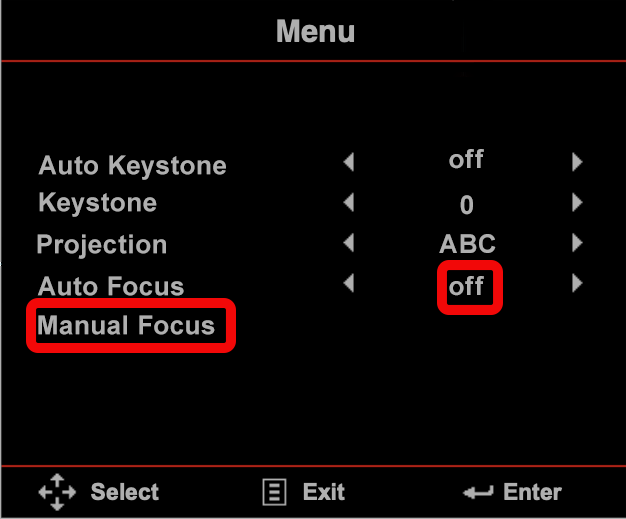
Instead, turn off autofocus in the menu:

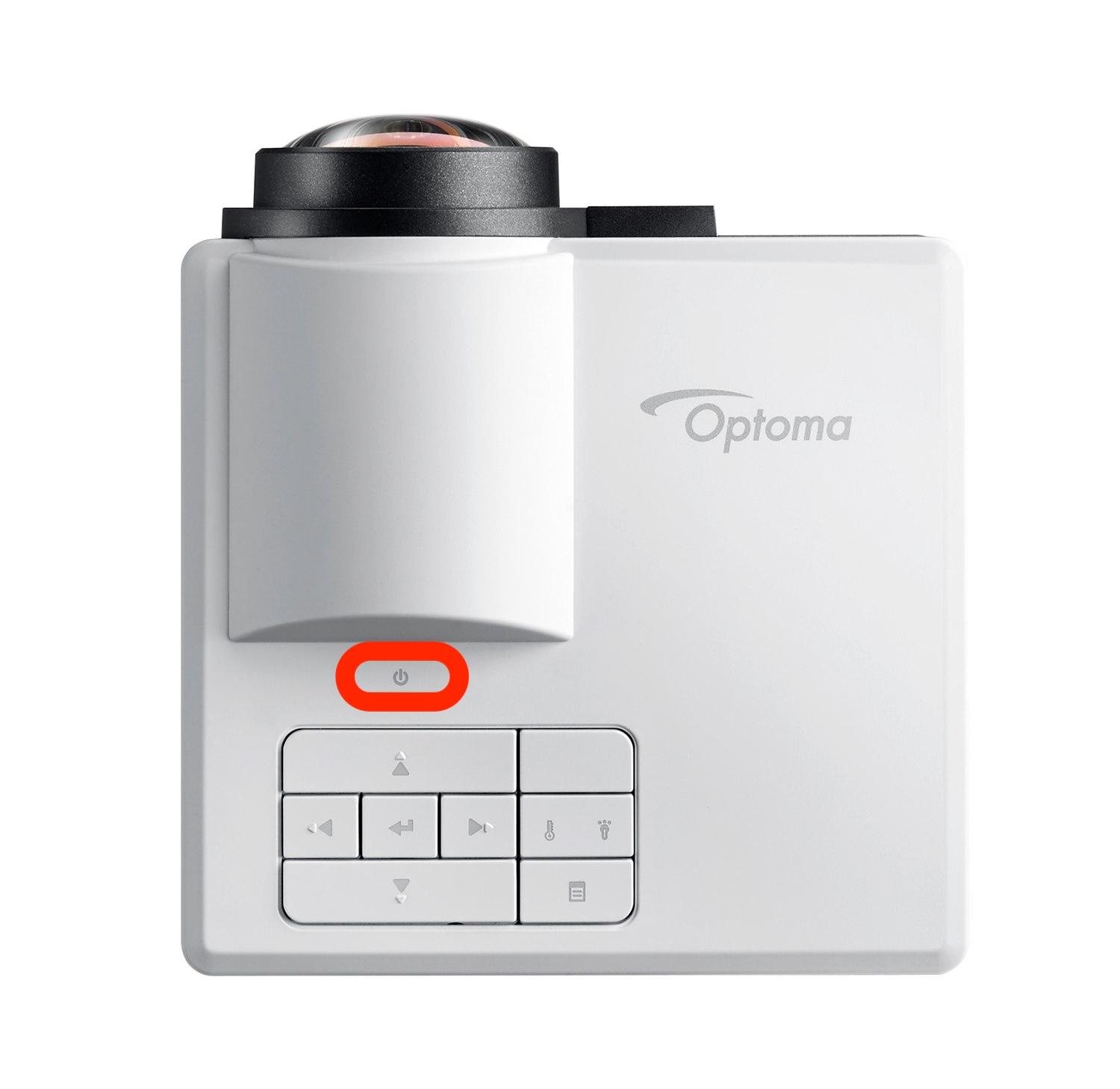
<table border="1" id="bkmrk-1%29-turn-on-projector" style="border-collapse: collapse; width: 100%;"><colgroup><col style="width: 25.0298%;"></col><col style="width: 25.0298%;"></col><col style="width: 50.0596%;"></col></colgroup><tbody><tr><td>1) turn on projector.   
It may start to autofocus. </td><td>[![e3702a51-0b44-4de6-8284-8341abc59a5b copy.jpg](https://bookstack.hku.nl/uploads/images/gallery/2026-10/scaled-1680-/e3702a51-0b44-4de6-8284-8341abc59a5b-copy.jpg)](https://bookstack.hku.nl/uploads/images/gallery/2026-10/e3702a51-0b44-4de6-8284-8341abc59a5b-copy.jpg)  
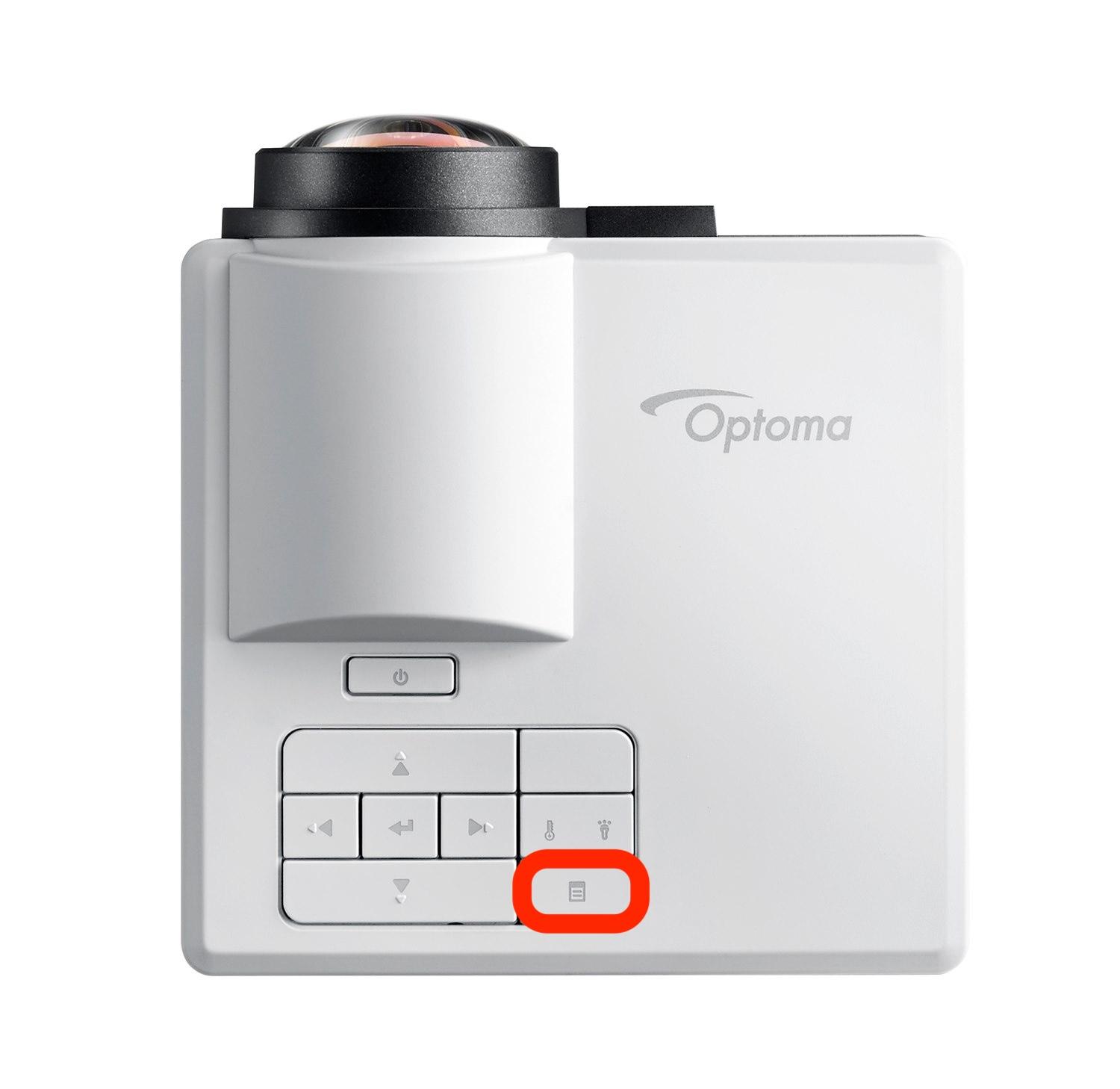
</td><td></td></tr><tr><td>2) To adjust focus, press the menu button once</td><td>[![display button.jpg](https://bookstack.hku.nl/uploads/images/gallery/2026-10/scaled-1680-/display-button.jpg)](https://bookstack.hku.nl/uploads/images/gallery/2026-10/display-button.jpg)  
</td><td>  
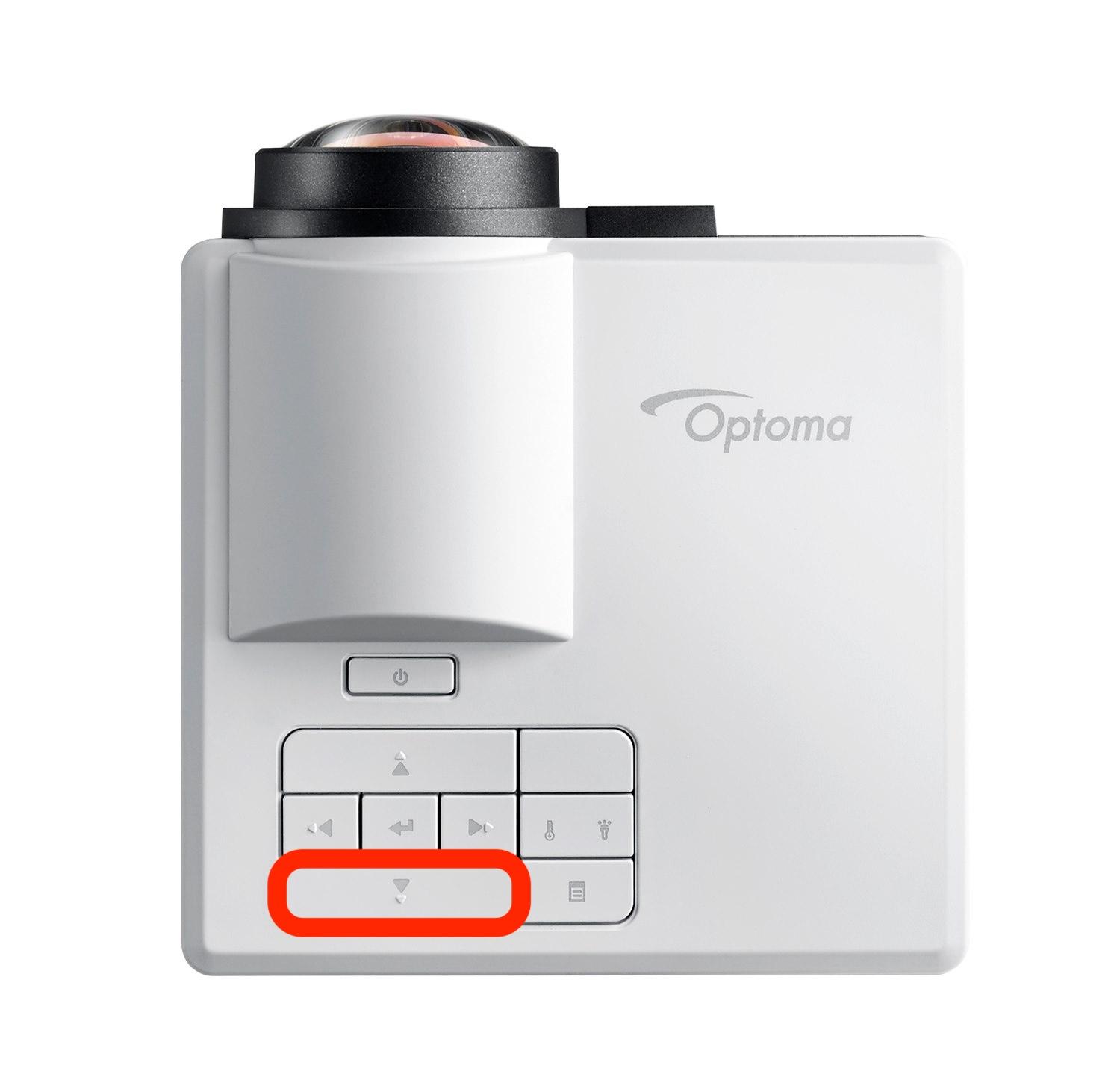
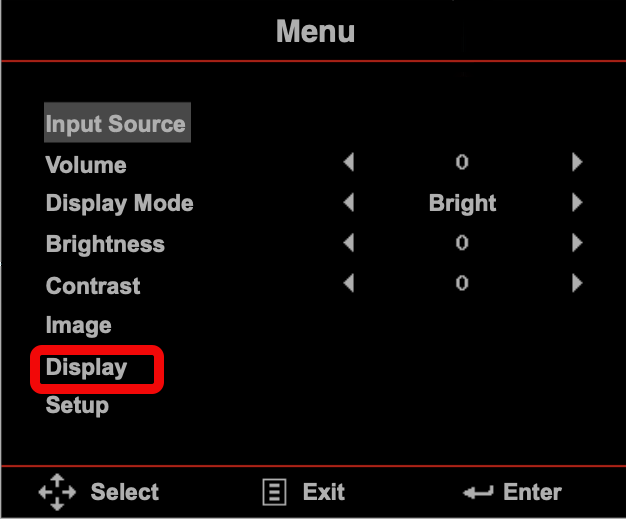
</td></tr><tr><td>3) navigate to DISPLAY in the menu </td><td>[![e3702a51-0b44-4de6-8284-8341abc59a5b copy 2.jpg](https://bookstack.hku.nl/uploads/images/gallery/2026-10/scaled-1680-/e3702a51-0b44-4de6-8284-8341abc59a5b-copy-2.jpg)](https://bookstack.hku.nl/uploads/images/gallery/2026-10/e3702a51-0b44-4de6-8284-8341abc59a5b-copy-2.jpg)

[![enter.jpg](https://bookstack.hku.nl/uploads/images/gallery/2026-10/scaled-1680-/enter.jpg)](https://bookstack.hku.nl/uploads/images/gallery/2026-10/enter.jpg)
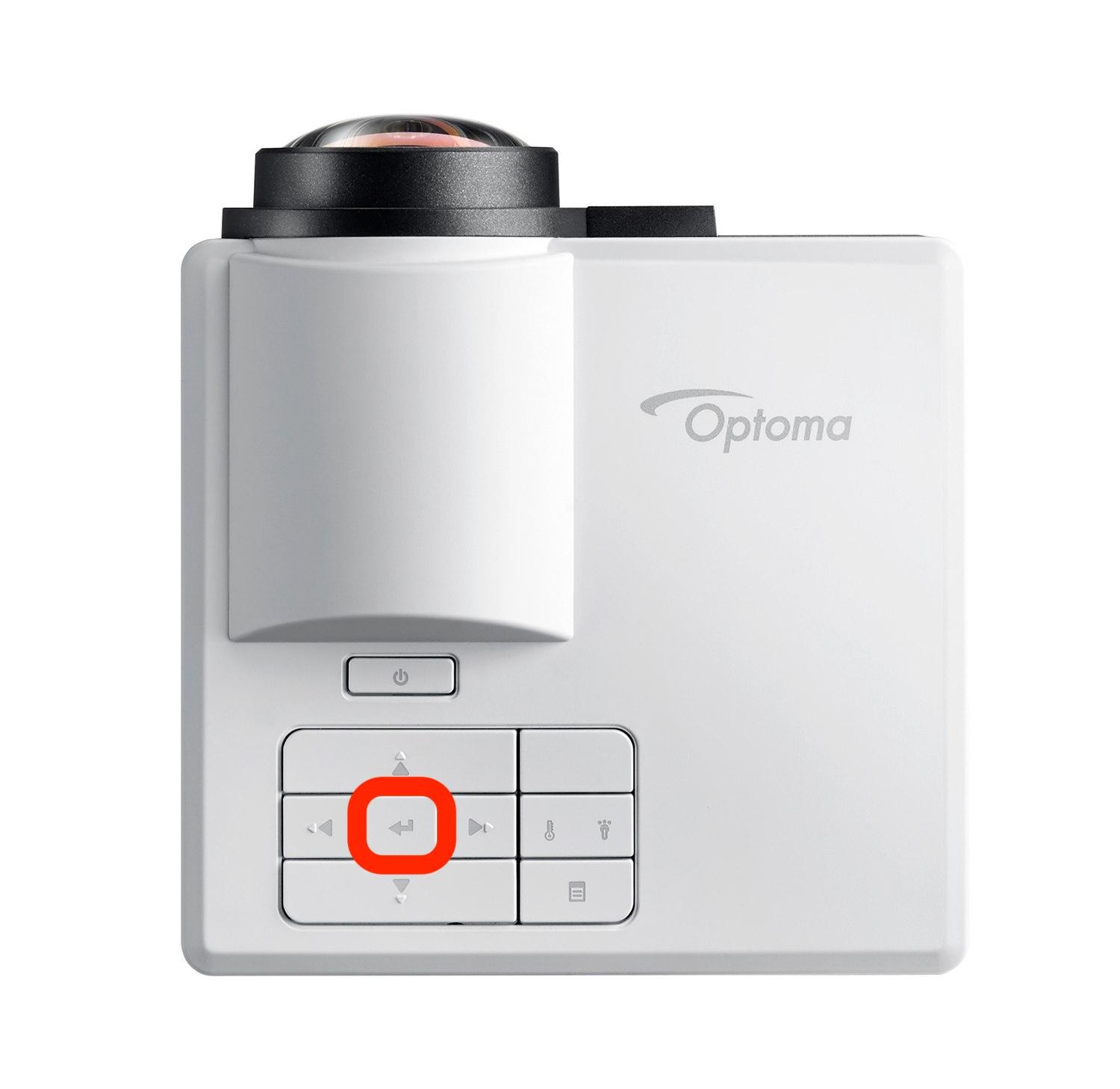
</td><td>[![menu1.png](https://bookstack.hku.nl/uploads/images/gallery/2026-10/scaled-1680-/menu1.png)](https://bookstack.hku.nl/uploads/images/gallery/2026-10/menu1.png)

</td></tr><tr><td>4) switch autofocus to OFF</td><td>[![e3702a51-0b44-4de6-8284-8341abc59a5b copy 2.jpg](https://bookstack.hku.nl/uploads/images/gallery/2026-10/scaled-1680-/e3702a51-0b44-4de6-8284-8341abc59a5b-copy-2.jpg)![enter.jpg](https://bookstack.hku.nl/uploads/images/gallery/2026-10/scaled-1680-/enter.jpg)](https://bookstack.hku.nl/uploads/images/gallery/2026-10/e3702a51-0b44-4de6-8284-8341abc59a5b-copy-2.jpg)  
</td><td>[![focus.png](https://bookstack.hku.nl/uploads/images/gallery/2026-10/scaled-1680-/focus.png)](https://bookstack.hku.nl/uploads/images/gallery/2026-10/focus.png)

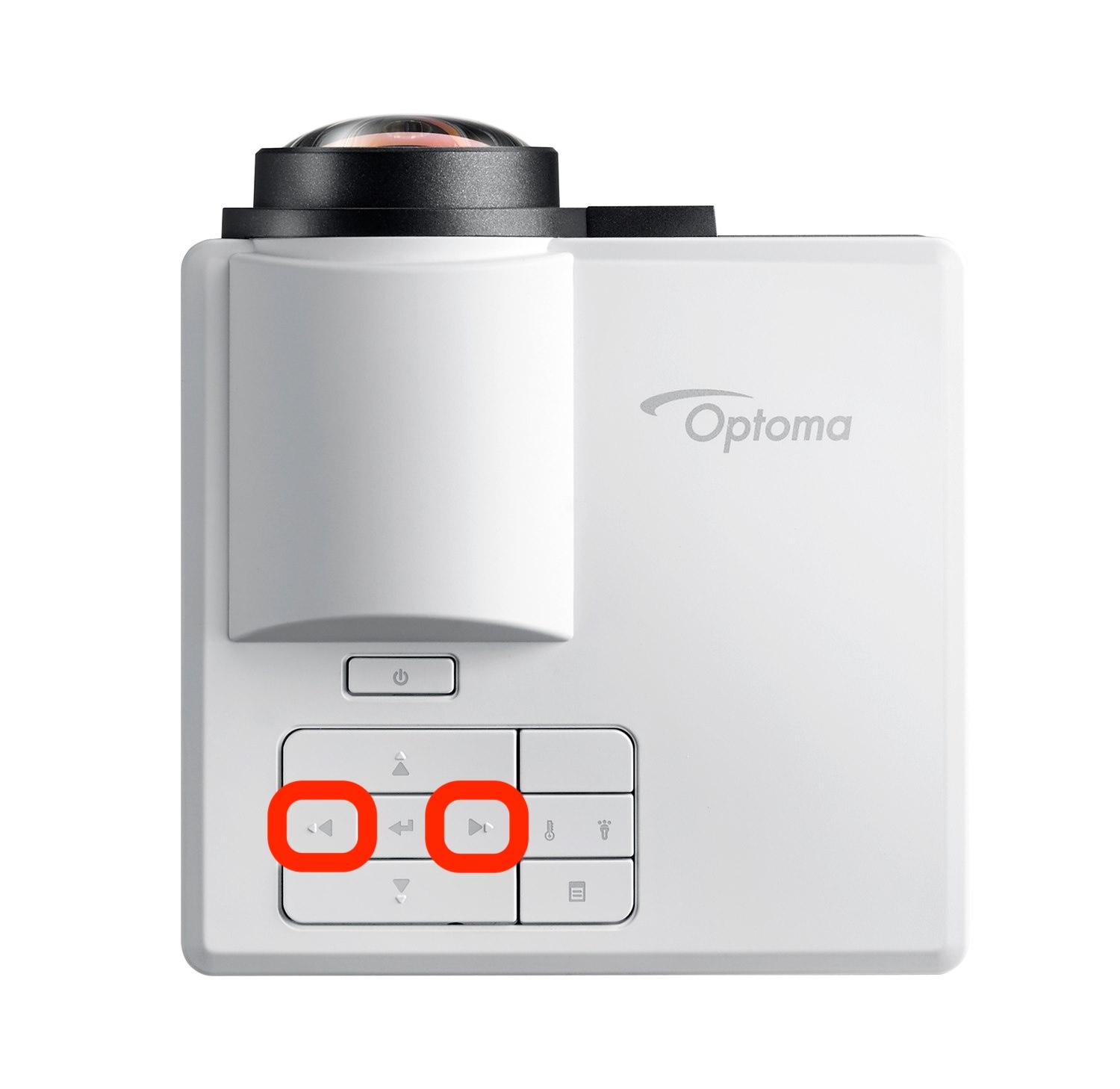
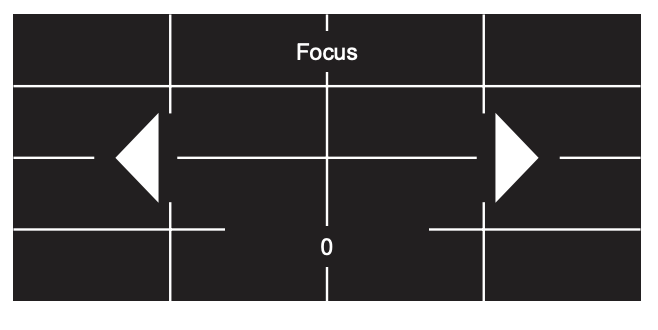
</td></tr><tr><td>5) adjust focus manually  
  
  
long press the buttons on the control panel to perform the coarse focus adjustment first, and then short press the buttons to fine-tune your focus.   
  
</td><td>[![e3702a51-0b44-4de6-8284-8341abc59a5b copy 3.jpg](https://bookstack.hku.nl/uploads/images/gallery/2026-10/scaled-1680-/e3702a51-0b44-4de6-8284-8341abc59a5b-copy-3.jpg)](https://bookstack.hku.nl/uploads/images/gallery/2026-10/e3702a51-0b44-4de6-8284-8341abc59a5b-copy-3.jpg)

[![enter.jpg](https://bookstack.hku.nl/uploads/images/gallery/2026-10/scaled-1680-/enter.jpg)](https://bookstack.hku.nl/uploads/images/gallery/2026-10/enter.jpg)

</td><td>[![Screenshot 2026-10-23 at 09.47.45.png](https://bookstack.hku.nl/uploads/images/gallery/2026-10/scaled-1680-/screenshot-2026-10-23-at-09-47-45.png)](https://bookstack.hku.nl/uploads/images/gallery/2026-10/screenshot-2026-10-23-at-09-47-45.png)

</td></tr></tbody></table>

NB focus can also be adjusted with the remote if it is included.