# Muse 2 EEG headband

Muse is a smart headband that acts as your personal meditation coach. Using advanced EEG brain sensors, Muse can detect your brain activity and provide you with real-time feedback in the form of gentle audio sounds through your headphones (regular use in the Muse app). Primarily advertised as a neurofeedback tool, the headband tracks heart rate (**PPG + Pulse Oximetry**), angular velocity (**gyroscope**), proper acceleration (**accelerometer**), and electroencephalography (**dry electrodes**) to assist you in your meditation sessions.

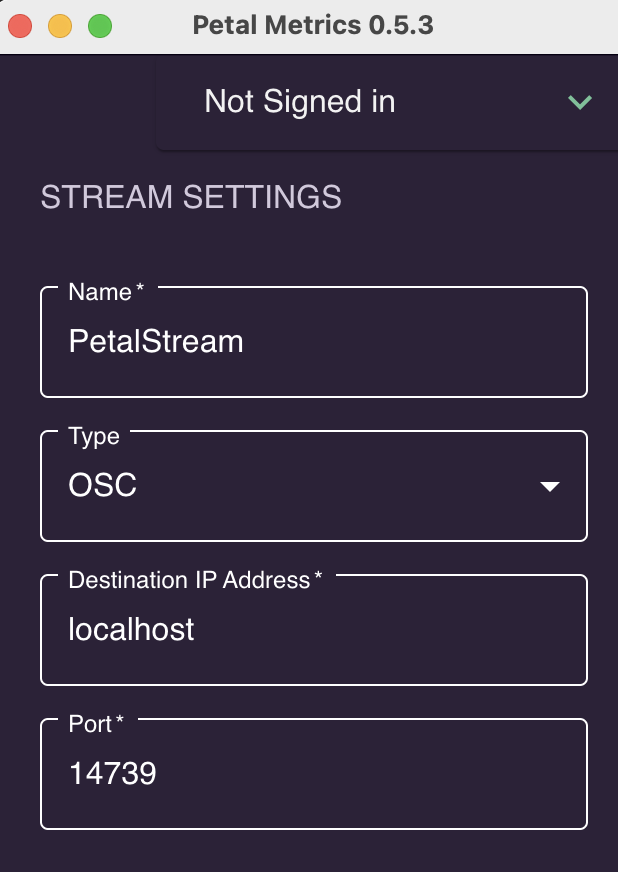
<table border="1" id="bkmrk-the-muse-can-be-conn" style="border-collapse: collapse; width: 116.296%; height: 213px;"><colgroup><col style="width: 70.41%;"></col><col style="width: 29.59%;"></col></colgroup><tbody><tr><td>The Muse can be connected to your computer using Petal Metrics: [https://petal.tech/downloads](https://petal.tech/downloads)  
This tool allows you to send the EEG data to your computer through OSC.   
  
Update 2024: this app is no longer free. </td><td>![Screenshot 2024-02-26 at 15.19.55.png](https://bookstack.hku.nl/uploads/images/gallery/2024-02/scaled-1680-/screenshot-2024-02-26-at-15-19-55.png)</td></tr></tbody></table>

[Brain waves](https://www.diygenius.com/the-5-types-of-brain-waves/ "more info on these 5 types of brainwaves") are measured in hertz (Hz), which refers to cycles per second.

[![image.png](https://bookstack.hku.nl/uploads/images/gallery/2024-02/scaled-1680-/NGpimage.png)](https://bookstack.hku.nl/uploads/images/gallery/2024-02/NGpimage.png)

#### Muse 2 in Touchdesigner:

<iframe allowfullscreen="allowfullscreen" height="314" src="https://www.youtube.com/embed/Br0JXvuzWEI" width="560"></iframe>

This video covers how to connect the Muse 2 device into TouchDesigner.   
Using OSC ports (muse app, paid) to get the data, we will build a simple generative animation controlled with the mind.  
The connected app is *[Mind Monitor ](https://mind-monitor.com/ "mind monitor app")(paid)* <span class="oo">&gt;&gt; OSC specs for Mind Monitor : </span><span class="oo">[https://mind-monitor.com/FAQ.php#oscspec](https://mind-monitor.com/FAQ.php#oscspec)  
This app is available in the Blackbox JK (ipad)  
</span>

<span class="oo">Download [muse\_data.tox](https://bookstack.hku.nl/attachments/47) for touchdesigner use with and OSC app connected to the headset &amp; get named channels (check out de RAW oscIn operator inside the .tox to see the other possibly usefull data being streamed).</span>

<span class="oo">  
more TD examples using the Mind monitor app:</span>

- [Mind-Monitor-TouchDesigner-MultiDisplay.toe](https://mind-monitor.com/misc/Mind-Monitor-TouchDesigner-MultiDisplay.toe)
- [Mind-Monitor-TouchDesigner-Audio.toe](https://mind-monitor.com/misc/Mind-Monitor-TouchDesigner-Audio.toe)
- [Mind-Monitor-TouchDesigner-Relative.toe](https://mind-monitor.com/misc/Mind-Monitor-TouchDesigner-Relative.toe)
- [Mind-Monitor-TouchDesigner-RAW.toe](https://mind-monitor.com/misc/Mind-Monitor-TouchDesigner-RAW.toe)

\--------------------------------

Do you have developer skills : [https://choosemuse.my.site.com/s/article/Muse-Software-Development-Kit-SDK-FAQs?language=en\_US](https://choosemuse.my.site.com/s/article/Muse-Software-Development-Kit-SDK-FAQs?language=en_US) &gt;&gt; to apply for the SDK  
  
Working in Python: check out: [https://github.com/alexandrebarachant/muse-lsl](https://github.com/alexandrebarachant/muse-lsl)   
if you create a workaround to convert this LSL data to OSC, [please let us know](mailto:astrid.vandervelde@hku.nl "email me")   
  
Also, a high end tool that will take some effort to use, but seems to be free: [https://openvibe.inria.fr/discover/](https://openvibe.inria.fr/discover/)

\--------------------------------

#### Extra reads:

[Interesting article on Medium](https://anushmutyala.medium.com/muse-101-how-to-start-developing-with-the-muse-2-right-now-a1b87119be5c) : Muse 101 — How to start Developing with the Muse 2 right now