# Led strips
An LED is the acronym for Light Emitting Diode. Unlike a regular incandescent light bulb, there is no filament that produces the light. Almost all of the electricity is used for making light, which makes the LED more efficient. On the other hand, think of an incandescent light as a heater that happens to emit light as well. Incandescents and fluorescents emit light with very high beam angles. Since LEDs are small and powerful with a *definite* beam angle, it is important when using them to have them arranged in a way that the emitted light is even upon the surface you desire to light.
An LED strip, tape, or ribbon light is a flexible circuit board populated by [surface-mount](https://en.wikipedia.org/wiki/Surface-mount_technology "Surface-mount technology") [light-emitting diodes](https://en.wikipedia.org/wiki/Light-emitting_diode "Light-emitting diode") (SMD LEDs) and other components that can come with an adhesive backing. Traditionally, strip lights had been used solely in accent lighting, backlighting, task lighting, and decorative lighting applications and art.
# Everything you need to know about ledstrips
LED strip lights are new and versatile forms of lighting. Unlike regular LED strips, addressable LED strips allow you to control each individual LED, creating a wide range of color and animation possibilities. There are many variants and exceptions, but for the most part, they have the following characteristics:
- Consist of many individual LED emitters mounted on a narrow, flexible circuitboard.
- Each LED (or each group) on the strip has its own integrated circuit that communicates with the control circuit, allowing for precise control over the color and brightness of each LED.
- Operate on low-voltage DC power
- Are available in a wide range of fixed and variable color and brightness
- Bought in a long reel (typically 5 meters), can be cut to length, can include double-sided adhesive for mounting
- LEDstrips can be tints of 'white' , RGB(W), various colours controlled with an app/remote or even (individually) addressable & controlled by software.
#### How do I know if my LED strips are addressable?
1\) Check whether there is IC or not. There are two kinds of IC, external IC, and internal IC. If has IC, then it is an addressable LED Strip Light.
2\) Check the cable, if there are signal data cable, then it is addressable LED Strip Light.
[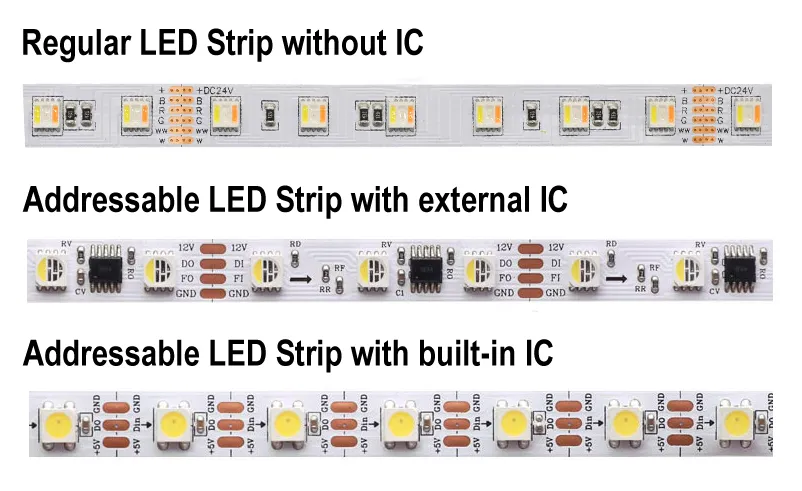](https://bookstack.hku.nl/uploads/images/gallery/2025-04/xRlimage.png)Educate yourself before buying the wrong strip!
Of course there is much more to learn and know about LED strips check out these resources for in-depth info:
[https://aidiwattlighting.com/the-ultimate-guide-to-addressable-led-strip/](https://aidiwattlighting.com/the-ultimate-guide-to-addressable-led-strip/)
everthing you need to know about the various kinds of ledstrips, controllers and drivers
[https://www.waveformlighting.com/led-strip-lights](https://www.waveformlighting.com/led-strip-lights)
another great, comparable, source of info on led strips
COB ledstrips:
[https://www.aliexpress.com/p/wiki/article.html?keywords=aliexpress-leds](https://www.aliexpress.com/p/wiki/article.html?keywords=aliexpress-leds)
# smart LED string & app (phone)
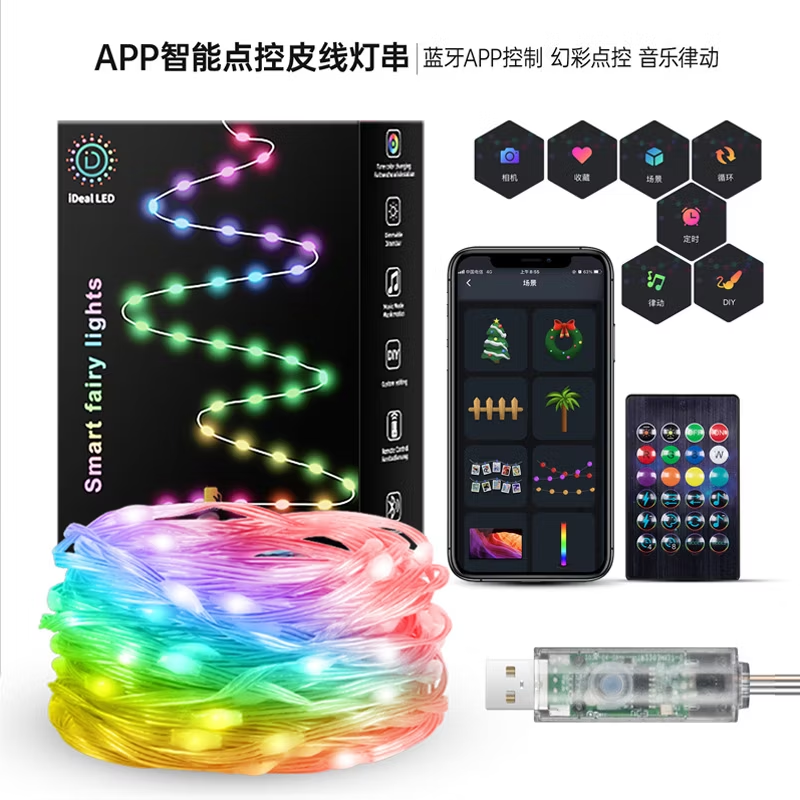
At the BBox Jk you can borrow LED strings that connect to a powerbank through USB
The lights (5/10 meters, 50/100 LEDS) can be individually controlled through an app. (multiple strings simoutaneously)
android: [https://play.google.com/store/apps/details?id=com.tech.idealled&hl=nl](https://play.google.com/store/apps/details?id=com.tech.idealled&hl=nl)
iphone: [https://apps.apple.com/us/app/idealled/id1568029498](https://apps.apple.com/us/app/idealled/id1568029498)
[](https://bookstack.hku.nl/uploads/images/gallery/2025-01/image.png)
# WLED
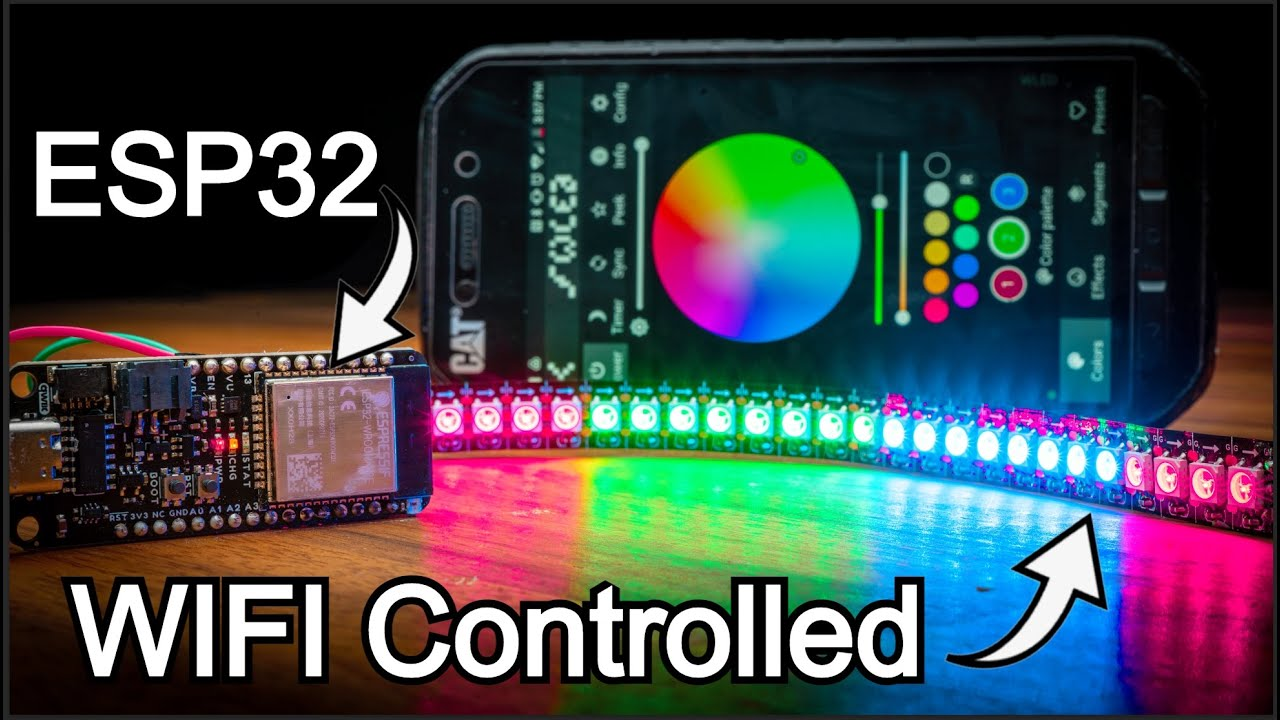
WLED is one of the most popular packages for controlling LED
strips with, or example, the WS2812B through cable & wifi.
The software also supports some other types, such as the WS2811 and WS2815, both on 12 volts. The first step is to flash the software on, for example, an ESP32.
##### **The ULTIMATE WLED Beginners Guide!**
##### **Resources**
**website:** [https://kno.wled.ge/](https://kno.wled.ge/)
**community**: [https://wled.discourse.group/](https://wled.discourse.group/)[ ](https://wled.discourse.group/)
**A tool to stream video to WLED matrix displays:** [https://github.com/fieldOfView/WLED-video](https://github.com/fieldOfView/WLED-video) :
**A Python application to stream videos, images, and animations directly to your WLED-powered LED video wall:** [https://github.com/BradyMeighan/WLED-Studio](https://github.com/BradyMeighan/WLED-Studio) :
---
### **WLED & Touchdesigner:**
##### **Another instruction for connecting a WLED controller and TouchDesigner**
#####
The following instruction below wil walk you through the steps to connect TouchDesigner with a WLED LEDstrip controller.
WLED installation: [https://wled-install.github.io/](https://wled-install.github.io/)
For the tinytronics Universal Digital LEDstrip Controller V1.1:
*Board type / software version:*
*ESP32-S3 (4MB Flash, with Audio reactive Usermod)*
(Connect the controller to USB-C while holding down the 'Boot' button. Otherwise, it won't enter update mode and the WLED installation won't be able to upload.)
After installation, manually use the RST button to reset.
WLED-AP (AP = Access Point) will appear under Wi-Fi networks. The default password is wled1234.
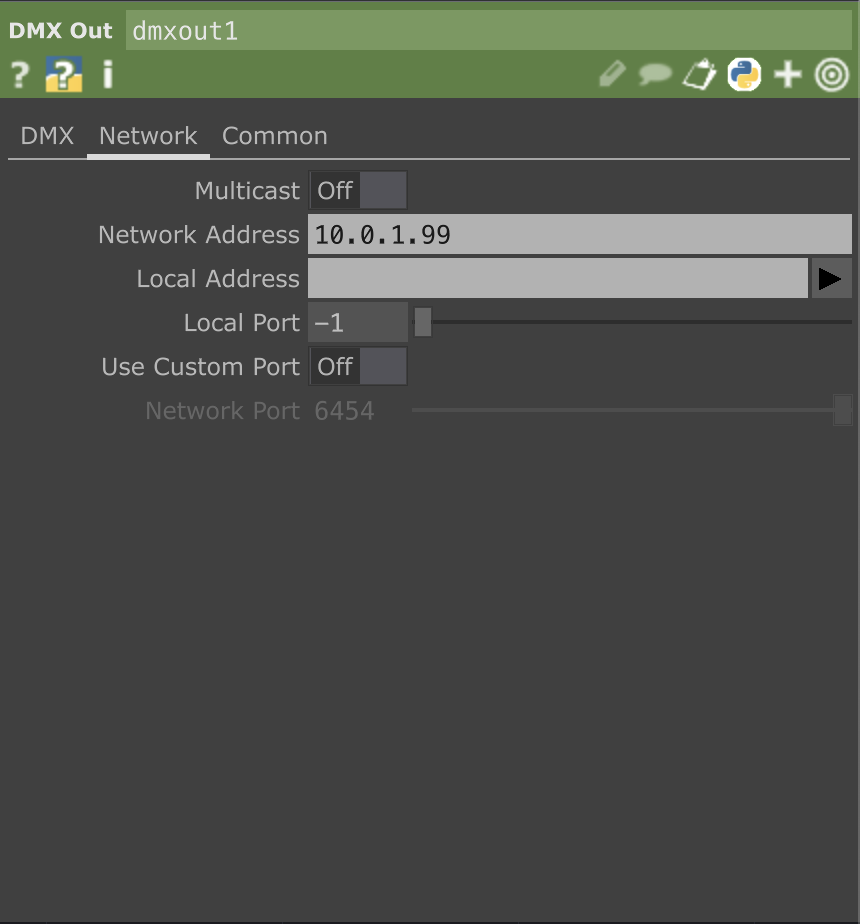
The WLED console will open automatically. You can change the settings here to your local AP. (for example the workshop is in the 10.0.1.xx range, so it's useful to set a fixed IP to, for example, 10.0.1.99.)
Continuing to use the dedicated AP mode directly also works, of course.
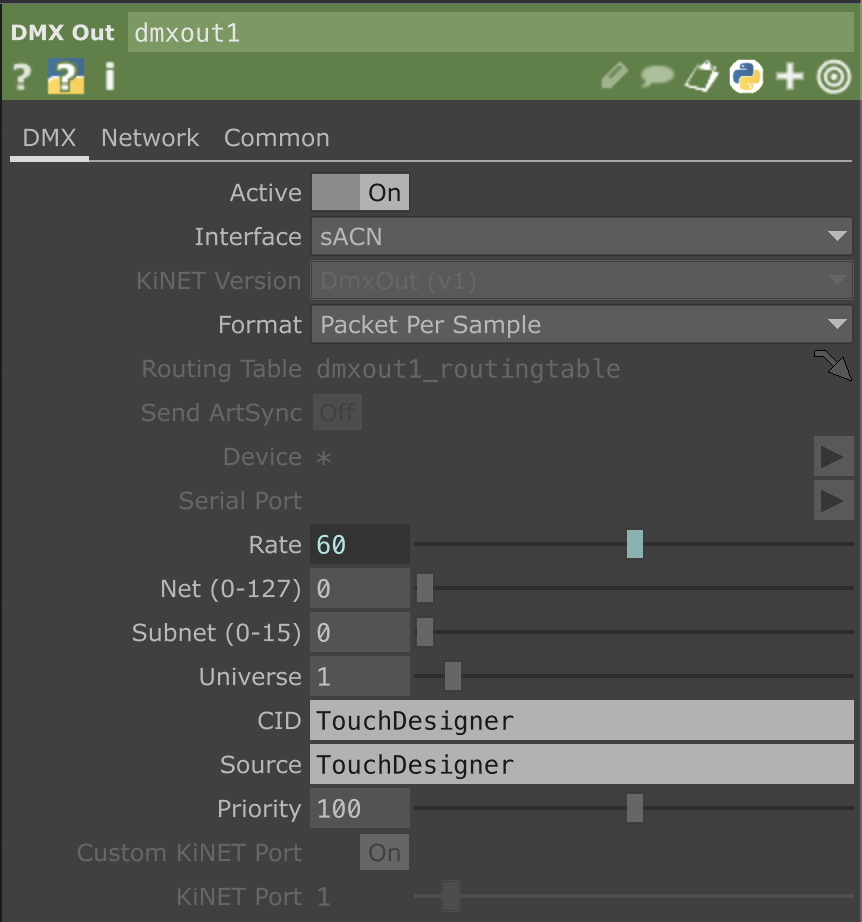
TouchDesigner, DMX Out CHOP Interface on sACN, in the network tab Multicast Off and set the IP address of the WLED controller.
[](https://bookstack.hku.nl/uploads/images/gallery/2025-09/screenshot-2025-09-23-at-17-27-23.png)
[](https://bookstack.hku.nl/uploads/images/gallery/2025-09/screenshot-2025-09-23-at-17-27-33.png)
Here's a preset for Touchdesigner [WLED.tox](https://bookstack.hku.nl/attachments/61)
# Controlling LEDstrips with Arduino
{{@49}}