# BrightSign Mediaplayers
Notes on basic setup of using BrightSign media players for creating standalone media projects, or use in more complex setups such as a Video Wall.
# Using BrightSign as a super simple player for HD video
### Brightsign
- Record your video
- edit it if necessary, export as Mp4 Full HD resolution
- **Format/Clear** the micro SD card, Choose ExFAT don't forget to EMPTY YOUR BIN
- Copy the video file(s) to the microSD card
- Enter the MicroSD in the BrightSignPlayer
- Connect the player to a projector/screen (HDMI) and power.
- Have patients, the BrightSign will eventually start! (approximately 1 minute)
- Press the SVC button to speed up this proces.
- Your video will now play in loop.
- To stop this, unplug the BrightSign
Check out the other bookstack pages on these players if you want to use advanced options.
**Notes;**
Ls4 can play HD & 4K video, but the monitor also need to be capable of showing this resolution. 4k = blackscreen on a lower resolution monitor.
Ls5 can play HD & 4K video, and downscales the 4k to something the monitor is capable of showing.
More info on compatible codecs & resolutions [here](https://docs.brightsign.biz/advanced/video-formats-and-codecs) or check the datasheet for the [LS4](https://www.brightsign.biz/wp-content/uploads/2023/04/LS4-datasheet.pdf) or [LS5](https://www.brightsign.biz/wp-content/uploads/2024/06/LS5-datasheet-2024.pdf)
# BrightSign Basics
## **BrightSign** Basics
source: Job van Nuenen, edited by Veerle en Simone van Blackbox PT/IBB
This Bookstack is under construction, some information might be missing
##### **Wat are BrightSigns?**
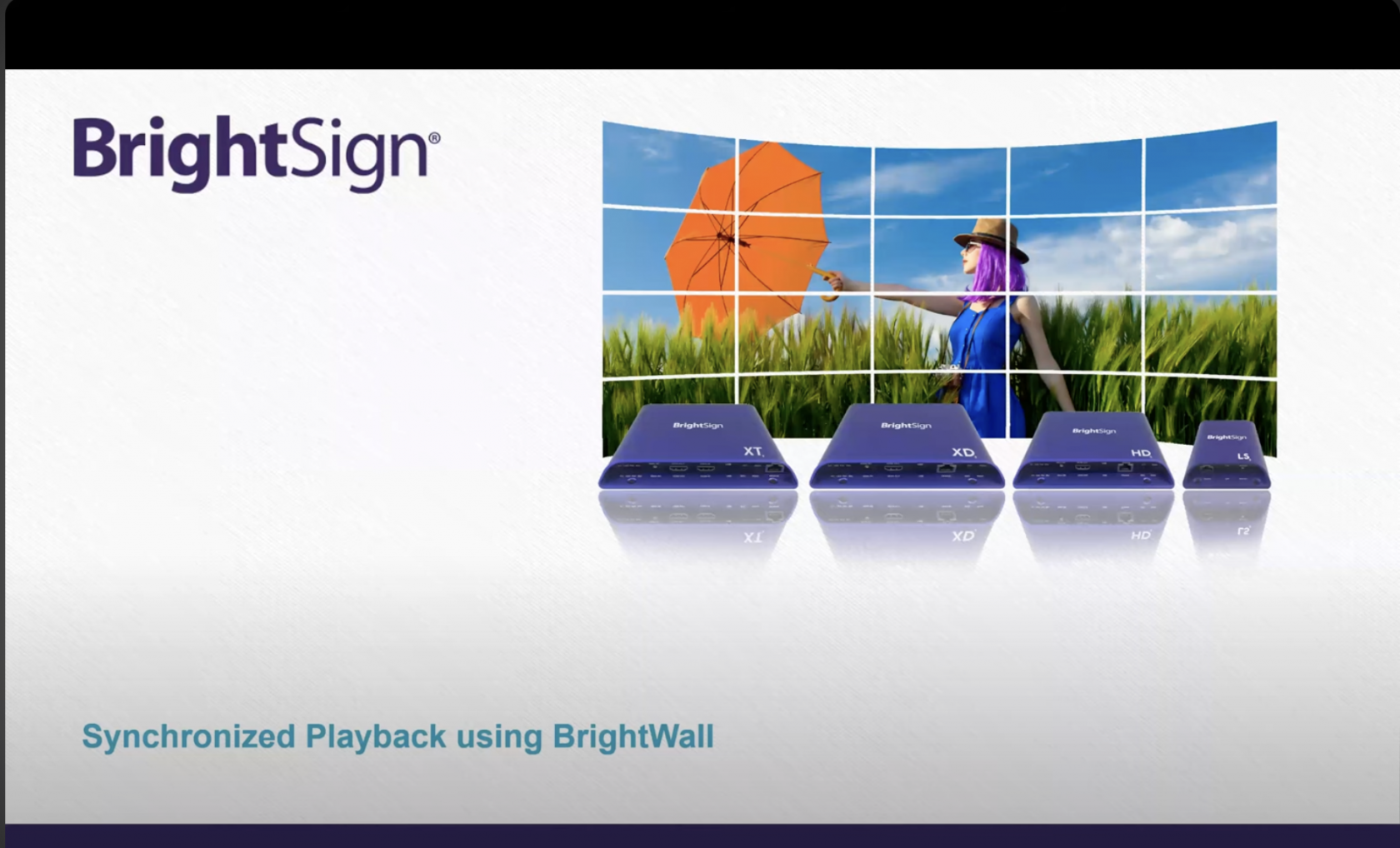
BrightSigns are digital media players, that you can use to run multiple video's on multiple output displays, such as TV screens, PC monitors and Projectors. They are commonly used in multimedia artworks and presentations because:
- They do not require you to keep your laptop connected to the installation
- They are able to sync together, so you can run multiple video's on multiple displays, that are timed together to start and stop.
- Available from rentals of HKU and are considered reliable for use during presentations and expo's.
- Unlike using Raspberry Pi's, you don't need to install the initial software of an PI to run it. But that does not mean a PI could not do the same job, [research ](https://www.yodeck.com/docs/creating-a-yodeck-player/comparison-table-rpi-vs-brightsign-player/)comparisons between the two and decide accordingly.
[](https://bookstack.hku.nl/uploads/images/gallery/2024-02/brightwall2.png)
##### **Software**
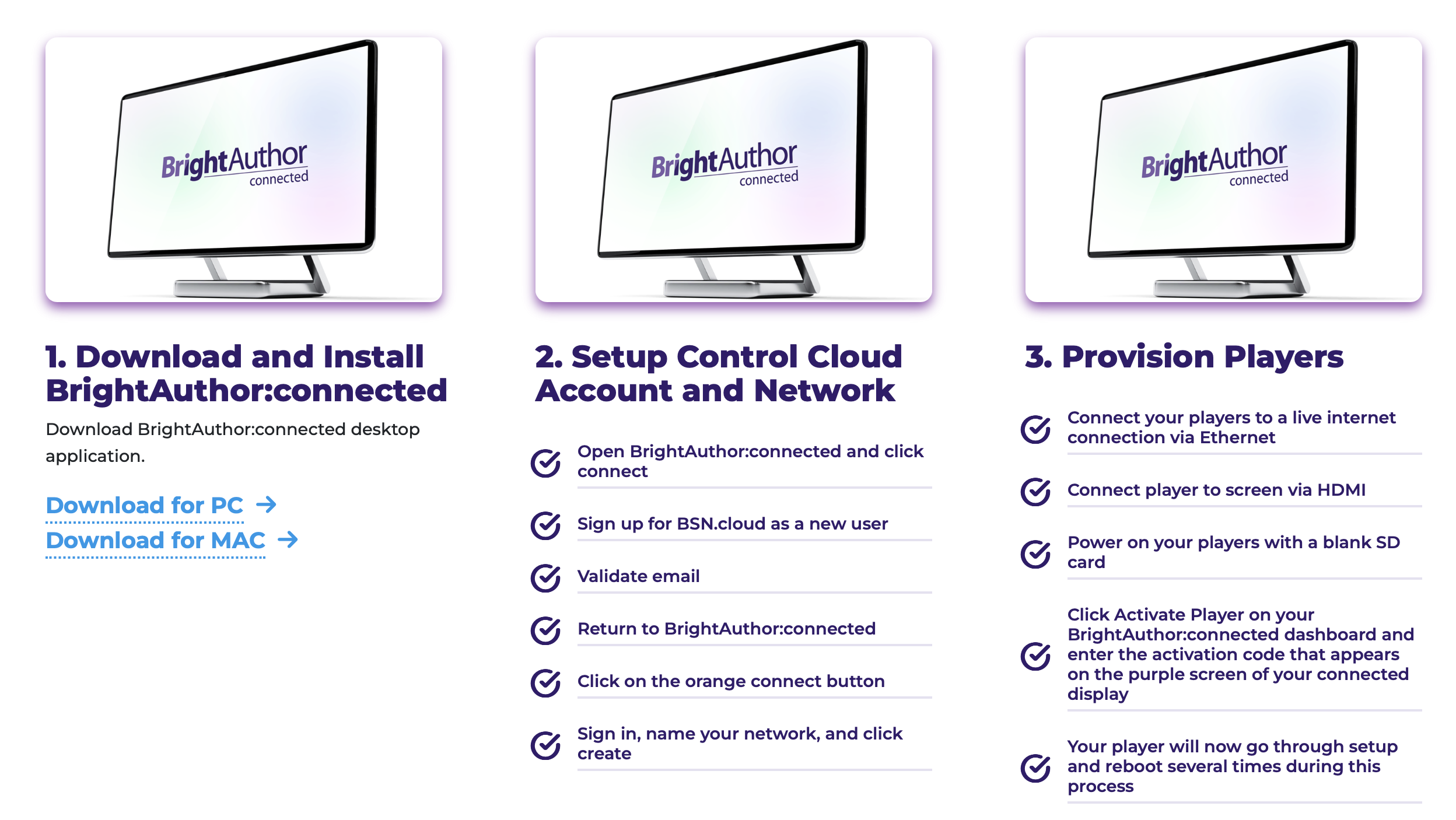
Software mogelijk voor Windows en Mac om een BrightWall op te zetten met BrightSigns. Er zijn wel verschillende stappen nodig om de spelers onderling via een netwerkswitch (meer dan 2 players) te verbinden en juiste manier alles installeren.
Op de website via BrightSign vind je de[ QUICKSTART GUIDE](https://www.brightsign.biz/resources/quickstart-guide/) voor installatie software.
[https://www.brightsign.biz/resources/quickstart-guide/](https://www.brightsign.biz/resources/quickstart-guide/)
A BrightSign can be setup via either SD card, or software running on your PC. After setup, you are able to run the device standalone.
[](https://bookstack.hku.nl/uploads/images/gallery/2024-02/brightsign-quick-guide.png)
##### **Resolution and Image**
Zolang je maar het juiste fileformat in een resolutie die je monitor aan kan op het (lege, geformatteerde) kaartje zet. Een 4k iPhone filmpje op de BrightSign is mogelijk, maar dan moet de video output technologie (zoals beeldscherm of projector) ook matchen met de resolutie van de video.
De brightSign schakelt zijn output naar de resolutie van de file die er op staat, dus als de aangesloten monitor geen 4K ondersteunt (en veel HKU monitoren en projectoren doen dat niet…) krijg je geen beeld.
Lees je goed in of je BrightSign überhaupt 4K support, en hoe je deze het beste kunt aansturen via PC of SD.
**On the BrightSign website you find information about video output formats [here!](https://support.brightsign.biz/hc/en-us/articles/218065627-Supported-video-output-resolutions)**
**Info on codecs & formats [here](https://support.brightsign.biz/hc/en-us/articles/218065137-Supported-video-formats-and-codecs)**
**[](https://bookstack.hku.nl/uploads/images/gallery/2024-02/planar-mosaic-video-wall.jpg)**
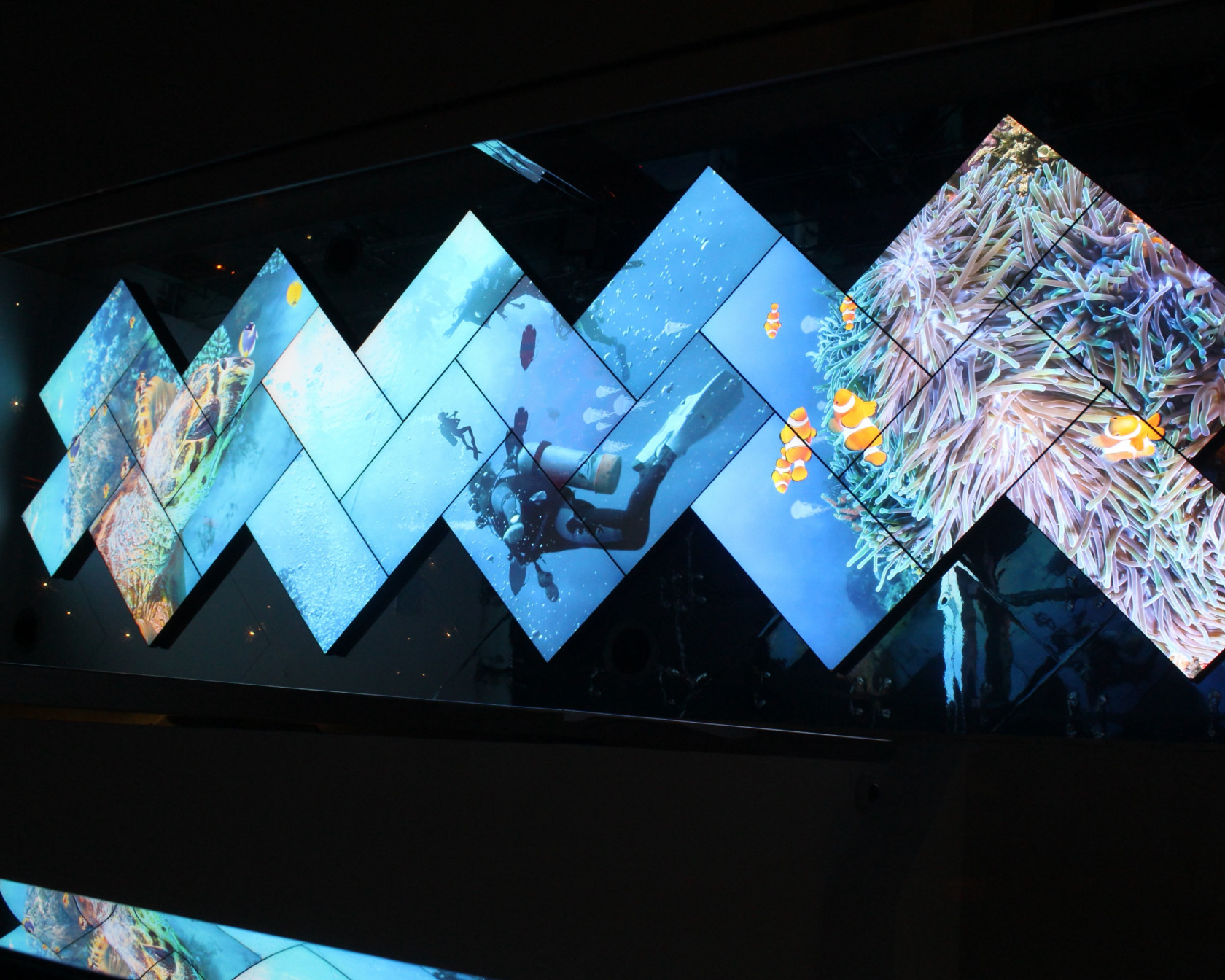
image from[ this article ](https://www.businesswire.com/news/home/20141120005128/en/Planar-Systems-and-BrightSign-Team-to-Create-World%E2%80%99s-Tallest-Planar-Mosaic-Video-Wall)about BrightSigns used in Video Wall
##### Some Notes about use of BrightSigns at HKU
- BrightSigns used for syncing image need to be from the **same type.** You cannot connect a LS4 with a LS5 as far as we know.
- **BrightAuthor** software used in BrightWalls only runs on **Windows.**
- **BrightAuthor:connected** runs on **Windows and Mac**, but cannot run multiple screens in sync!
- If you have *one* video image that you want to divide over multiple screens, you have to manually cut up your original video in desired slices (using software such as Adobe After Effects or Premiere) and render these into separate HD/4k files.
- Files need to be decoded **within the specs** of the exact BrightSign model: **[https://support.brightsign.biz/hc/en-us/articles/218065907-Which-factors-can-affect-synchronization](https://support.brightsign.biz/hc/en-us/articles/218065907-Which-factors-can-affect-synchronization)**
- The files need to be made **within the settings** that were chosen for the BrightWall. (example 1920 x 1080 50p) You cannot make files that are larger than the format you want to output your screens to. This to avoid falling out of [sync or other problems. ](https://support.brightsign.biz/hc/en-us/articles/218065907-Which-factors-can-affect-synchronization)
#####
#### BrightSigns not displaying any output!
Screens that are connected to BrightSign players need to be able to handle the resolution of what the player wants to output. If you shoot a 4K video, but the monitor or projector that you are displaying your video on can only handle Full HD, the output of the BrightSign will automatically switch to 4K as well.
This means the monitor will very most likely **not display any image at all** and turns black! It cannot display the 4K resolution given bij de media player, so it displays nothing.
#### BrightSigns installations startup instruction for a BrightWall
1. When everything is connected in your setup,. make sure that the network switch you are using (in case of multiple media player setups) is switched on first.
2. After the network switch is turned on, start the other BrightSign players one by one.
3. Have patience, sometimes the media players will restart multiple times before they found each other.
4. During this resetting, the Monitor screens/Projectors might lose signal in the process.
5. When media players have found each other and the programs are running, the video(s) will start playing.
when in the author process within BrightAuthor you have selected the "Identity player during startup" option, the player will display a title screen with "Screen X"/name of your screen to determine which player it is connected to.
[](https://bookstack.hku.nl/uploads/images/gallery/2024-02/cc-interactive-lg.png)
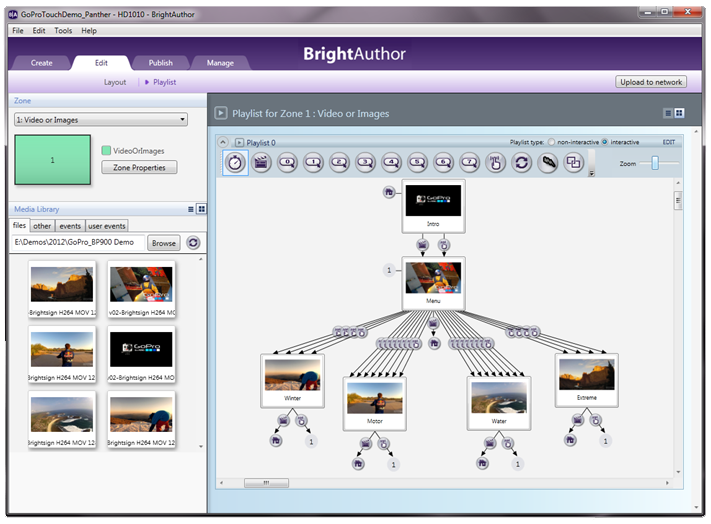
image displaying the BrightAuthor software and a possible multi video BrightWall Setup ([reference here](https://www.syscomtec.com/en/software-digital-signage-for-free-brightauthor.html))
# Making a BrightWall video wall
## Making a BrightWall
Visit the BrightSign [website](https://www.brightsign.biz/resources/software-downloads/) for information on basic setups, installation guides and more. Read our previous page also about BrightSign Basics to get started. [ Here y](https://www.brightsign.biz/experiences/video-walls/)ou find the webpage for information about Video Walls by BrightSign.
#### Video Tutorial - How to make a BrightWall
[https://www.youtube.com/watch?v=DqCeBQIl8yE&ab\_channel=GarrettBeck&themeRefresh=1](https://www.youtube.com/watch?v=DqCeBQIl8yE&ab_channel=GarrettBeck&themeRefresh=1)
*screenshots from Youtube Video.*[](https://bookstack.hku.nl/uploads/images/gallery/2024-02/brightwall2.png)
[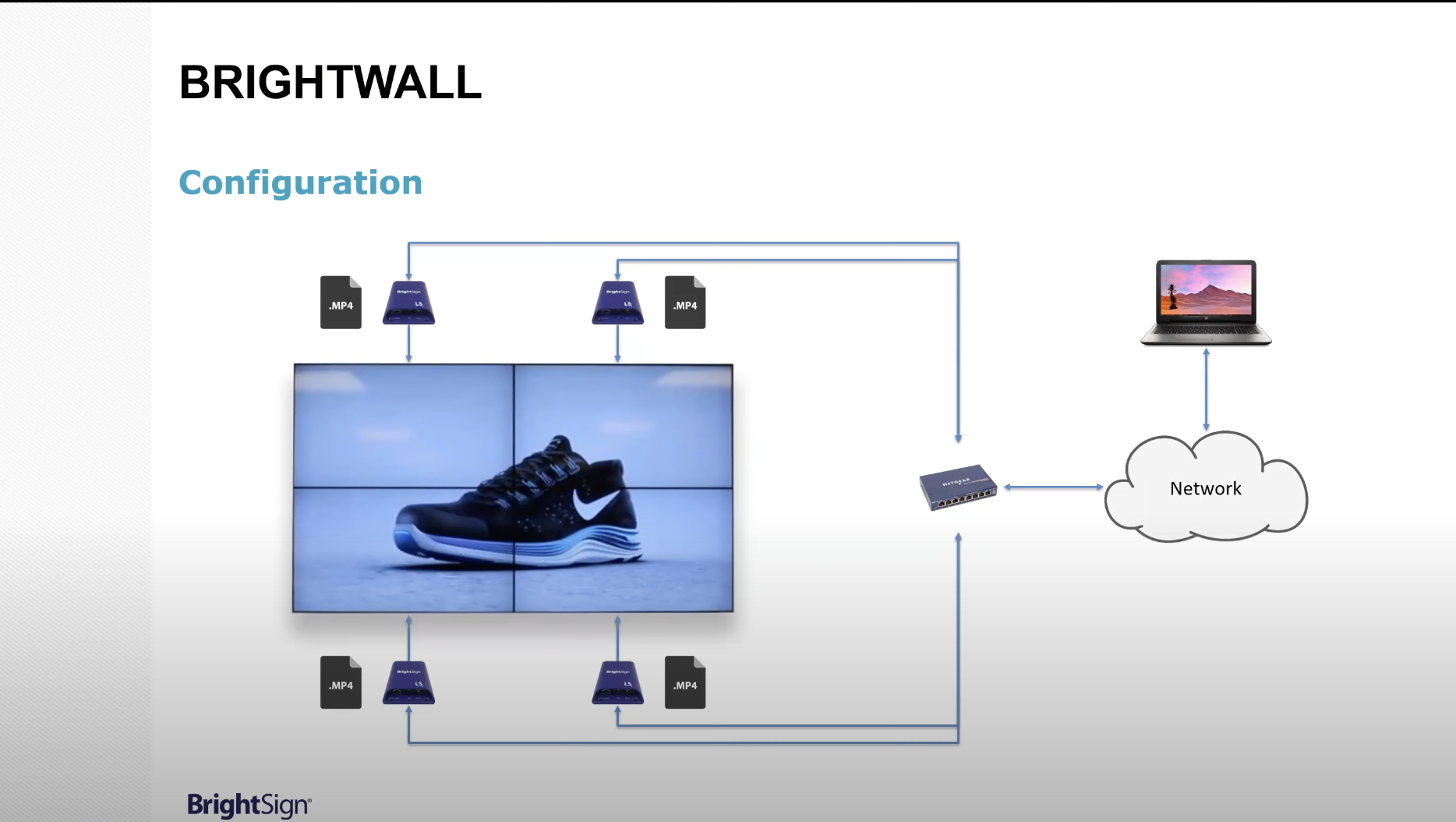](https://bookstack.hku.nl/uploads/images/gallery/2024-02/brightwall1.png)
##### Notes:
- It is possible to use different screens (new and older types) in a brightwall-setup for synchronised playback of different movies. If one of the displays does not work correctly, it could mean that the movie frame rate is not accepted by that display. Make sure you render out your movies in different frame rates for testing.
- If a smart network switch is used, make sure it is reset to the factory default settings so that al network ports are in the same range.
- Older or damaged network cables could disrupt the sync signal. Make use of undamaged or new CAT6 cables.
# Using Bright Sign media player with multiple headphones
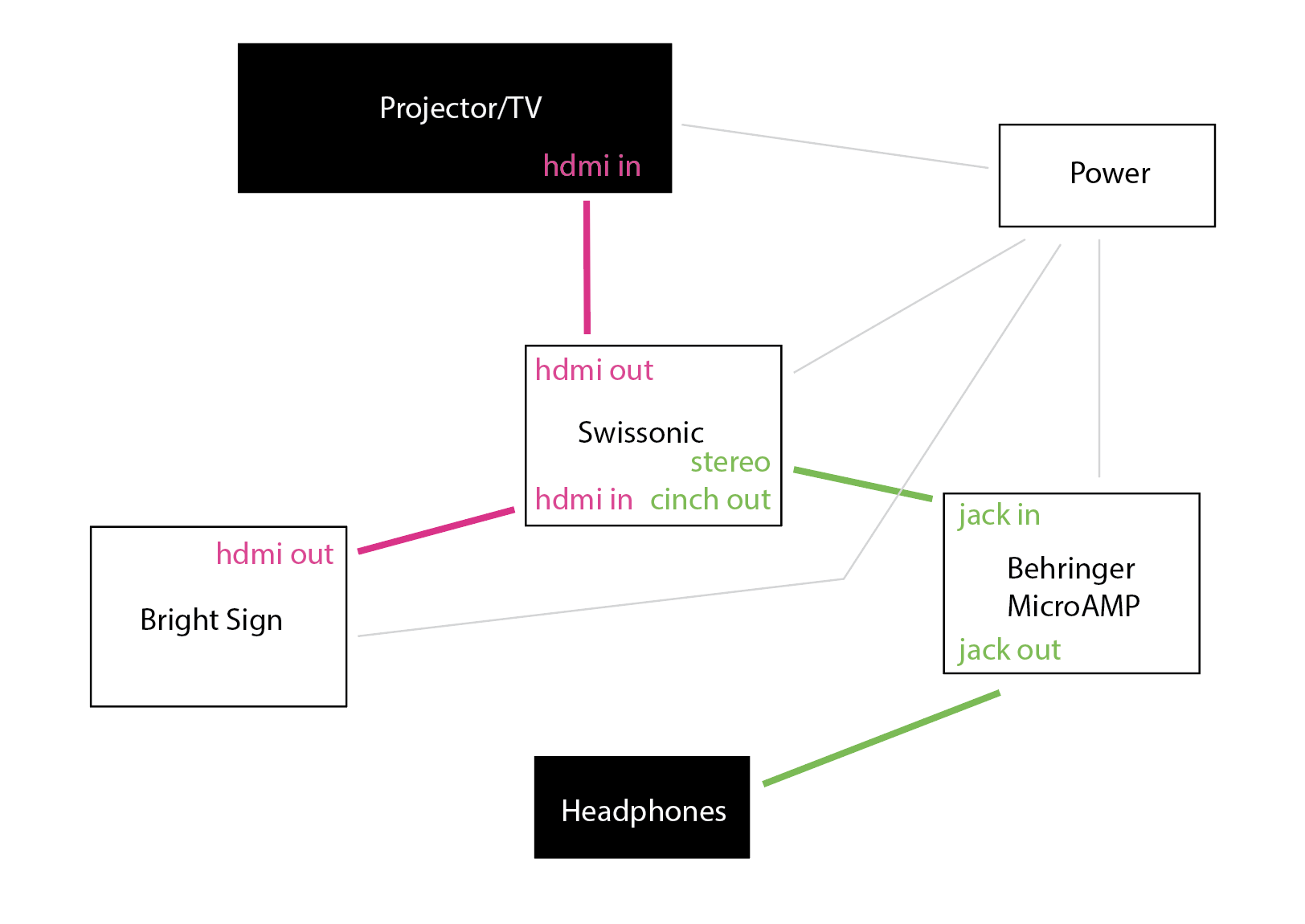
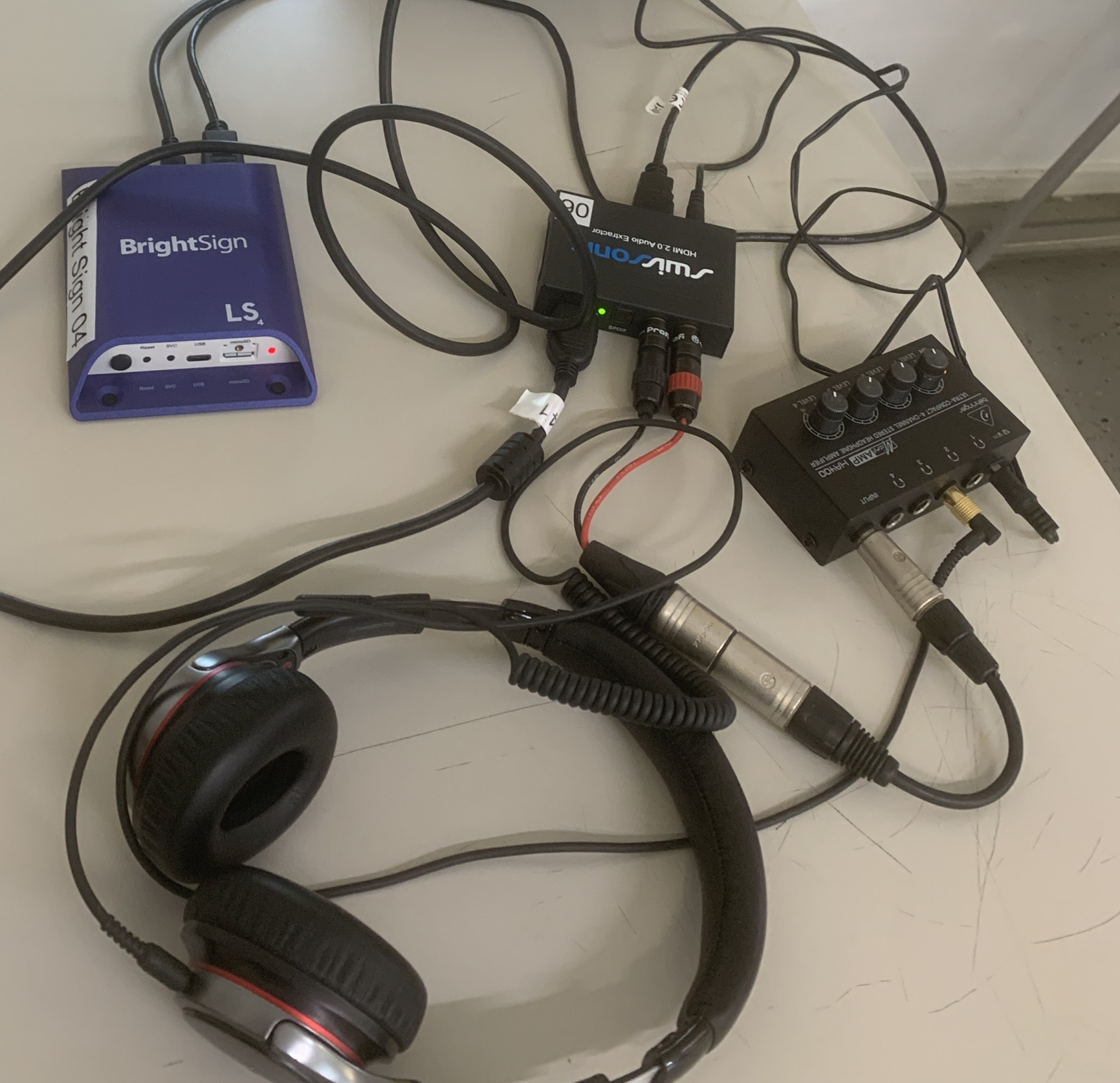
To listen to one Bright Sign with multiple headphones and If your Brightsign doesnt have a minijack out you need:
- BrightSign media player
- Swissonic HDMI2.0 Audio Extractor
- Behringer MicroAMP HA400
- stereo cinch to jack kabel
- multiple headphones with optionally converters mini jack to jack
[](https://bookstack.hku.nl/uploads/images/gallery/2024-03/screenshot-2024-03-26-at-12-24-16.png)
[](https://bookstack.hku.nl/uploads/images/gallery/2024-03/img-5368.JPG)