Artificial Intelligence
Kunstmatige intelligentie (KI) is een interdisciplinair onderwerp dat de afgelopen jaren sterk is gegroeid en waarvan de impact op de creatieve industrie significant is. KI wordt in toenemende mate ingezet om de manier waarop we creëren, produceren en consumeren te veranderen. In de creatieve industrie betekent dit dat steeds meer kunstmatige systemen en algoritmen worden ingezet voor taken zoals het genereren van kunst, muziek, film en productontwerp. Hierdoor worden creatieve uitdagingen op een nieuwe manier aangepakt en worden de mogelijkheden voor menselijke artiesten uitgebreid. KI is echter niet bedoeld om mensen te vervangen, maar om hen te ondersteunen en te inspireren. Het is daarom belangrijk om de juiste balans te vinden tussen menselijke creativiteit en technologie. Door samen te werken en te experimenteren, kunnen we onze verbeelding prikkelen en onze creatieve vermogens versterken.
(Geschreven door ChatGPT op 8 feb 2023)
- AI-geletterdheid
- Background & explainers
- AI woordenlijst
- Lees-, luister- en kijktips uit de podcast
- Hoe werkt generatieve AI?
- 101: Ecosystem of AI
- Boeken
- Local models (AI on your own PC)
- Running generative models locally
- Ollama for local LLMs
- Experiment with Dutch local LLMs
- Audio transcripts with MacWhisper
- Quickstart guides
AI-geletterdheid
E-learnings
AI in Onderwijs
- AI-geletterdheid voor studenten - UvA (Nederlands)
- AI-geletterdheid voor docenten - UvA (Engels)
Ai in Werk
- AI voor bibliotheek/mediatheek medewerkers - VU (Nederlands)
- AI in werk - UvA (Nederlands)
Nationale AI cursus
Stichting Lowercase bouwt al langer aan een gratis Nationale AI cursus, met algemene cursussen en cursussen voor specifieke industrieen of bevolkingsgroepen. De algemene landingspagina vind je hier.
Al deze cursussen zijn gericht op persoonlijke ontwikkeling, dus om jouw eigen kennis op gebied van AI te ontwikkelen of uit te breiden.
Uitgelichte cursussen:
- De basiscursus
- Cursus AI en Ethiek
- AI voor de Creatieve Industrie
EduGenAI - achter inlog
Verschillende e-learnings over AI en het inzetten van LLMs in onderwijs. Verzameld door Npuls, gemaakt door aangesloten kennisinstellingen. Voor docenten en voor studenten.
Definities, wetgeving en frameworks
Definities en wetgeving
De AI-Act in het kort - samenvatting door SURF.
De definities van AI-geletterdheid volgens de Europese Commissie, naar aanleiding van de AI-wet.
Q&A op artikel 4 van de AI-Act: AI-literacy: Questions and Answers.
Repository of AI-Literacy practices van de Europese commissie.
Npuls AI-GO framework
Npuls ontwikkelt het AI-GO (AI -Geletterdheid in het Onderwijs) framework om binnen onderwijsinstellingen te werken aan AI-geletterdheid.
Uitgelichte documenten:
- Het AI-GO framework
- AI-GO in Actie - Handreiking voor het toepassen van het framework
Resources
Persona's
UvA heeft een overzichtspagina met hun LLM experimenten. Je kunt verschillende educatieve persona's direct downloaden. Veel interessante voorbeelden.
Prompt library
Universiteit van Maastricht heeft een overzicht met prompts die je in kunt zetten voor verschillende taken.
Background & explainers
AI woordenlijst
Een verzameling AI- en AI-gerelateerd jargon om je op weg te helpen! Deze termen komen uit onze podcast HKU en AI.
Algoritme
Een set instructies of regels op basis waarvan een computer of mens een berekening kan maken of een probleem kan oplossen, vergelijkbaar met een recept. Zie ook deze video, voor een humoristische interpretatie (en de consequenties) hiervan.
Bias
Generatieve AI werkt vanuit een 'model' dat de computer zichzelf geleerd heeft op basis van een bepaalde dataset. Dit proces heet trainen, en de dataset kan een verzameling teksten zijn (boeken, blogposts, e-mails), een verzameling afbeeldingen (profielfoto's, kunstwerken), een verzameling geluiden (muziek, soundeffects). Een verzameling data is nooit compleet, er ontbreken altijd dingen die niet gedocumenteerd zijn, of die om verschillende redenen expres verwijderd zijn. Dit kan er voor zorgen dat bepaalde onderwerpen of (bevolkings)groepen niet of verkeerd gerepresenteerd worden in de data en daarmee in het model. Dit kan grote gevolgen hebben, lees hier een technische achtergrond.
Colorizen
Het inkleuren van een zwart-wit afbeelding. Dit gebeurde voorheen handmatig, maar kan ook geautomatiseerd met AI tools.
Deepfake
Een gegenereerd beeld van een situatie die niet heeft bestaan, die erg moeilijk van echt te onderscheiden kan zijn. Deze beelden worden meestal met een politieke of persoonlijke agenda gemaakt. Zie Wikipedia
Embedding
Een van de technieken in het leerproces van AI waarbij een concept weergegeven wordt als een vector, een mathematische ‘richting’ in de conceptuele ruimte. Hierbij liggen vergelijkbare concepten bij elkaar in de buurt, waardoor ze met elkaar geassocieerd (kunnen) worden. Zie Wikipedia.
LLM - Large Language Model
Een taalmodel zoals we dat vooral kennen van ChatGPT, Claude of Le Chat. Een type generatieve AI dat gericht is op het genereren van tekst.
Machine Learning
Termen als AI, Machine Learning, Deep Learning en generatieve AI worden vaak en veelvuldig door elkaar gebruikt. Wat is wat? In een sterke versimpeling gaan al deze termen over dezelfde processen, maar is elke term een sub-onderdeel van de andere. AI (Kunstmatige intelligentie) is de term voor alle (computer)systemen die beslissingen kunnen nemen op basis van vooraf gedefinieerde regels. Daarbinnen valt Machine learning, waarin deze systemen zelf patronen leren herkennen, zoals spraak- en beeldherkenning. Onderdeel daar weer van zijn Deep Learning en/of neurale netwerken, waarbij de patroonherkenning complexer wordt en over meerdere lagen loopt. Generatieve is de meest specifieke set binnen deze termen, waarin de netwerken ingezet worden om nieuwe data te genereren gebaseerd op de geleerde patronen. Zie ook deze afbeelding:
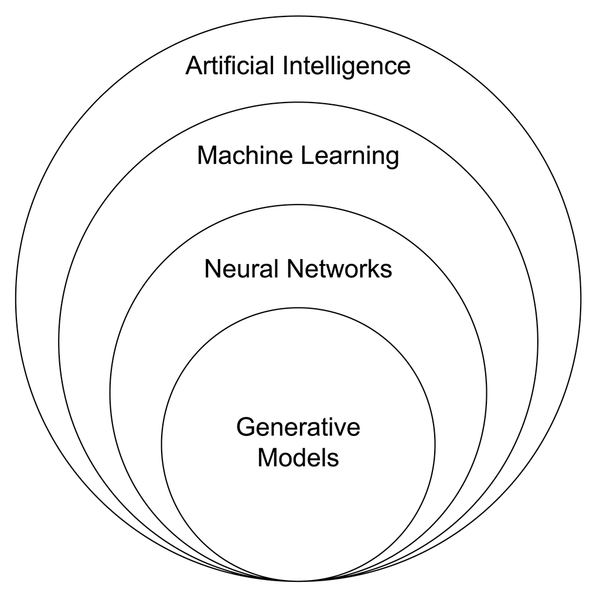 Afbeelding Wikimedia Commons
Mode, modality, multi-modal
Generatieve AI modellen hebben een Mode (modus), de vorm van de data die ze genereren. Dit kan gaan over tekst, afbeeldingen, video of computercode (valt vaak onder taal). Multi-modal AI kan verschillende modes gebruiken bijvoorbeeld tekst en afbeeldingen. Meestal gebeurt dit door meerdere modellen op de achtergrond naast elkaar te draaien, en is dit niet in 1 model.
Motion Capture, Tracking
Manieren om beweging in de fysieke ruimte te registreren en door te geven aan computersoftware. Bij Tracking gaat het meestal om 1 punt, vaak inclusief oriëntatie (boven, onder, links, rechts) in de ruimte. Voor Motion Capture krijgt een acteur of performer een pak aan dat ook de bewegingen van alle ledematen registreert. Dit wordt vaak gebruikt voor het animeren van karakters in computergames en films (denk aan Gollum in Lord of the Rings).
Prompt
De opdracht die je invoert om een (generatieve) AI aan het werk te zetten. Bijv: "schrijf een essay over de opkomst van AI", "teken een paard op een astronaut", of "schrijf een liedje over het verdriet van de zon".
Randomness
Alle generatieve AI is uiteindelijk gebaseerd op kansberekeningen: welk woord heeft de grootste kans om het volgende woord te zijn in deze … . Om standaard of ‘saaie’ antwoorden te voorkomen wordt niet altijd de meest waarschijnlijke optie gekozen, maar af en toe, willekeurig, een minder waarschijnlijke optie. De wisselwerking tussen kansberekening en willekeurigheid of variatie kan verrassende resultaten opleveren.
Sam Altman, Jeff Bezos
Grote namen uit de AI industrie. Sam Altman is de CEO van OpenAI (ChatGPT), Jeff Bezos de CEO van Amazon, een van de grootste leveranciers van infrastructuur voor AI (servers).
Techsolutionisme, techno solutionisme
Een houding die er vanuit gaat dat technologie een oplossing kan bieden voor elk probleem. Dit leidt vaak tot eendimensionale oplossingen voor complexe problemen.
Training
Voordat een AI kan interpreteren of genereren moet deze getraind worden. Dit gebeurt op basis van een trainingset (boeken en webpagina's voor tekst, foto en film voor beeld, geluid en muziek voor audio) en vindt plaats voordat de eindgebruiker ermee in aanraking komt. De training is meestal het meest energie-intensieve deel van AI.
Het model waar jij als gebruiker mee werkt is al getraind en kan in die zin niet bij leren. Huidige systemen zoals Chat-GPT kunnen extra informatie aan hun proces toevoegen tijdens het gesprek, maar dit wordt niet toegevoegd aan de dataset. Meestal wordt dit opgelost door deze informatie op de achtergrond (en dus voor de gebruiker onzichtbaar) toe te voegen aan de ingevoerde prompt.
Upscalen
De resolutie (kwaliteit) van een digitale afbeelding verbeteren zodat deze op grotere afmetingen bekeken kan worden zonder kwaliteit te verliezen. (Oude) digitale afbeeldingen zijn vaak op lagere resolutie gemaakt. Wanneer je deze vergroot verlies je beeldkwaliteit en zie je kartelranden. AI upscalers kunnen dit voorkomen door te interpreteren wat er in de tussenliggende pixels zou moeten liggen en 'trekken zo de kartelranden strak'.
Vibecoding, Vibecoden
Programmeren met behulp van generatieve AI, waarbij de programmeur een taalmodel met natuurlijke taal aanstuurt om een programma te schrijven. ‘Van prompt naar code’.
Lees-, luister- en kijktips uit de podcast
Hier verzamelen we de tips van de gasten uit de HKU & AI podcast. Ze zijn geordend op omgekeerde volgorde van verschijning (nieuwste eerst) in de podcast, omdat veel van de links en onderwerpen tijdsgebonden zijn
Aflevering 12: Lisette Teisman
- The Medium is the Massage - Het boek van Marshall McLuhan uit 1967.
- Keuringsdienst van waarde - Podcast van KRO-NCRV
Aflevering 11: Levien Nordeman
- Luisteroefeningen - Miriam Rasch
- Critical making in the age of AI
- De artikelen van Levien op LinkedIn
Aflevering 10: Muamer Tabakovic
- Think and grow rich door Napoleon Hill
- Waterwerk van ons geld door Carlijn Kingma
- Diverge.in.detail het Instagram account van Isabelle Bronzwaer
Aflevering 9: Koen van der Waal
- Het ‘smerige mensenwerk’ achter de race naar betere AI - Nieuwsuur aflevering van 29 november 2025
- WALL·E
- 2001: A Space Odyssey - podcast
Aflevering 8: Michel Rumpff-Derksen
- Onze kunstmatige toekomst – Joris Krijger
- Funs Jacobs
Aflevering 7: Jorrit Thijn
- Kijk of lees weer eens oude science fiction terug, zoals het boek I, Robot door Isaac Asimov.
Aflevering 6: Marijke Hessels
- Formerly known as - voorstelling van Urland in Januari 2026
- Alva, de AI dramaturg van NTGent
- Tech won’t save us - podcast
Aflevering 4: Koen Berkers
- The AI dilemma - Lezing van de Center of Humane Technology over de risico’s van AI.
Aflevering 3: Job van Nuenen
- Shell Game - Podcast waarin journalist Evan Ratliff zijn eigen stem kloont, koppelt aan een AI chatbot en deze vervolgens taken, werk en persoonlijke gesprekken over laat nemen.
- Ik weet je wachtwoord - Podcast van techjournalist Daniël Verlaan over digitale criminaliteit
Aflevering 2: Than van Nispen
- Why I quit AI - De presentatie waar Than naar verwijst in deze podcast
- Arty Intelligence - het seminar over AI en kunst dat Than organiseerde
- AI’s increasing energy appetite - door Ohio.edu
- Generative AI: energy consumption soars - door Polytechnique Paris
- Understanding AI energy consumption - door eWeek
Aflevering 1: Cyanne van den Houten
-
Interdependence podcast van Holly Herndon en Matt Dryhurst
-
Atlas of AI van Kate Krawford
Hoe werkt generatieve AI?
Een zeer uitgebreid overzicht AI tools en achtergronden vind je hier.
Generatieve AI
Generatieve AI is een vorm van kunstmatige intelligentie die nieuwe gegevens kan maken op basis van een model dat getraind is op een (grote) dataset. Die nieuwe gegevens kunnen vele vormen aannemen, zoals tekst, beeld en geluid. Hieronder verzamelen we een aantal explainers die in vogelvlucht uitleggen hoe de meest voorkomende modellen werken. Er is nog veel meer over te vinden, maar deze video's zullen je in elk geval een basisbegrip en het vocabulaire kunnen geven om je op weg te helpen.
Tekst (ChatGPT, Copilot, Claude)
Huidige taalmodellen zoals ChatGPT en Copilot lijken op chatbots. Je kunt ze van alles vragen, en ze geven hun antwoorden met zulke stelligheid dat je eraan twijfelen soms niet eens meer in je op komt. Waar komen deze teksten vandaan? En klopt het wel wat ze zeggen?
Afbeeldingen (Midjourney, Dall-E, StableDiffusion)
Je hebt vast wel een keer een zin in een browserscherm ingetypt en verwonderd (of niet-onder-de-indruk) gekeken naar het plaatje dat tevoorschijn kwam. De afbeelding die gemaakt wordt door generatieve AI is geen bestaande afbeelding, geen collage, en ook geen willekeur. Hoe komen deze plaatjes tot stand? In deze video krijg je een korte geschiedenis van de beeldgeneratie. Vanaf 8:46 gaat het over de huidige tools als DALL-E, Midjourney en Stable Diffusion (de zogenaamde Diffusion models)
101: Ecosystem of AI

The massive ecosystem of AI relies on many kinds of extraction: from harvesting the data from our daily activities and expressions, to depleting natural resources and to exploiting labor around the globe so that this vast planetary network can be built and maintained.
This guide gives you insights, numbers and examples of art projects to help you as a maker navigate this field.
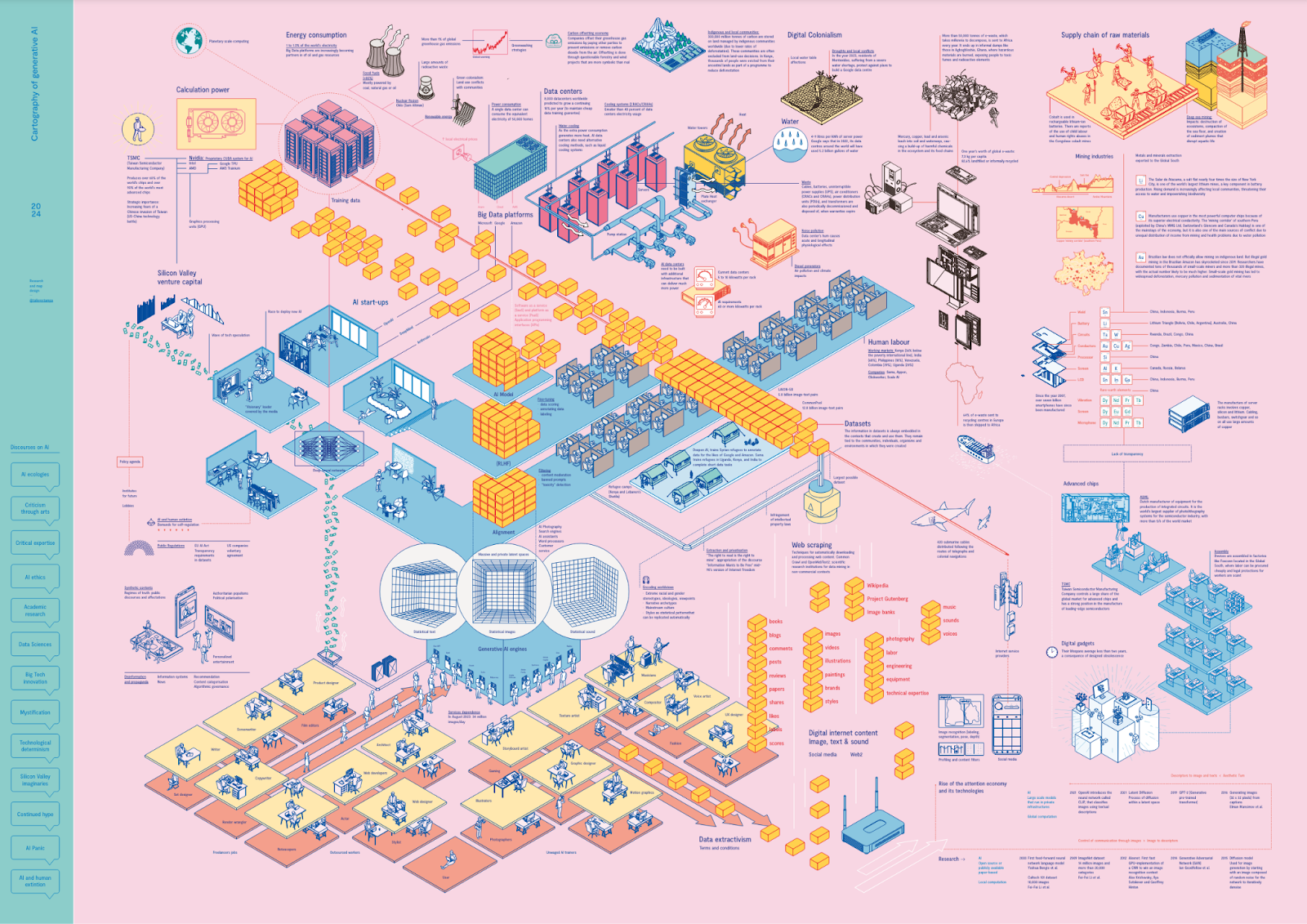
Cartography of Generative AI shows what set of extractions, agencies and resources allow us to converse online with a text-generating tool or to obtain images in a matter of seconds, by Estampa
“Cutting-edge technology doesn’t have to harm the planet”
Experimenting with AI
As a maker it can be daunting to experiment in this field, some tips (this is a growing list):
1. Be picky
Using large generative models to create outputs is far more energy intensive than using smaller AI models tailored for specific tasks. For example, using a generative model to classify movie reviews according to whether they are positive or negative consumes around 30 times more energy than using a fine-tuned model created specifically for that task.
The reason generative AI models use much more energy is that they are trying to do many things at once, such as generate, classify, and summarize text, instead of just one task, such as classification.
Be choosier about when they use generative AI and opt for more specialized, less carbon-intensive models where possible.
2. Use tools to keep track
Code Carbon makes these calculations by looking at the energy the computer consumes while running the model: https://codecarbon.io/
3. Run your models locally
Running AI models locally helps you to have increased control over energy usage and resource allocation. By managing models on personal or dedicated hardware, you can optimize efficiency and reduce energy consumption compared to relying on large, centralized data centers. This localized approach also minimizes the environmental impact, as it circumvents the need for extensive data transmission and the associated carbon emissions. Additionally, local operation enhances privacy and security, allowing sensitive data to remain on-site rather than being transmitted over potentially insecure networks. Read more in this book about how to do that.

Inspiration project: Solar Server is a solar-powered web server set up on the apartment balcony of Kara Stone to host low-carbon videogames. https://www.solarserver.games/
At what costs...
Artificial intelligence may invoke ideas of algorithms, data and cloud architectures, but none of that can function without the minerals and resources that build computings core components. The mining that makes AI is both literal and metaphorical. The new extractivism of data mining also encompasses and propels the old extractivism of traditional mining. The full stack supply chain of AI reaches into capital, labor, and Earth’s resources - and from each demands enormous amounts.
Each time you use AI to generate an image, write an email, or ask a chatbot a question, it comes at a cost to the planet. The processing demands of training AI models are still an emerging area of investigation. The exact amount of energy consumption produced is unknown; that information is kept as highly guarded corporate secrets. A reason is that we don’t have standardized ways of measuring the emissions AI is responsible for. But most of their carbon footprint comes from their actual use. What we know:
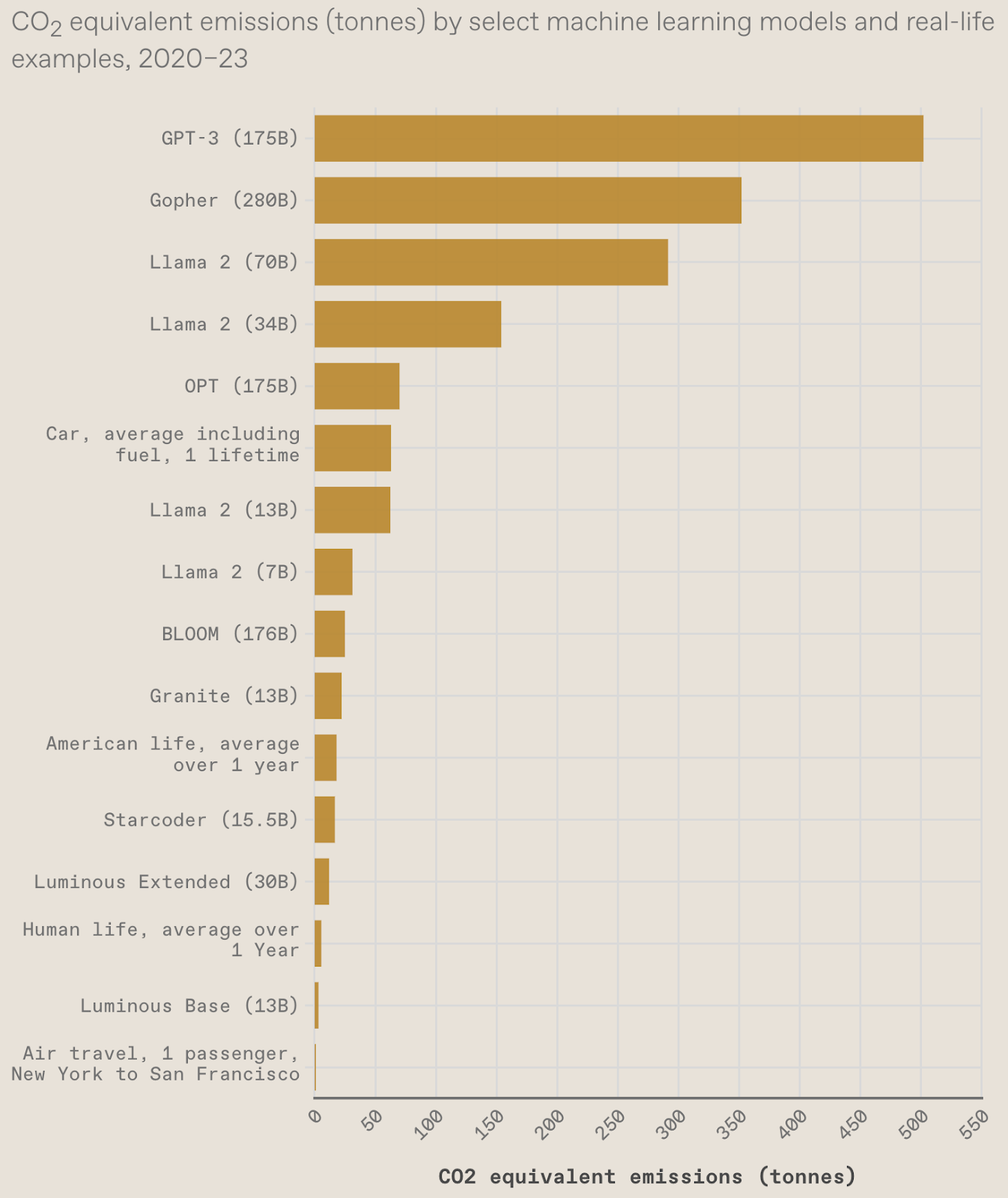
The AI Index tracks the generative AI boom, model costs, and responsible AI use. 15 Graphs That Explain the State of AI in 2024:
Usage
- Making an image with generative AI uses as much energy as charging your phone. Creating text 1,000 times only uses as much energy as 16% of a full smartphone charge.
- Generating 1,000 images with a powerful AI model, such as Stable Diffusion XL, is responsible for roughly as much carbon dioxide as driving the equivalent of 4.1 miles in an average gasoline-powered car.
- A search driven by generative AI uses four to five times the energy of a conventional web search. Google estimated that an average online search used 0.3 watt-hours of electricity, equivalent to driving 0.0003 miles in a car. Today, that number is higher, because Google has integrated generative AI models into its search.
- It took over 590 million uses OF Hugging Face’s multilingual AI model BLOOM to reach the carbon cost of training its biggest model. For very popular models, such as ChatGPT, it could take just a couple of weeks for such a model’s usage emissions to exceed its training emissions.
- According to some estimates, popular models such as ChatGPT have up to 10 million users a day, many of whom prompt the model more than once.
Build/Run/Host
- Running only a single non commercial natural language processing model produces more than 660.000 pounds of carbon dioxide emissions, the equivalent of 5 gas powered cars over their total lifetime (incl manufacturing), 125 round trips New York - Beijing. This is a minimum baseline and nothing like the commercial scale Apple and Amazon are scraping internet-wide datasets and feeding their own NLP systems.(AI researcher Emma Strubell and her team tried to understand the carbon footprint of natural language processing in 2019)
- ChatGPT, the chatbot created by OpenAI, is already consuming the energy of 33,000 homes. OpenAI estimates that since 2012 the amount of compute used to train a single AI model has increased by a factor of ten every year.
- Data centers are among the world's largest consumers of electricity. China’s data center industry draws 73 percent of its power from coal, emitting about 99 million tons of CO2 in 2018, and the electricity is expected to increase two-thirds by 2023.
- Roughly two weeks of training for GPT-3 consumed about 700,000 liters of freshwater. The global AI demand is projected by 2027 to account for 4.2-6.6 billion cubic meters of water withdrawal, which is more than the total annual water withdrawal of Denmark or half of the United Kingdom.
- Water consumption in the company's data centres has increased by more than 60% in the last four years, an increase that parallels the rise of generative AI.
In-depth breakdown
The dirty work is far removed from the companies and city dwellers who profit most. Like the mining sector and data centers that are far removed from major population hubs. This contributes to our sense of the cloud being out of sight and abstracted away, when in fact it is material affecting the environment and climate in ways that are far from being fully recognized and accounted for.
Compute Maximalism
In the AI field it’s standard to maximize computational cycles to improve performance, in accordance with a belief that bigger is better. The computational technique of brute force testing in AI training runs or systematically gathering more data and using more computational cycles until a better result is achieved, has driven a steep increase in energy consumption.
Due to developers repeatedly finding ways to use more chips in parallel, and being willing to pay the price of doing so. The tendency toward compute maximalism has profound ecological impacts.
![The [uncertain] Four Seasons](https://lh7-us.googleusercontent.com/docsz/AD_4nXdo4FLVlmfZ8Iz_Gt_No6Q7pfQKD_DOHkpFC-DUFJjYZUMkLT7oorShvVIMaajwl6CIF7-7aoVcrTQeiJXEOBtTYBmPq4IwyVQl1d4agKnDQk_VKL5bJ2J7Um01Uc6Nd_iiXbwSI9z7eBvn4s21lwyCe2M?key=HK842mDc2YCNqFjsrq6Owg)
The [Uncertain] Four Seasons is a global project that recomposed Vivaldi’s ‘The Four Seasons’ using climate data for every orchestra in the world. https://the-uncertain-four-seasons.info/project
Consequences
Within years, large AI systems are likely to need as much energy as entire nations.
Some corporations are responding to growing alarm about the energy consumption of large scale computation, with Apple and Google claiming to be carbon neutral (meaning they offset their carbon emissions by purchasing credits) and Microsoft promising to become carbon negative by 2030.
In 2023, Montevideo residents suffering from water shortages staged a series of protests against plans to build a Google data centre. In the face of the controversy over high consumption, the PR teams of Microsoft, Meta, Amazon and Google have committed to being water positive by 2030, a commitment based on investments in closed-loop systems on the one hand, but also on the recovery of water from elsewhere to compensate for the inevitable consumption and evaporation that occurs in cooling systems.
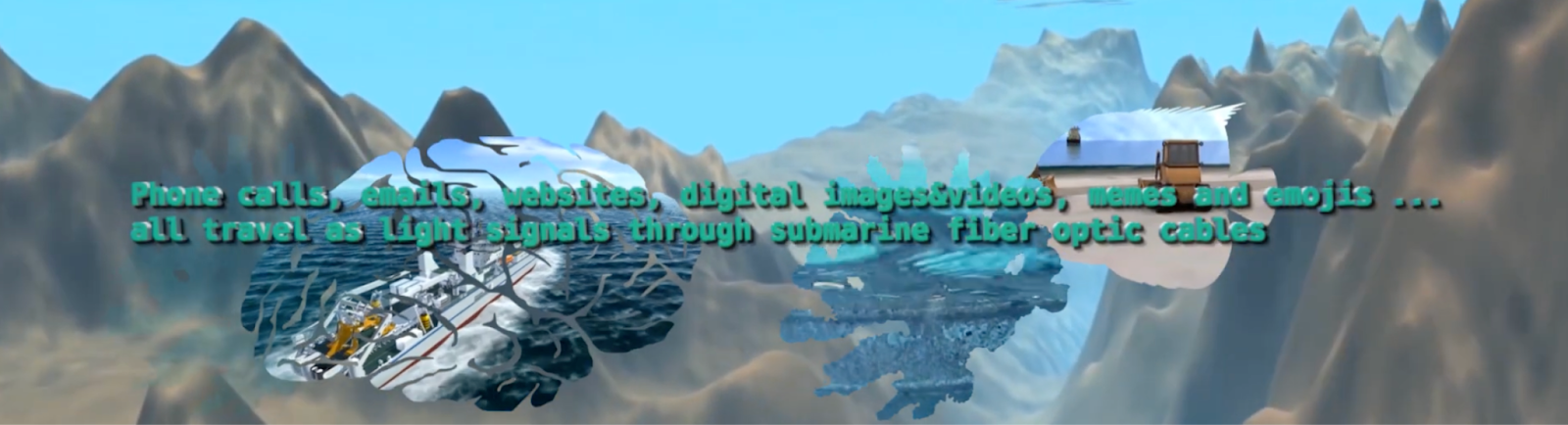
Deep Down Tidal is a video essay by Tabita Rezaire weaving together cosmological, spiritual, political and technological narratives about water and its role in communication, then and now.
More about water
Reflecting on media and technology and geological processes enables us to consider the radical depletion of nonrenewable resources required to drive the technologies of the present moment. Each object in the extended network of an AI system, from network routers to batteries to data centers is built using elements that require billions of years to form inside the earth.
Water tells a story of computation’s true cost. The geopolitics of water are deeply combined with the mechanisms and politics of data centers, computation, and power - in every sense.
The digital industry cannot function without generating heat. Digital content processing raises the temperature of the rooms that house server racks in data centres. To control the thermodynamic threat, data centres rely on air conditioning equipment that consumes more than 40% of the center's electricity (Weng et al., 2021). But this is not enough: as the additional power consumption required to adapt to AI generates more heat, data centers also need alternative cooling methods, such as liquid cooling systems. Servers are connected to pipes carrying cold water, which is pumped from large neighboring stations and fed back to water towers, which use large fans to dissipate the heat and suck in freshwater
The construction of new data centers puts pressure on local water resources and adds to the problems of water scarcity caused by climate change. Droughts affect groundwater levels in particularly water-stressed areas, and conflicts between local communities and the interests of the platforms are beginning to emerge.
Curious about more? Reading tips
A Geology of Media - Jussi Parikka
Hyper objects - Timothy Morton
Sources:
Podcast: Kunstmatig #28 - Tussen zeespiegel en smartphone
Technology Review: Making an Image with Gen AI uses as much energy as charging your phone
https://www.washingtonpost.com/technology/2023/06/05/chatgpt-hidden-cost-gpu-compute/
https://arxiv.org/pdf/2206.05229
Technology Review: getting a better idea of gen AIs footprint
https://spectrum.ieee.org/ai-index-2024
Standford EDU: Measuring trends in AI
Boeken
Atlas of AI - Kate Crawford
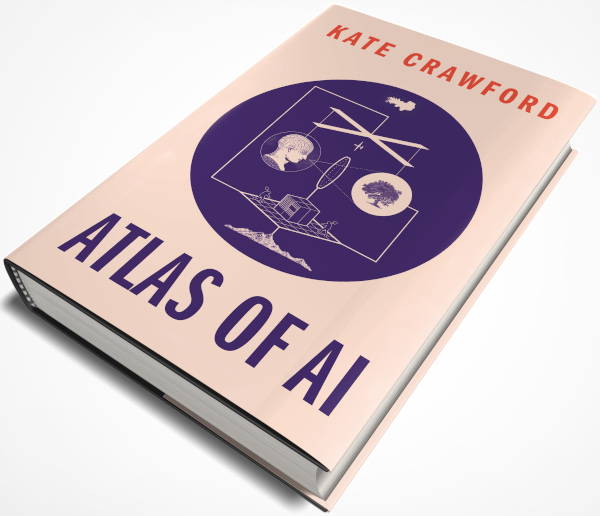
A history of the data on which machine-learning systems are trained through a number of dehumanizing extractive practices, of which most of us are unaware.
In Atlas of AI: Power, Politics, and the Planetary Costs of Artificial Intelligence Crawford reveals how the global networks underpinning AI technology are damaging the environment, entrenching inequality, and fueling a shift toward undemocratic governance. She takes us on a journey through the mining sites, factories, and vast data collections needed to make AI "work" — powerfully revealing where they are failing us and what should be done.
Wij robots - Lode Lauwaert
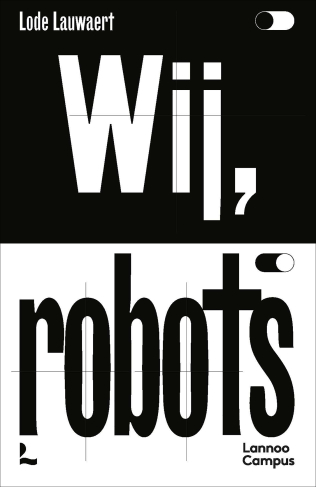
A philosophical view on technology and AI.
When discussing technology and AI, the image often arises of a future with malevolent, hyper-intelligent systems dominating humanity. Wij, robots, however, focuses on what is happening right before our eyes: (self-driving) cars, smartphones, apps, steam engines, nuclear power plants, computers, and all the other machines that we surround ourselves with.
This book raises fundamental questions about the impact of new and old technology. Is technology neutral? Are we sufficiently aware that Big Tech knows our sexual orientation, philosophical preferences, and emotions? And since the digital revolution, is the world governed by engineers, or are their inventions merely a product of society?
Art of AI - Laurens Vreekamp
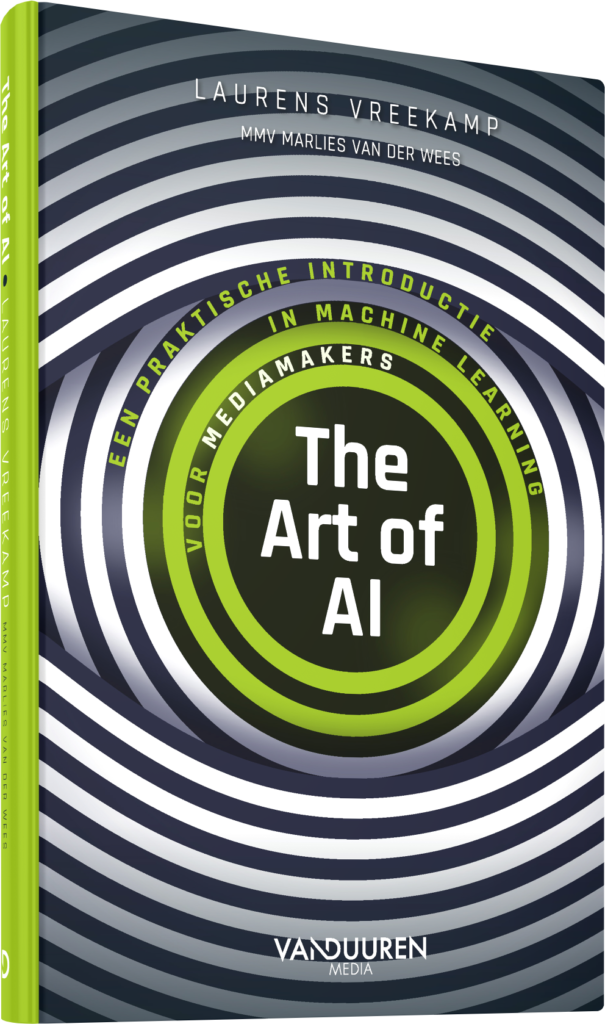
A practical look at how the creative process and AI go hand in hand, outlining the opportunities and dangers of artificial intelligence.
Automatically searching images in your own archive. Editing podcasts as if you were modifying a text in Word. Generating illustrations with text, coming up with alternative headlines for your article, or creating automatic transcriptions of dozens of audio recordings simultaneously; the possibilities of AI are endless.
In The Art of AI, authors Laurens Vreekamp and Marlies van der Wees take a practical look at how the creative process and AI go hand in hand, outlining the opportunities and dangers of artificial intelligence. This book is accessible even if you have no programming knowledge, mathematical aptitude, or a preference for statistics.
The Eye of the Master - Matteo Pasquinelli
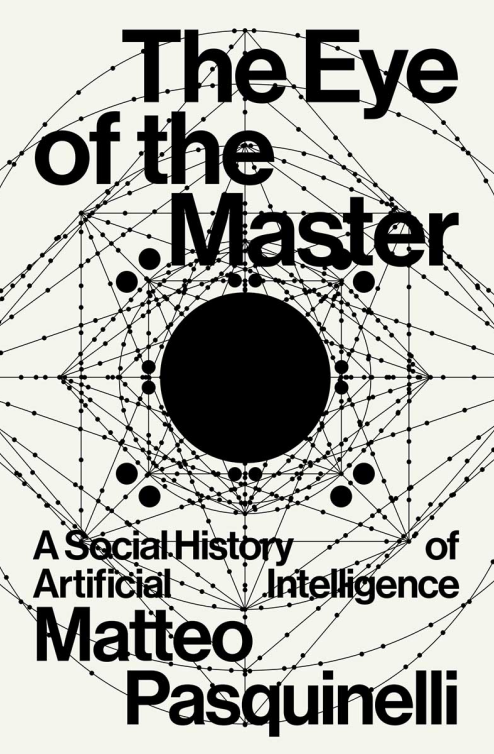
What is AI? A dominant view describes it as the quest "to solve intelligence" - a solution supposedly to be found in the secret logic of the mind or in the deep physiology of the brain, such as in its complex neural networks. The Eye of the Master argues, to the contrary, that the inner code of AI is shaped not by the imitation of biological intelligence, but the intelligence of labour and social relations, as it is found in Babbage's "calculating engines" of the industrial age as well as in the recent algorithms for image recognition and surveillance.
Resisting AI - An anti-fascist approach to Artificial Intelligence
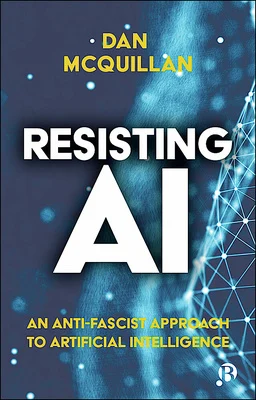
Artificial Intelligence (AI) is everywhere, yet it causes damage to society in ways that can’t be fixed. Instead of helping to address our current crises, AI causes divisions that limit people’s life chances, and even suggests fascistic solutions to social problems. This book provides an analysis of AI’s deep learning technology and its political effects and traces the ways that it resonates with contemporary political and social currents, from global austerity to the rise of the far right.
Dan McQuillan calls for us to resist AI as we know it and restructure it by prioritising the common good over algorithmic optimisation. He sets out an anti-fascist approach to AI that replaces exclusions with caring, proposes people’s councils as a way to restructure AI through mutual aid and outlines new mechanisms that would adapt to changing times by supporting collective freedom.
Academically rigorous, yet accessible to a socially engaged readership, this unique book will be of interest to all who wish to challenge the social logic of AI by reasserting the importance of the common good.
Local models (AI on your own PC)
There's lots of generative AI models you can run locally, instead of using online services. Here's a couple of options!
Running generative models locally
All the big models run on external servers and are usually only available through a (paid) account. There are some alternatives available that you can run locally on your own machine. Installing these usually involves complex installation procedures, but there's a trend for 'one-click-installers' that get you set up relatively painlessly. Below you can find some simple installers for various generative AI's.
Note 1 All of these models take up significant amount of space on your computer. The programs can take up to 3Gb, and the models are even larger. Make sure you have around 30Gb free when you get these models running!
Note 2 Most of these models need (recent and beefy) Nvidia graphics cards to run, or an Apple M processor.
If you don't have a system that can run these models and you also don't want to use the online services, or need some help with installation, please contact us through the HKU en AI page. We have some models set up here that you can experiment with. Open for both students and employees (of HKU.)
Image generation on your own computer
These models are based on Stable Diffusion. You will not get the latest version, but you can re-train the model, or download variants from the internet. Automatic11111 also allows you to combine models.
Stable Diffusion WebUI by Automatic11111: https://github.com/AUTOMATIC1111/stable-diffusion-webui (Win, Linux, Mac)
Easy Diffusion https://github.com/easydiffusion/easydiffusion (Win, Linux, Mac)
Both programs above can be downloaded from the Github page directly, resulting in a folder containing a .bat file. Run this and it will start downloading and installing all necessary files. Once it's done, run the .bat again and the program will start in your browser.
DiffusionBee https://diffusionbee.com/ for Mac. Also runs on older Intel macs, but those will take a very long time to generate images.
Text generation ('ChatGPT') on your own computer
If you want more control over the installation, pick between various models and give the model your own instructions, check the Ollama bookstack description page here.
Ollama for local LLMs
Ollama is currently a popular option for running LLMs locally. It runs models from various companies, which you can download directly from the terminal. You can download Ollama from ollama.com, available for all systems.
You need a bit of a beefy computer for this with quite a bit of storage. Apple Macbooks with an M processor will run fine, Windows/Linux laptops run best on a recent NVIDIA graphics card.
The current version of Ollama comes with a UI so that you don't have to run everything from the terminal. However, downloading new models from the UI is not very intuitive at the moment. I would suggest installing new models from the terminal.
When Ollama is installed, open a terminal (win key, type cmd) and run ollama from here.
Ollama terminal tips
No idea where to start? Type
ollama -hSee all installed models by typing
ollama listThe first time you type this your list will be empty.
Installing a model
To install a new model, type the following command. Replace [model name] with one of the models you can find in the ollama model list. Start with a popular one for testing. Note: the 1.5B / 7B / 14B is a rough indication for the size of the model, the bigger the number the larger the size. 7B models are usually 4-5GB on your disk, and will need that amount of VRAM (memory on your graphics card)
ollama run [model name]All installed models will also show up in the UI, but you'll probably need to restart the UI before they work.
Running a model
ollama run [model name]Deleting a model
All models (and instructions, see below) are saved as blob files in C:\Users\[Username]\.ollama\models\blobs. This means you can't manually remove or edit models. To delete a model, type
ollama rm [model name]Creating Characters: build your own instructionset
One of the ways you can modify the model is to give it additional instructions before it runs conversation mode. This way you can give a model character. You can instruct it to talk a certain way, use specific kind of vocabulary or express itself in a different way. This can improve the responses you get from the model, but can also be used to make interesting interactions.
Please note that this is not the same as training your own model, just an additional set of instructions to a pre-trained model. The names ollama gave to this process are a bit confusing, the modelfile they mention here is an instructionset to an existing model.
The way to do this is to copy the instructions of an existing model (like llama3:8b), modify those instructions, and then create a new model in ollama using those new instructions. For a long description of this process, see here. The short version:
Step 1: copy a model file
You can make a copy of an existing model in Ollama by using the following command:
ollama show [modelname] --modelfile > [newname]where [modelname] is one of the models you have already installed (e.g. llama3:8b), and [newname] is the filename of the new instructionset you want to create (e.g. myfirstmodel). Where does it save the new file? In the folder that you are currently in while typing the command! On Windows, when opening a terminal this will be C:\Users\[Username] by default. In order to keep everything in one place it's a good idea to navigate to the folder where you want your workfiles to be before running these commands.
We also have two files prepared for you here: story and emo. These use the llama3:8b model, which will download automatically when you install and run this 'story' or 'emo' model (see below).
Step 2: modify the model file
Open the newly saved model file in a text editor. There's lots of things you can edit here, see the full description on the ollama page. If you only want to change the character of the AI that you are talking with, add a descriptor at "system Job Description:". In the 'story' file, the assistant will write all responses as a short story. With the 'emo' file, the assistant will reply only in one word. You can see this in the model file if you open it in a text editor.
Step 3: install your model
To install your modified model file, type:
ollama create [name] -f [file location]Under Windows, this often will give an error along the lines: "1 argument expected, 4 given". If that's the case, make sure you're command line is navigated to the folder where the modified model is located, and then use .\[filename] as location. So when you want to save the story file you just edited as a model called 'story', navigate to the folder where you have the file 'story' and type:
ollama create story -f .\storyTo check: when successful, your new model should now show up when you type: ollama list.
All modified models will still use the same pre-trained model file. If all your modified models are based on the llama3:8b model, it will only download that model once (the list command shows all of them being 5 GB, but that is not the size on your disk, just the size it will use in your memory).
Step 4: run your model
ollama run [modelname]Step 5: edit your model?
Once installed, you cannot edit a model.
You can edit the model file you saved locally, but this will NOT update the model in ollama.
To update a model, re-do all steps above: change the local file, remove the old model, create the new model.
Creating a chain of models
If you want to have models building on each other's outputs, or models talking to each other, you can chain your characters by using python scripts. For instance, using the 'story' and 'emo' models above, you can chain these together using Python and the following script:
import ollama

def get_response(model, message):
    response = ollama.chat(model=model, messages=[
      {
       'role': 'user',
        'content': message,
      },
    ])
    return response['message']['content']

def chain_models():
    inputIntoFirst = 'The summary of the day'
    # First, get the response from the 'emo' model
    emo_response = get_response('emo', inputIntoFirst)
    print("The 1st response was: ", emo_response)
    # Then, use the response from the 'emo' model as input to the 'story' model
    story_response = get_response('story', emo_response)
    # Now you can use 'story_response' as you wish
    print("The response was: ", story_response)

chain_models()
(to use ollama in Python, use pip install ollama. You will probably have to re-install your models if you ran ollama from the command line before)
Using an interface
The current Ollama comes with a very basic UI, which allows you to add documents and search the internet.
There are lots of ways of adding a more complete interface to your LLM, like LM Studio, or Open WebUI. These change all the time so there's not much use of making a list of them here. The interfaces usually allow you to make Characters (like above) directly in the browser, to add (text) files as input or to add additional local models such as Stable Diffusion for image generation.
Experiment with Dutch local LLMs
MacWhisper (Mac only) is a great local transcription tool that converts audio to text. It also has an option to add LLMs through Ollama so that you can summarize your transcripts, which would make a great complete suite for recording and summarizing meetings running only local models. For English this seems to work rather well, but local LLMs are known for not being all to reliable for Dutch. So we ran an experiment, summarizing transcripts of the HKU en AI podcast.
Conclusion: No success yet for summarizing Dutch texts, in Dutch. (May 2025)
Setup
Setting up LLMs in MacWhisper is quite straightforward: install Ollama and install your model. Next, open MacWhisper and go to Global (the settings menu), then AI, Services. If Ollama is running, you should be able to select all installed models in MacWhisper by clicking Ollama under Add another service. Now once you've made a transcript you can interact with ollama under the AI tab (three stars) at the top right.
Testing Dutch in MacWhisper (May '25)
Interacting with any model through MacWhisper in Dutch gives strange results. Replies are often in English, or seem to ignore the prompt completely.
- Gemma3 and Mistral give pretty accurate summaries, but in English only. Interestingly it does seem to understand the Dutch contents of the transcript (although it misses some key points as well).
- Deepseek goes completely off the rails
- Llama3.2 gives a very short summary that misses key points.
Changing prompts or moving to chat mode does not seem to improve anything.
Testing Dutch in LLM directly (May '25)
I thought MacWhisper might be interfering in some way (as I could not get the LLM to react to anything else than 'summarize'), so I moved to Open WebUI. In this way I could still interact with the LLM and add a text file as imput. The textfile was the transcript export from MacWhisper.
While did this improve the interaction as I could talk to the LLM directly, results were similar to above. Some additional models tested here:
- Granite3.2 gave mixed bulletpoints, some accurate, some wildly off. Granite did respond in Dutch.
- Phi3,5 and Phi4 had nonsense results, although in Dutch.
- Two Dutch LLM models Geitje-7b en Fietje-2b completely derailed. They did not answer any questions but went rambling about daycare for young children, paper crafting and Dutch politics. It's clear what these models were trained on...
Audio transcripts with MacWhisper
MacWhisper is an audio transcript tool for Mac (and iOS, not tried) with a nice interface that runs a local model for audio transcription. It has a free version with a basic model and a paid version with a one-time €60 fee lifetime license, which gets you access to bigger 'Pro' models. It's quite good at separating speakers and does well for transcribing Dutch recordings. There's also options for linking to language models so that you can get summaries and bullet-points out of the transcript, but that needs a (paid) account on online services. We've tried linking it to Ollama to get a completely local system, but we did not have a lot of success for Dutch texts. English text should do better in that setup.
For HKU employees: you can install this app through the HKU software app, search for "Whisper".
Setup
This page is a short overview to get you started with transcribing. The app does not come with a lot of documentation but is pretty straightforward to use. First thing to check when starting up is which model is running, in the top right:
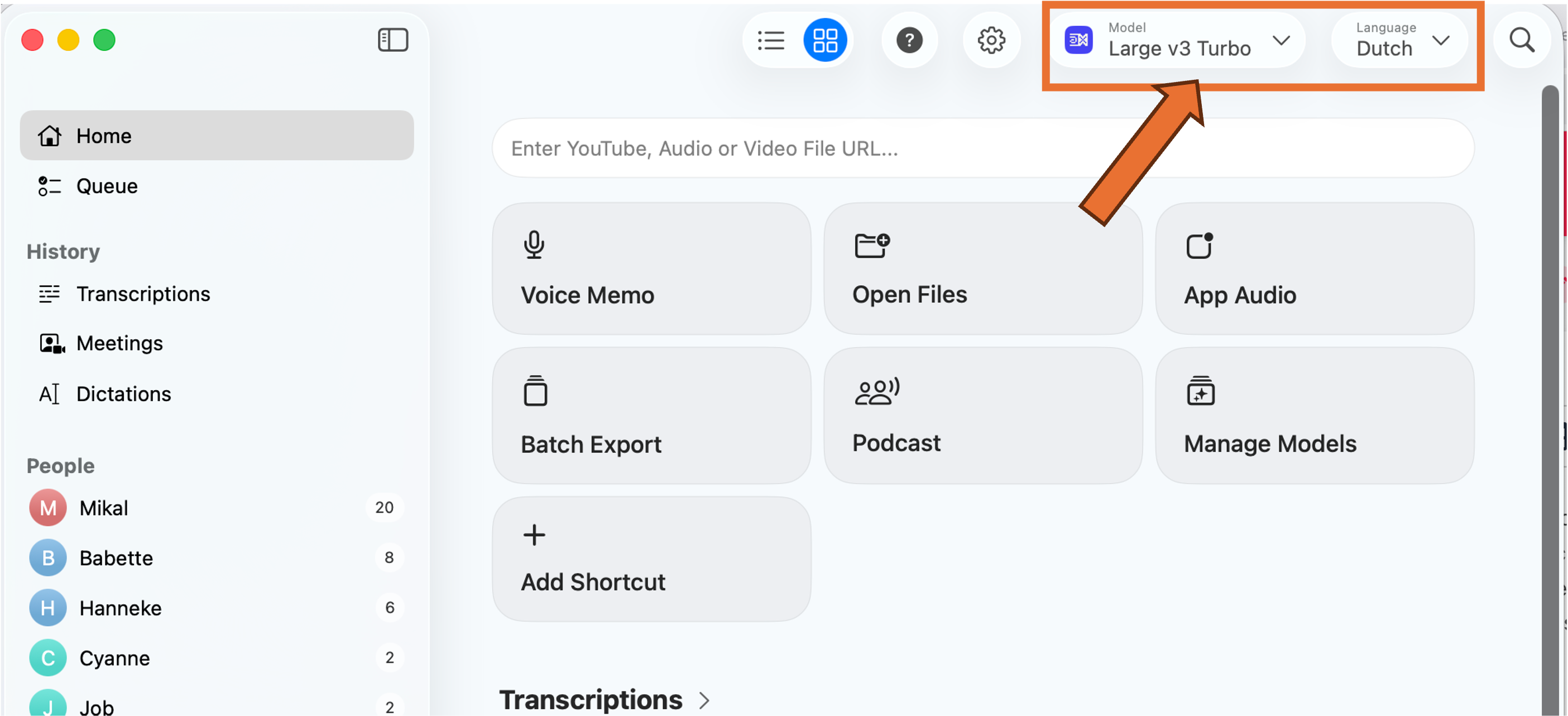
If you can't select a Large mode (with a Pro license), click Manage Local Models and install the relevant models. We've been having good results with the Whisperkit v2 and v3 models. Make sure you set the Language to Dutch. Strangely enough it doesn't really impact the word-for-word transcription, but the output will be in English if you don't do this.
And note:
Audio quality = transcript quality. The quality of the audio will greatly impact the quality of the transcript. We've been using the tool to transcribe a podcast of three people with individual microphones who (usually) take turns while talking. That leads to good and clean transcripts. A meeting with eight people in a large meeting room recorded with a laptop microphone will most likely not give you the best results, no matter how good the transcription tool is. Keep this in mind when setting up!
1. Recording options
In the Home screen you can choose a couple of ways to start transcribing.
Please request permission from everybody in the conversation before you do this. Especially for the App Audio, where the person on the other side will not automatically notice that they are being recorded.
Voice Memo
You can directly transcribe a discussion by opening Voice Memo. This will open a live transcription of whatever the microphone of your laptop is picking up. This means you don't have to pre-record the discussion in a different app.
App Audio
Use this to record and transcribe audio from an app such as Zoom for online meetings.
Open Files
This is where you import a pre-recorded conversation and what we did for the podcast.
2. Transcribe
The app will start to transcribe immediately once you select your option above. Depending on the file size and your computer this will take some time. Be patient,
the live transcript looks like one big wall of text that does not separate speakers or sentences. This will be corrected automatically when the transcription is finished.
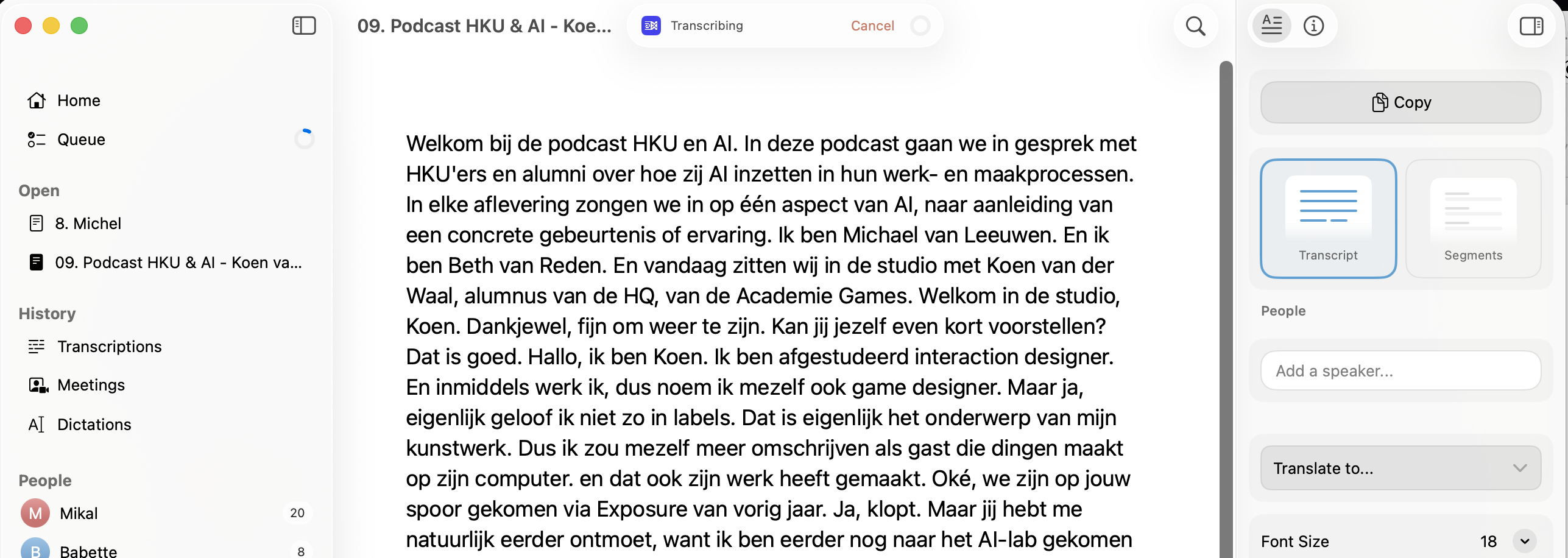 Initial transcript: one big wall of text
3. Clean up
The transcript is never perfect. Some words are not recognized correctly, and sentences can be attributed to the wrong speaker (especially when speakers are interrupted). You can clean this up once the transcript is finished. The app automatically saves your edits in the app itself, as a .whisper file. You can re-open this transcript when you re-start MacWhisper, no need to re-transcribe the audio every time.
First, go to the Segments view: On the right-hand side, click Segments (instead of Transcript). You now see a long list of individual sentences, attributed to individual speakers.
Rename Speaker 1, 2, ... : On the right you can rename 'Speaker 1' etc, to the relevant names, if you know them at this point.
Want to listen to who's speaking? Double-click the name that appears to the left of the sentence and the audio-playback will start at that sentence.
Wrong person attributed to the text? Right-click the name, then select the proper name (if you want to speed this process up, you can select the line, then press 1 (for speaker 1), 2 (for speaker 2), etc.)
Want to edit the sentence? Double click the sentence and start editing
Here's a short example:
After recording this, I noticed all later references of Koen were attributed to Babette. Clearly my naming of speaker 1, 2, 3 had been wrong at the start. The blue one should have been Koen, the green one Babette. Fixed by switching those names around, and re-attributing the first edits to the right people.
3. Export
Once the transcript has been cleaned up, you can export the text in various formats. On the top of the app, click the small arrow next to the Export button (square with an arrow pointing out)

You now get a selection of export options. Most likely you will want a .docx of the Transcript, but you can also get Subtitles for podcasts.
Quickstart guides
We've made a couple of quickstart guides to get you started with AI models. These are mostly in Dutch for now.
Disclaimer 1: These guides were written in 2023 and therefore very likely out of date.
Disclaimer 2: please note that these do not deal with the question of whether you SHOULD be using generative AI in your processes. These quickstarts are part of our own sessions in which we make this an integral part of the discussion and process.
Taalmodellen in Onderwijs
Please note that this quickstart does not deal with the question of whether you SHOULD be using generative AI in your processes. These quickstarts are part of our own sessions in which we make this an integral part of the discussion and process.
Aan de slag met AI
Er zijn veel verschillende tools waarmee je tekst kunt genereren. Denk aan Claude, Le Chat en Gemini. Maar er zijn al langer verschillende alternatieven. Deze hebben vaak een wachtlijst, en/of het zijn betaalde diensten. Bij elk van deze opties gaat het om online platforms, waarbij niet altijd even duidelijk is wat er met jouw data gebeurt. Let dus goed op met privacy-gevoelige informatie!
• Notion AI (www.notion.so/product/ai), alternatief voor ChatGPT
• Rytr (www.rytr.me). Een AI tool vooral bedoeld om kopij voor websites mee te genereren
• Writer (www.writer.com). Nog een kopij-tool
• GPT-3 en GPT 4. De tool ‘achter’ ChatGPT, kun je ook direct benaderen via OpenAI.com. Deze mist daardoor wel de meer intuïtieve chatfuncties.
• Bing chat (www.bing.com). De AI achter Bing is ChatGPT.
• Lex.page. Een schrijfhulp-tool.
• Sudowrite (https://www.sudowrite.com). Nog een schrijfhupl-tool, vooral voor fictie.
• Fermat.ws. Een Miro of Mural achtige tool die tekst en beeld kan genereren
Wat is een goede vraag?
Hoe praat je met een AI? Dat verschilt nogal per tool. De chatbots zijn daarin de meest ‘natuurlijke’, omdat deze goed met verschillende gespreksvormen om kan gaan. Wat de tool kan, is ook per tool anders. Maar vraag bijvoorbeeld eens om een lesplan op een voor jou relevant onderwerp, een samenvatting van een (online) artikel of een samenwerkingsvorm voor in je les. Bij de meeste tools kun je ook doorvragen:
• Kun je deze alinea herschrijven? / vertalen naar het Engels?
• Kun je deze samenvatting herschrijven in een informele stijl? / met tien spelfouten in?
• Kun je deze informatie vergelijken met de theorie van …?
• Kun je dit lesplan herzien met de volgende voorwaarden?
Wat zegt ‘ie nou?
Tekst-generatoren werken op basis van woordvoorspelling. Afhankelijk van de context genereren ze het meest waarschijnlijke volgende woord in de zin. Kort door de bocht gaat dat ongeveer zo: “ik loop door het bos en zie ...” AI: “een” ... “boom”. Waarop baseert de AI wat het meest waarschijnlijke vervolg is? Dat heeft hij geleerd uit de dataset, een enorme verzameling teksten die door de AI geanalyseerd is. Maar: de AI weet niet wat een bos is, of wat een boom is. Alleen dat het woord ‘bos’ vaak in de buurt van ‘boom’ voorkomt.
Dat betekent dus dat het niet per definitie daadwerkelijk waar is wat er geschreven wordt, alleen waarschijnlijk, op basis van de dataset.
Vragen over onderwerpen die breed besproken zijn, zullen daarom vaker tot nauwkeurige antwoorden leiden dan vragen over meer obscure onderwerpen. Interessante vragen om dit te onderzoeken zijn bijvoorbeeld vragen gebaseerd op onjuiste aannames:
• Kun je me uitleggen waarom de walvissen in de Atlantische oceaan groen zijn?
• Kun je me vertellen waarom er zoveel croissants worden gegeten in Taiwan?
• Waarom hebben de huizen in de Drieharingenstraat alleen oneven huisnummers?
Vergelijk de antwoorden tussen verschillende tools. ChatGPT kan vaak al beter met dit soort vragen overweg. Toch, als je op de antwoorden door blijft vragen kun je alsnog op interessant terrein terecht komen. Vraag dezelfde vraag ook eens meerdere keren, en kijk wat de verschillen tussen de antwoorden zijn.
Beeld genereren in een creatief proces
Please note that this quickstart does not deal with the question of whether you SHOULD be using generative AI in your processes. These quickstarts are part of our own sessions in which we make this an integral part of the discussion and process.
Aan de slag met AI
Er zijn verschillende tools waarmee je beeld kunt genereren. De bekendste op dit moment zijn Dall-E, Stable Diffusion en MidJourney. Er zijn een veel alternatieven, maar een groot aantal daarvan maken zelf ook gebruik van een van de eerste drie. Bij de online platforms is het niet altijd even duidelijk wat er met jouw data gebeurt. Ook zijn alle online platforms betaald, maar krijg je bij aanmelden vaak een aantal credits om te starten. Zodra deze op zijn ga je betalen per afbeelding. Een aantal platforms:
- Stable Diffusion online: https://beta.dreamstudio.ai/home
- Midjourney https://www.midjourney.com/home/
- Dall-E https://openai.com/dall-e-2/
- Alternatief met een missie: Missjourney https://missjourney.ai genereert alleen vrouwelijke personen, bijvoorbeeld in werkvelden waarin de beeldvorming voornamelijk mannelijk is. Zoals jurist, astronaut, CEO, etc.
Wil je zeker weten dat er ‘niemand meekijkt’? Stable Diffusion kun je ook zelf op je eigen computer draaien, bijvoorbeeld als Diffusion Bee voor Mac, of Easy Diffusion voor Windows/Linux. Daar heb je een recente computer en/of stevige grafische kaart voor nodig, maar dan hoef je je niet te registreren bij een online platform. Je vindt hier een lijstje met tools en installers.
Prompts!(?)
Text-to-image beeldgenerators werken op basis van ‘prompts’. Dat is de tekst die je intypt om tot een afbeelding te komen. Elke beeldgenerator heeft eigen voorkeuren en eigenaardigheden op het gebied van deze prompts, en je komt daar het beste achter door het vooral te proberen! De modellen worden getraind op foto’s van internet en de omschrijvingen die gebruikers daarbij hebben geschreven. Die zijn vaak enorm specifiek en uitgebreid, om maar in zoveel mogelijk zoekmachines naar boven te komen. Dat is dus ook ongeveer de ‘taal’ waarin jij jouw afbeelding moet gaan omschrijven. Er is een heel nieuw werkveld ontstaan dat prompt-engineering heet!
Prompt tips
- Wees specifiek, vooral bij Stable Diffusion. Gebruik labrador in plaats van hond, of Versailles in plaats van kasteel. Denk ook aan het vermelden van kleuren, texturen, vormen, details. Maar ook sfeer kun je meegeven, zoals vrolijk, raar, spannend of ontroerend.
- Weid uit. Probeer geen korte prompts te gebruiken; herhaling in andere woorden kan goed werken.
- Neem de techniek mee. Als je voor een fotorealistisch beeld gaat, kan het helpen om bijvoorbeeld Canon EOS 90D te gebruiken, liefst ook nog met lenstype en focuslengte. Voor schilderkunst zou je de gebruikte penselen, verfsoort of verftechniek kunnen proberen. Ook de stijl van een fotograaf, filmmaker of schilder kun je in je prompt verwerken.
- Reverse engineer: gebruik een beeld naar tekst model zoals Clip Interrogator (Stable Diffusion) om jou bestaande beeld of inspiratie om te zetten in prompts. Gebruik deze prompts vervolgens om een nieuw beeld mee te genereren.
- Kijk ook eens naar de opties voor outpainting (een gemaakte afbeelding uitbreiden), inpainting (een deel van een afbeelding vervangen) en image-to-image (een foto of schets als input meegeven). Niet elke beeldgenerator heeft deze opties.
Taalmodellen inzetten in professionalisering
Please note that this quickstart does not deal with the question of whether you SHOULD be using generative AI in your processes. These quickstarts are part of our own sessions in which we make this an integral part of the discussion and process.
Aan de slag met AI
Er zijn veel verschillende tools waarmee je tekst kunt genereren. De bekendste op dit moment is ChatGPT van OpenAI. Maar er zijn al langer verschillende alternatieven. Deze hebben vaak een wachtlijst, en/of het zijn betaalde diensten. Bij elk van deze opties gaat het om online platforms, waarbij niet altijd even duidelijk is wat er met jouw data gebeurt. Let dus goed op met vertrouwelijke informatie!
Je kunt kiezen uit drie niveau’s:
Level 1: Laagdrempelig experimenteren met ChatGPT en andere taalmodellen.
Level 2: Een prototype maken voor een chatbot met een eigen karakter.
Level 3: Taken of gewenste resultaten helemaal automatiseren (agents).
Voor level 2 en 3 heb je waarschijnlijk een betaald account nodig.
Level 1: formuleer een goeie openingszin
Wat is een goede vraag om mee te beginnen?
Hoe praat je met een AI? Dat verschilt nogal per tool. Tegen ChatGPT kun je praten alsof je tegen een mens praat, maar achter de schermen zit geen mens maar een combinatie van een taalmodel en een algoritme. Je kunt dus ook opdrachten geven die je niet zo snel aan een collega zou geven, zoals ‘vertaal dit gedicht naar code in programmeertaal Python’ of ‘maak van dit rommelige tekstbestand een overzichtelijke tabel’.
Tools die je kunt proberen:
- Claude (claude.ai)
- Le Chat (chat.mistral.ai)
- Rytr (www.rytr.me). Een AI tool vooral bedoeld om kopij voor websites mee te genereren.
- Writer (www.writer.com). Nog een kopij-tool.
- Bing chat (www.bing.com). De AI achter Bing is ChatGPT.
- Lex (lex.page). Een schrijfhulp-tool.
- Sudowrite (www.sudowrite.com). Nog een schrijfhulp-tool, vooral voor fictie.
- Fermat.ws (fermat.ws) Een Miro of Mural achtige tool die tekst en beeld kan genereren.
- Notion AI (www.notion.so/product/ai), integreert AI in de schrijfinterface.
Voor zakelijke taken kun je beginnen met deze stappen:
1. Vertel de chatbot (of andere tool) eerst iets over je project. Bijvoorbeeld een artist statement of andere projectomschrijving.
2. Vraag de chatbot: 'Wat zijn vragen die ik jou zou kunnen stellen zodat je mij kan helpen om van dit project een zakelijk succes te maken?’
3. Kies vervolgens een vraag uit en vraag de chatbot om dit onderdeel helemaal uit te werken. 4. Geef feedback in een vervolgvraag, bijvoorbeeld: “opnieuw, maar nu met zorgprofessionals als doelgroep”.
Level 2: geef je partner karakter
Het ‘antropomorfiseren’ van chatbots (doen alsof het een mens is) kan dus helpen in het verkennen van interactiemogelijkheden. Wees hier wel voorzichtig mee, want een taalmodel kan vooral goed doen alsof het een mens is: er zit niet daadwerkelijk een mens achter. Maar áls je dan doet alsof het een mens is, dan heb je best veel mogelijkheden om het karakter precies te ontwerpen zoals jij dat wil.
In de basis geven taalmodellen vrij ‘grijze’ antwoorden, zonder humor, specifieke expertise of andere vormen van karakter. Met een ‘pre-prompt’ of ‘system prompt’ kun je het karakter in een bepaalde rol laten kruipen. Je stuurt hiermee de inhoud en tone-of-voice voor het hele gesprek.
Tools die je kunt proberen:
- Met ChatGPT (chat.openai.com) kun je dit toepassen door in je eerste vraag een karakterschets mee te geven.
- Met de Playground van OpenAI (platform.openai.com/playground) kun je dit karakter net iets overzichtelijker ‘vastzetten’ (selecteer Mode -> Chat)
- De bot ‘Forever Voices’ (t.me/ForeverVoicesBot) werkt met Text-to-Speech en ondersteunt karakters en stemmen van verschillende beroemdheden.
- ‘Awesome ChatGPT Prompts’ biedt een overzicht aan karakters, waaronder ‘Act as business coach’ (github.com/f/awesome-chatgpt-prompts)
Stappenplan:
- Geef een zo uitgebreid mogelijke beschrijving van de expertise van je karakter. Start met ‘Act as’ of ‘Acteer als’. Overdrijven lijkt te werken: ‘je bent meerdere keren uitgeroepen tot advocaat van het jaar en de beste in je vakgebied’.
- Voeg een voorbeeld toe van de tone-of-voice van je karakter en geef expliciet mee dat de chatbot deze stijl in elk antwoord moet verwerken.
- Maak er een natuurlijk gesprek van en geef feedback op de stijl en inhoud van de chatbot als je merkt dat de stijl niet helemaal naar je zin is.
Level 3: besteed je gehele takenpakket uit
Vind je zo’n gesprek maar met een chatbot maar moeilijk of tijdrovend? Ben je liever kortaf en besteed je liever je volledige huishouden uit? Dan belooft ‘AutoGPT’ een oplossing. Deze chatbot kan aan de hand van een simpele doelstelling ‘Schrijf een bedrijfsplan voor (...)’. AutoGPT verdeelt deze taak automatisch onder in subtaken en die subtaken weer in subtaken.
Uitproberen:
- AgentGPT (agentgpt.reworkd.ai)
- Cognosys (cognosys.ai/create)
Bewegend beeld genereren (text-to-video)
Please note that this quickstart does not deal with the question of whether you SHOULD be using generative AI in your processes. These quickstarts are part of our own sessions in which we make this an integral part of the discussion and process.
Aan de slag met AI
Er zijn verschillende tools waarmee je bewegend beeld kunt genereren. De bekendste op dit moment zijn Runway, Pika & Deforum (Stable Diffusion).
Deforum is een extensie van het open source Text-to-Image model Stable Diffusion en genereert video’s zonder zelf ooit een video ‘gezien’ te hebben. Deforum werkt namelijk op basis van het achter elkaar plakken van een reeks met Text-to-Image gegenereerde afbeeldingen. Vervolgens ‘interpoleert’ de AI tussen de afbeeldingen en ontstaat een ‘vloeiende’ video/animatie. Deforum is gratis en kun je ook op je eigen computer of server werkend krijgen. Dit kost wel veel uitzoekwerk dus we raden de versie op Replicate.com aan voor je eerste experimenten. Link: www.replicate.com/deforum
Na Deforum was Runway de eerste grote speler op het gebied van Text-to-Video met een AI-model dat daadwerkelijk op video’s getraind is: Runway Gen 2. Online AI-platforms zoals Runway zijn betaald, mede omdat het veel energie kost om AI-video’s te maken. Wel krijg je bij aanmelden een aantal credits om te starten, wat Runway uitdrukt in het aantal seconden video dat je kan genereren. Zodra deze op zijn ga je betalen per video of een bedrag per maand. Link: www.runwayml.com
Recent alternatief Pika verkeert nog in ‘beta’-fase wat betekent dat je de service voorlopig gratis kunt testen. Net als Runway leert deze online dienst van je gebruik en is het niet altijd duidelijk wat er met je gegenereerde video’s/data gebeurt. Pika werkt net als veel andere AI-tools via communityplatform Discord. Je kan de Pika-bot DM’s (direct messages) sturen als je niet wil dat andere gebruikers je videocreaties zien. Wel is het interessant om via Discord te zien wat er in de openbare kanalen allemaal gemaakt wordt met Text-to-Video.
Link: www.pika.art (klik ‘join beta’, Discord-account nodig).
Tips voor Text-to-Video
- Wees concreet met je prompts. Beschrijf heel uitgebreid welke beweging je precies terug wil zien. Alleen ‘Moving’ werkt niet goed: beschrijf wat je wil dat er beweegt en hoe het beweegt.
- Image-to-Video: Start met een afbeelding. Dit kan zowel een gegenereerde foto zijn (Runway heeft ook een eigen Text-to-Image tool) of een ‘echte’ foto of digitaal ontwerp.
- Stuur de camera. In alle tools kun je instructie meegeven hoe de ‘camera’ moet bewegen, bijv. ‘zoom in’, ‘zoom uit’, ‘beweeg horizontaal’ of ‘beweeg verticaal’.
- Alternatief: animeer AI-afbeeldingen handmatig. Vind je Text-to-Video nog te onvolwassen? Je kan natuurlijk ook met Text-to-Image (bijv Stable Diffusion) een reeks afbeeldingen maken en die met After Effects of Premiere handmatig omzetten in een video.
- Alternatief: laat alleen gezichten/monden bewegen. Dit kan met D-ID.com en HeyGen.com.
Making music with AI
Please note that this quickstart does not deal with the question of whether you SHOULD be using generative AI in your processes. These quickstarts are part of our own sessions in which we make this an integral part of the discussion and process.
AI & Music
Artificial Intelligence (AI) has been playing a significant role in the way music is created, distributed,
and listened to for several years. Consider, for example, Spotify's 'you might also like' recommendations.
These apps usually utilize AI algorithms. Furthermore, tools have existed for some time that can isolate
the 'stems' (instruments and vocals) within a song.
Relatively new are generative AI tools trained to create something new. Think of ChatGPT for text,
Stable Diffusion for images, Runway for video, and Suno for music. 'Creating something new' is relative
here: the software is usually particularly good at creating new variations based on all the material it
has been trained on previously.
Whether all this is morally and legally permissible and desirable is a discussion in itself. However, for
musicians, the developments also offer interesting opportunities for new forms of musical creative
processes and music education. Consider experimenting with merging styles or creating a cover of your
own song with a different voice.
Video made by Sander Huiberts that showcases various tools: https://nextcloud.hku.nl/s/WwQGndyw7LTtrKt
What role can AI play in musical creative processes?
You'll find that professional creators almost always choose to collaborate with AI for only part of the
creative process (except for a few AI enthusiasts). Within this, there are many choices. A few
examples:
- De Staat wrote, sang, and played the song for 'Running backwards into the future' themselves but
created the 'dreamy' music video in collaboration with Stable Diffusion Deforum.
- Holly Herndon's third full-length album 'PROTO' isn’t about AI, but much of it was created in collaboration with her own AI Spawn; a voice model (mostly) trained on her own voice. In this podcast she discusses the history of generative AI music tools with Dadabots.
- The [Uncertain] Four Seasons is a global project that recomposed Vivaldi’s ‘The Four Seasons’ by AI using climate data for every orchestra in the world to grasp what 2050 will sound like.
- The AI song 'Heart on my sleeve' used voices from Drake and The Weeknd, but the lyrics and vocal
input were done by TikTokker Ghostwriter977 himself.
- SETUP and Pure Ellende experimented in 2021 with an AI-generated ‘smartlap’ (folk song), but the
lyrics were only half generated by GPT-2 (alternating one line by the AI and one by a human).
In recent months, we also see tools appearing that generate tracks without needing a text, voice, or
sample as input. Stable Audio does this for (electronic) music without (understandable) vocals. Suno
gives you the choice to write or generate lyrics and then combines vocals and instruments in a style of
your choice. It still sounds a bit crackly, but such a song might inspire a new melody, a piece of text, or
a combination of music styles.
Want to experiment yourself?
- Suno.ai: Generate songtext and music including vocals. (Temporary) free account needed.
- StableAudio.com: Generate music without vocals. Free account required.
- Sounds.studio: AI enhanced DAW for stem splitting, text to audio, style transfer, voice swapping. (Free account + credits required)
- Vocalremover.org: Separate vocals and instruments from existing audio files.
- Voicify.ai: Voice changer. Paid plan only.