Adobe & alternatives
Adobe offers a wide range of programs from web design tools, photo manipulation and vector creation, through to video/audio editing, mobile app development, print layout and animation software.
How to get Adobe as a HKU student
Every user needs an online account for adobe, free to create.
With this you can login on various computers @ HKU see the studentportal for more info: https://studentportal.hku.nl/faciliteiten/ict/applicaties/adobe/
To use Adobe on your own computer, you need a paid license, available through surfspot, on a yearly basis.
Alternatives to Adobe
Not everyone is happy to work with Adobe or can afford it.
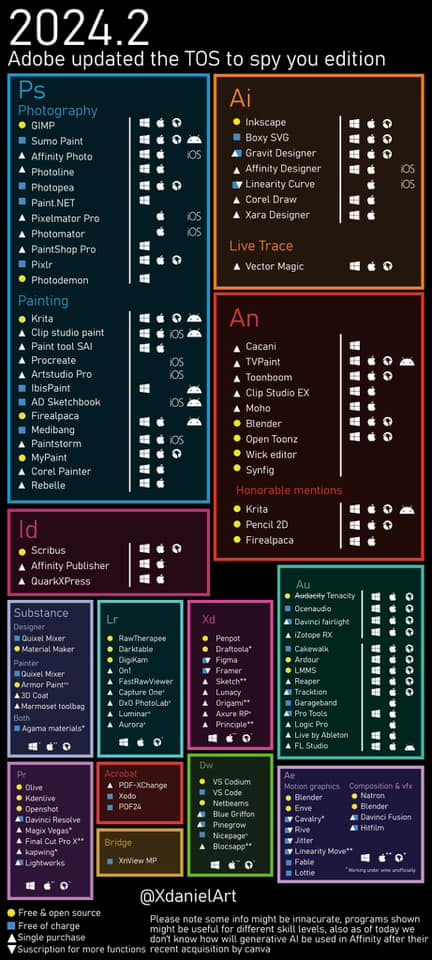
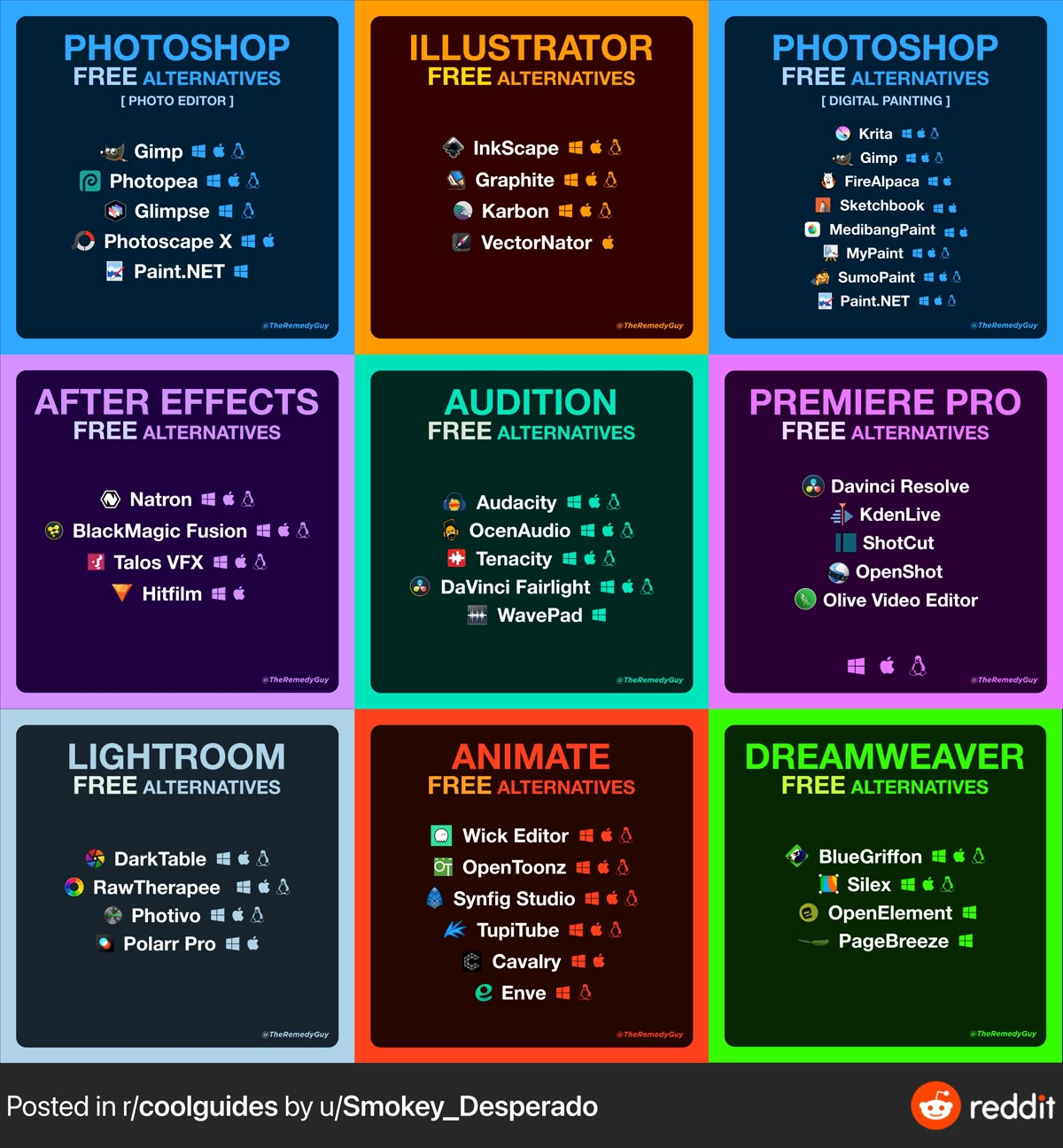
So here's a list of alternatives you could explore. Of course not all tools will replace the possibilities offered bij Adobe completely but there are some decent thing out there, even for free. Also remember; creating is always more about what you are making & communicating than the tool you used, right?
In browser alternatives
Affinity (stills)
https://www.affinity.studio/
Is now free! Check it out to combine the techniques of Photoshop. Illustrator & Indesign in 1 file.
https://www.affinity.studio/en_gb/help/getting-started/
Da Vinci Resolve (video)
https://www.blackmagicdesign.com/products/davinciresolve
DaVinci Resolve is a decent free alternative to Adobe Premiere: combines editing, color correction, visual effects, motion graphics and audio post production all in one software tool. Its elegant, modern interface is fast to learn and easy for new users, yet powerful for professionals.